Advice Request Is My Laptop Open To Public?

Share practical recommendations that address the author's needs.

raytechknowledge

Level 1
Verified
Hi Members,

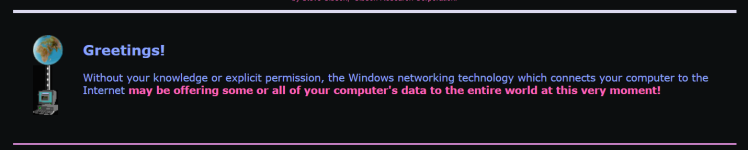
I have new laptop and installed Kaspersky Total Security. Firewall is set to ON. I did a firewall testing through ShieldsUp. It shows the message "Without your knowledge or explicit permission, the Windows networking technology which connects your computer to the Internet may be offering some or all of your computer's data to the entire world at this very moment!" As recommended in another thread i am planning to get Voodoshield or OSArmour. Its still under consideration.

What can i do the prevent such an external penetration? I am unable to raise a request with Kaspersky. The submit button in my.kaspersky is disabled for some reason. Please help me.

Regards,
Ray
 
Hi Members,

I have new laptop and installed Kaspersky Total Security. Firewall is set to ON. I did a firewall testing through ShieldsUp. It shows the message "Without your knowledge or explicit permission, the Windows networking technology which connects your computer to the Internet may be offering some or all of your computer's data to the entire world at this very moment!" As recommended in another thread i am planning to get Voodoshield or OSArmour. Its still under consideration.

What can i do the prevent such an external penetration? I am unable to raise a request with Kaspersky. The submit button in my.kaspersky is disabled for some reason. Please help me.

Regards,
Ray
Which test of ShieldsUP did you give that warning?
 
This warning message it's a generic "welcome message" one I guess:

1653384856619.png

You have to click over:

1653384889575.png

To perform the real test :)

1653384935499.png
 
If You don't get the green message, You should disable uPnP in Your router :)
This! But most routers today no longer expose upnp to the WAN/internet. And it never should have. UPnP is not as unsafe as it once was. For gaming I actually prefer it to opening ports. But there’s always the risk of a compromised device in your LAN side. But that’s outside of the scope of UPnP.
 
Hi Members,

I have new laptop and installed Kaspersky Total Security. Firewall is set to ON. I did a firewall testing through ShieldsUp. It shows the message "Without your knowledge or explicit permission, the Windows networking technology which connects your computer to the Internet may be offering some or all of your computer's data to the entire world at this very moment!" As recommended in another thread i am planning to get Voodoshield or OSArmour. Its still under consideration.

What can i do the prevent such an external penetration? I am unable to raise a request with Kaspersky. The submit button in my.kaspersky is disabled for some reason. Please help me.

Regards,
Ray

Unless you are using a static ip address (ipv6/ipv4) there is no point in testing using ShieldsUp, because it will be testing your isp's dynamic server's ports and not yours. Even with a static ip address most ISP's (Internet service provider) won't open ports unless you explicitly request for the same. If you want to test your computer firewall, first you need a static ip address, then make a "port forward" rule in your router to open-up your computer's ip address to web, then only you can test your computers's firewall capability. ( and its a sheer waste of time)
Edit: to clear the confusion of what ISP means... thanks to blackice.
 
Last edited:
Unless you are using a static ip address (ipv6/ipv4) there is no point in testing using ShieldsUp, because it will be testing your isp's dynamic server's ports and not yours. Even with a static ip address most ISP s won't open ports unless you explicitly request for the same. If you want to test your computer firewall, first you need a static ip address, then make a "port forward" rule in your router to openup your computer's ip address to web, then only you can test your computers's firewall capability. ( and its a sheer waste of time)
Ah when you said ISP I was thinking "what is @JoyousBudweiser talking about!?". But I see you mean their router/gateway. This is true, this test is only going to test your first firewall, if you are behind a network firewall that is what it is going to test. Some ISP's permanently block some esoteric ports used for abuse across their whole network. To test the PC you would need to get on a public network or turn off your network firewall (Not recommended). Honestly most GRC tests are outdated these days.
 

Recently browsing

Members who viewed this thread in the last 5 minutes

Back
Top