
Anyone besides me getting notice that Kaspersky web site is close for maintenance? I have not been able to sign in for the last 2 days, does anyone else having the same problem or know why so long?


Open MalwareTips from your Home Screen or desktop. Follow discussions, find answers and pick up where you left off.
If you cannot find an install option, update your browser or use its bookmark option to keep MalwareTips close.
After installation, open the app and sign in. Enable push notifications in Preferences if you want alerts. On iPhone and iPad, push requires a Home Screen web app and iOS or iPadOS 16.4 or later.
Sign in to manage notificationsInstallation is optional. Your notification settings stay under your control.
 Thread starter
Dave Russo
Thread starter
Dave Russo



Have you tried pressing Shift+refresh button in your browser.still getting this {day3}
The requested page is not available
We are performing scheduled maintenance. Please try again later.
My Kaspersky
I will try latter ,I do not have the time right now, have to go thanksHave you tried pressing Shift+refresh button in your browser.
You can also try to login with using private/incognito mode or try from another browser or your phone.
Tried all 3 suggestions but still getting same caption, I think I might be locked out ,maybe for installing and uninstalling there product too many times?, never had this problem before, going to go with AVG for now,I will try latter ,I do not have the time right now, have to go thanks
Are you willing to post this link, still not working for meI just went to kaspersky.es (which works fine here), then at the bottom of the site -> Global WebSite, and got the new link working...

Sad to hear, as it don't seem to be any general ongoing issue as otherwise not even me should be able to connect. It works flawless btw. Member @harlan4096 is more then qualified to help and assist you, and I don't gonna put my nose into this specific case more then this post with a few key hints/pointers and adding the requested direct links to Kaspersky.es, but also a few more as the mention from @harlan4096 on a site update can be a possible reason. Click on the spoiler for the links.Are you willing to post this link, still not working for me
ping www.kaspersky.com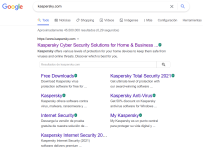

Members who viewed this thread in the last 5 minutes


