Hot Take Malfunction after the latest update of Microsoft Defender

Parkinsond

Level 67
Thread author
Verified
Top Poster
Well-known
Dec 6, 2023
5,617
17,922
6,569
Several Redditors have reported MD not working after the latest update


When I try to run a scan, it stops and then tells me to restart the service. There are no exclusions and nothing of note from my start up apps. I’ve run a deep scan with Malwarebytes and it’s all good. I noticed there was a new security update for Windows and downloaded it and after restarting my PC, I’m still encountering the same issue. I’m not sure whether this is Malware related as I’m always careful of what I’m downloading and never click suspicious links. Not sure what else to do and need some help.

 
Haha, my quick scan will be bogged today, but tomorrow is another day. Meanwhile, I promise to not download any malware.

HappySummerGIFbyMockoFun.gif
 
Microsoft totally breaks Windows Defender virus scans in trying to fix a 0-day flaw

Microsoft Defender is failing to complete quick scans, full scans as well as offline scans after recent updates.

Recently, security researcher NightmareEclipse managed to point out a major issue with a Defender patch that could allow threat actors to completely fill up the disk space. The researcher recently released another LPE proof-of-concept dubbed "ShieldBreak".

However, in trying to patch this zero-day, Microsoft, it seems, has broken Defender scans as users are reporting they are unable to complete virus and malware scans on their systems. Both quick scans and full system scans seem to be affected with several users on Reddit reporting similar problems after installing the latest Windows security update.

 
Recently, security researcher NightmareEclipse managed to point out a major issue with a Defender patch that could allow threat actors to completely fill up the disk space. The researcher recently released another LPE proof-of-concept dubbed "ShieldBreak".
Neowin didn’t mention how they linked this breakage with NightmareEclipse, though; it still seems pretty iffy.

Their affected version list also seems incomplete. The guy on ElevenForum first broke on 1.457.219.0.

ps: Mine broke on the update from 217 to 225, and fixed (had to do it manually) on the update from 225 to 236.
 
Everyone here complaining about the inability to run a scan; me, on the other hand, wondering why the hell would someone run a scan in Defender.

There are programs like Malwarebytes, Emsisoft Emergency Kit and such that are designed for scanning. There's no need to scan in your antivirus software because it's scanning constantly in real-time, when accessing the file and doing regular quick scan daily/weekly.
 
Last edited:
wondering why the hell would someone run a scan in Defender.
I’m not debating who should or shouldn’t do the quick scan, but practically, a quick scan can pick up “emerging” virus/malware that previous definitions didn’t catch. Why would Microsoft be on your tail urging you to do a quick scan after it hasn’t done so successfully for a week? Why would Microsoft force a malware scan on a monthly update?

Why not use an extra scanner then? Well, the majority probably doesn’t even have one.
 
To know why, it's important to know how exactly malware and antivirus software works in general.

Having malware just sitting somewhere on your PC isn't actually doing any damage whatsoever. Yes, you can literally have ransomware.exe stored on your SSD and it won't do any damage at all. Because, in order for it to encrypt all your files and spread across the network, ransomware.exe needs to be running in the memory (RAM); just then it can do damage. And this isn't valid only for .exe files, it's valid for all types of files, including scripts.

So why is running quick/full scan unnecessary? Every time you click on a file, even if you don't run it, your antivirus is notified and starts scanning that particular file to see if it's malicious. Each antivirus software works on a different level, some might scan all the contents of the folder on visit; some might scan file when you try to run it. But in general, they all perform scan when you go to interact with the file. They do it for every single file on your PC. It's also known as on-access scanning.

If you ever wondered why your file doesn't launch immediately as soon as you click on it, there's your answer. Antivirus won't let you open anything until it scans the file to make sure it's completely safe. Regarding how well the antivirus software is optimized, this can be done unnoticeable or it can take a few seconds before the file is opened. Same goes for downloads. Have you ever noticed how when you download something from the internet, it stays at 100% for a few seconds? Yeah, that means file is 100% downloaded, the additional waiting is your antivirus scanning your file to see if it's safe. This is why as soon as you download malware, nothing gets saved to your disk and antivirus promptly quarantines the threat.
Alright Marko, if that's the case like you said, then why are all antivirus software do regularly quick scan on their own?
Easy. It's just another check just to be sure you don't have malware saved in areas where it's most commonly found. It's certainly always better not to have malicious file then to have it, right? This is also the reason why running it manually is unnecessary; your antivirus does it daily on its own. Even if you had malicious file that wasn't previously detected saved somewhere, as soon as you run it, if it's in their database, it's getting detected. Regardless if you did quick scan or not.

Quick scan is always done in idle or when the computer has enough free resources. Your antivirus for surely won't run it when you're actively using your PC and it's made like this on purpose not to disturb you while you're working and because quick scan is optional. If it can be done, alright, if it can't, alright as well; no harm either way.

I never run a scan manually because I only download files from legit sources and I'm not opening attachments from unknown e-mail addresses. I let Defender scan whenever it wants and have turned off notifications for scans (it was annoying saying to me constantly how no threats were found).
 
Last edited:
Microsoft has resolved a bug that caused Windows Defender to crash after a recent security update, resulting in 0xc0000005 access violation errors on some affected systems.

Microsoft Defender is a security software designed to provide real-time protection against malware, viruses, ransomware, and spyware on Windows, macOS, Linux, Android, and iOS devices.

According to reports on social media and Microsoft's support site, users began seeing "Threat service has stopped. Restart it now" error messages on Windows 10 and Windows 11 devices starting Tuesday afternoon, prompting some affected customers to reinstall the operating system.

"Beginning this morning, quick or full scans are failing, and will occasionally fail to the point where the Defender service needs to be restarted," one Windows system admin said.

"We came across this while responding to a separate infection - I chalked it up to Defender being borked due to the infection but then I was able to recreate the issue on other devices simply by initiating a Quick Scan."
Microsoft has since confirmed this issue and told BleepingComputer that the bug has been addressed in a new signature update.

"We have addressed this with a fix and recommend customers apply the latest update or enable automatic updates," a Microsoft spokesperson told BleepingComputer.

The company added that the fix will be applied automatically after installing Microsoft Defender Antivirus signature update version 1.457.236.0 or later.

Affected users are advised to update their systems via Windows Update, then check whether they have the latest security intelligence update installed.

In May, system administrators also reported that Microsoft Defender flagged DigiCert root certificate entries as Trojan:Win32/Cerdigent.A!dha malware, resulting in widespread false-positive alerts and, in some cases, removing certificates from the Windows trust store.

Months earlier, in December 2025, a widespread Microsoft Defender portal outage blocked access to some Defender XDR portal capabilities and disrupted threat hunting alerts.
 
To know why, it's important to know how exactly malware and antivirus software works in general.

Having malware just sitting somewhere on your PC isn't actually doing any damage whatsoever. Yes, you can literally have ransomware.exe stored on your SSD and it won't do any damage at all. Because, in order for it to encrypt all your files and spread across the network, ransomware.exe needs to be running in the memory (RAM); just then it can do damage. And this isn't valid only for .exe files, it's valid for all types of files, including scripts.

So why is running quick/full scan unnecessary? Every time you click on a file, even if you don't run it, your antivirus is notified and starts scanning that particular file to see if it's malicious. Each antivirus software works on a different level, some might scan all the contents of the folder on visit; some might scan file when you try to run it. But in general, they all perform scan when you go to interact with the file. They do it for every single file on your PC. It's also known as on-access scanning.

If you ever wondered why your file doesn't launch immediately as soon as you click on it, there's your answer. Antivirus won't let you open anything until it scans the file to make sure it's completely safe. Regarding how well the antivirus software is optimized, this can be done unnoticeable or it can take a few seconds before the file is opened. Same goes for downloads. Have you ever noticed how when you download something from the internet, it stays at 100% for a few seconds? Yeah, that means file is 100% downloaded, the additional waiting is your antivirus scanning your file to see if it's safe. This is why as soon as you download malware, nothing gets saved to your disk and antivirus promptly quarantines the threat.

Easy. It's just another check just to be sure you don't have malware saved in areas where it's most commonly found. It's certainly always better not to have malicious file then to have it, right? This is also the reason why running it manually is unnecessary; your antivirus does it daily on its own. Even if you had malicious file that wasn't previously detected saved somewhere, as soon as you run it, if it's in their database, it's getting detected. Regardless if you did quick scan or not.

Quick scan is always done in idle or when the computer has enough free resources. Your antivirus for surely won't run it when you're actively using your PC and it's made like this on purpose not to disturb you while you're working and because quick scan is optional. If it can be done, alright, if it can't, alright as well; no harm either way.

I never run a scan manually because I only download files from legit sources and I'm not opening attachments from unknown e-mail addresses. I let Defender scan whenever it wants and have turned off notifications for scans (it was annoying saying to me constantly how no threats were found).


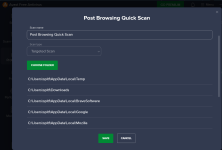
Very nicely stated, real time protection and on access scanning do a wonderful job when we're doing our part on where we go and what we download. But, I don't mind running a custom scan after a long browsing session, or occasionally running a Quick Scan just to get a kick out of seeing it in action, just like Elaine 😅 😅

rO-Pxf.gif


Screenshot 2026-08-19 114438.png
 
Very nicely stated, real time protection and on access scanning do a wonderful job when we're doing our part on where we go and what we download. But, I don't mind running a custom scan after a long browsing session, or occasionally running a Quick Scan just to get a kick out of seeing it in action, just like Elaine 😅 😅

View attachment 299496

View attachment 299497
Okay. But I'm still struggling to see why though. Antivirus also scans your entire browser profiles; basically anything that you touch on your PC in the moment, antivirus scans it. 😅
 
Very nicely stated, real time protection and on access scanning do a wonderful job when we're doing our part on where we go and what we download. But, I don't mind running a custom scan after a long browsing session, or occasionally running a Quick Scan just to get a kick out of seeing it in action, just like Elaine 😅 😅

View attachment 299496

View attachment 299497
Scan will detect some pieces of scripts from sketchy websites I have visited, which will no be there to be detected if I run the scan after exit of browser, as it is set to delete cache on exit.
 
Microsoft fixes this issue with Microsoft Defender Antivirus signature update version 1.457.236.0 or later
Microsoft has since confirmed this issue and told BleepingComputer that the bug has been addressed in a new signature update.

"We have addressed this with a fix and recommend customers apply the latest update or enable automatic updates," a Microsoft spokesperson told BleepingComputer.

The company added that the fix will be applied automatically after installing Microsoft Defender Antivirus signature update version 1.457.236.0 or later.

Affected users are advised to update their systems via Windows Update, then check whether they have the latest security intelligence update installed.
 
Everyone here complaining about the inability to run a scan; me, on the other hand, wondering why the hell would someone run a scan in Defender.

There are programs like Malwarebytes, Emsisoft Emergency Kit and such that are designed for scanning. There's no need to scan in your antivirus software because it's scanning constantly in real-time, when accessing the file and doing regular quick scan daily/weekly.
I don't scan either. It doesn't have many benefit, more so with Defender which is highly cloud based. Cloud protection and sample submission settings are more important for Defender.
Btw, one benefit of using second opinion scanner with Defender running is that, every scanned file will be scanned twice. Once by Defender as the scan is running and once by the second opinion scanner.
Okay. But I'm still struggling to see why though. Antivirus also scans your entire browser profiles; basically anything that you touch on your PC in the moment, antivirus scans it. 😅
Microsoft Defender doesn't scan the browser cache folders when installed on default location. I have checked Edge, Chrome, Firefox and Brave. It never scans the cache by its Real-time protection. Files in the cache are generally harmless but sometimes malicious scripts can run in the browser which Defender would miss but an AV that scans cache yet doesn't have HTTPS scanning would detect the script. Not always because I think most executed scripts are not cached and reside only in browser memory which could only be detected via HTTPS scanning/TLS decryption.
Scan will detect some pieces of scripts from sketchy websites I have visited, which will no be there to be detected if I run the scan after exit of browser, as it is set to delete cache on exit.
The above reason is why you noticed this behavior of Defender detecting scripts on cache after a scan. So you could say, scanning with Defender has its benefit.
If the browser is installed on a non-standard location, like I have a few portable Chrome and Firefox in my HDD drive; then Defender scans the cache and detect them in real-time.

Firefox can be configured to have memory only cache so that's easy while I use RamDisk for my Edge cache.