
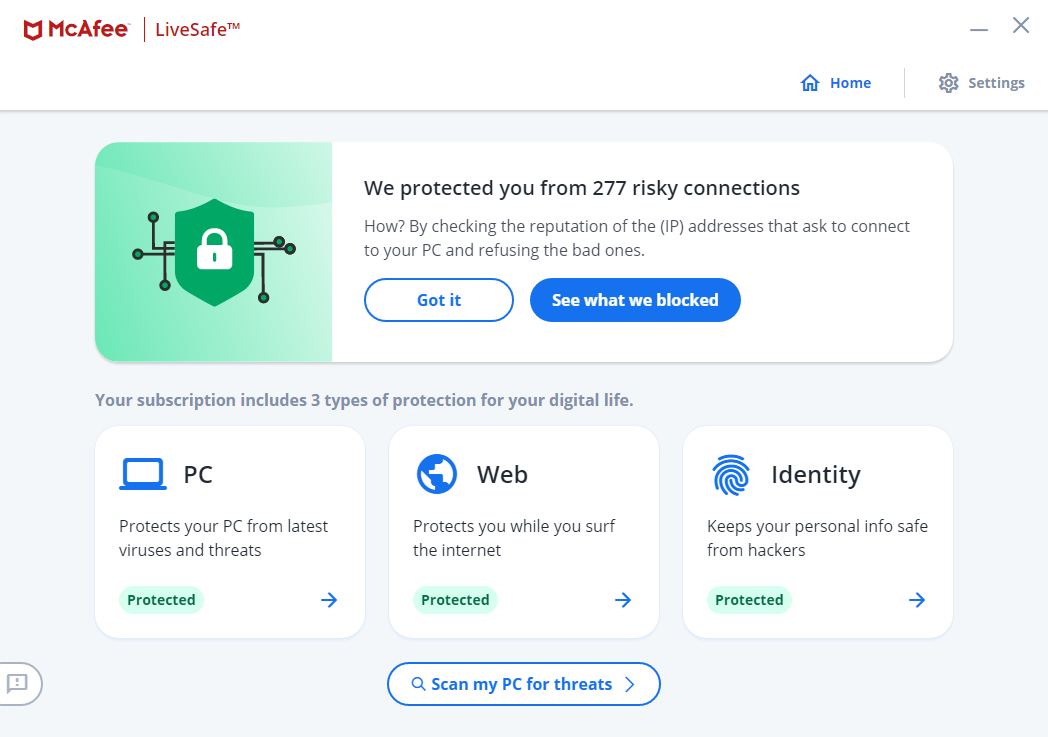
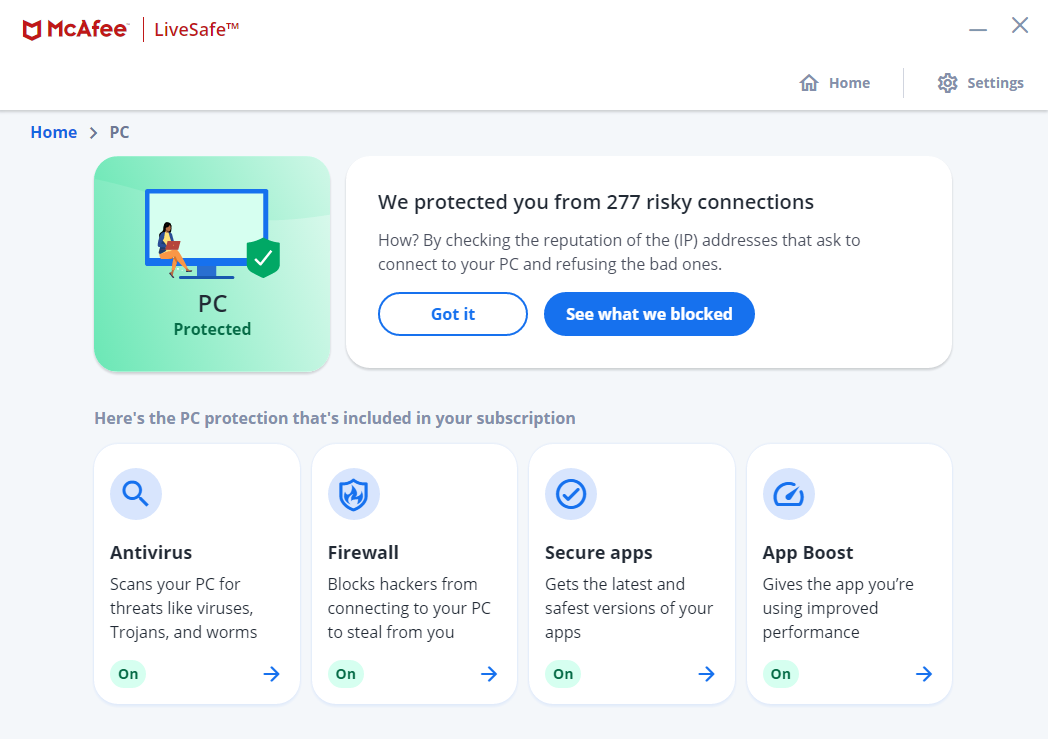
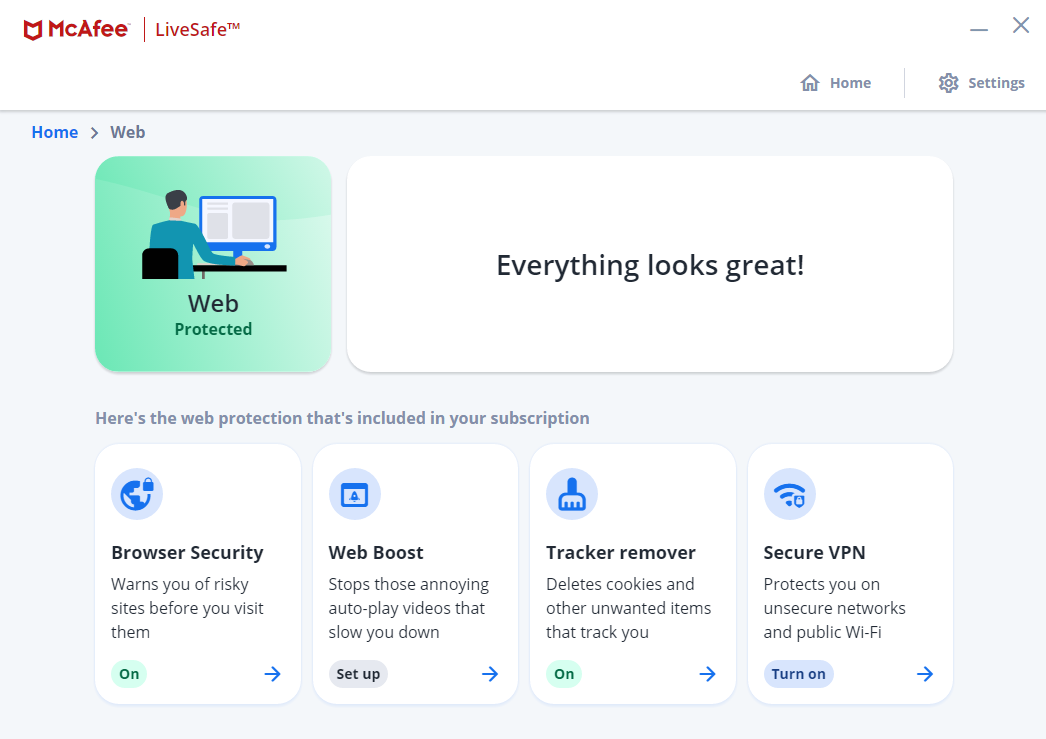
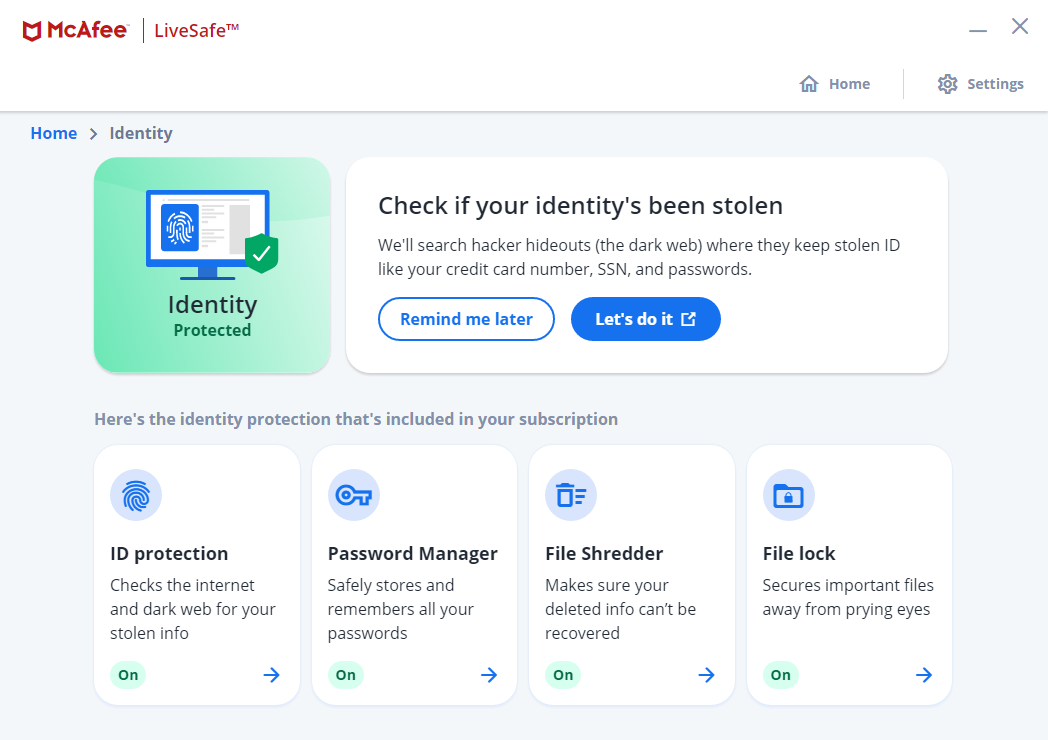
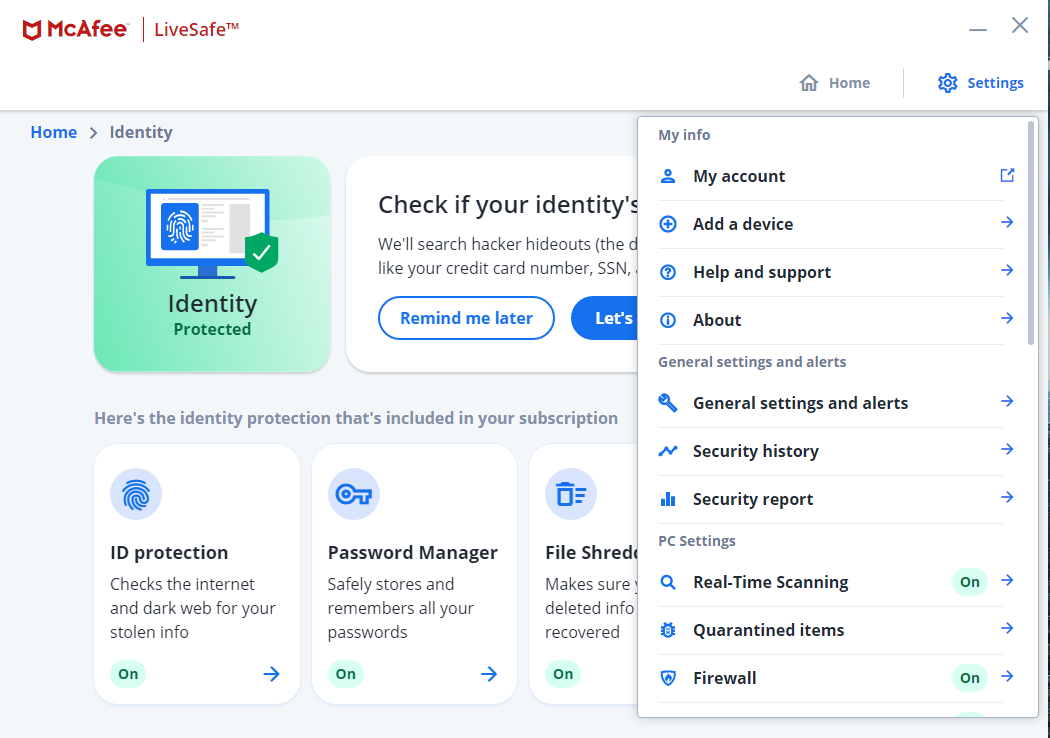
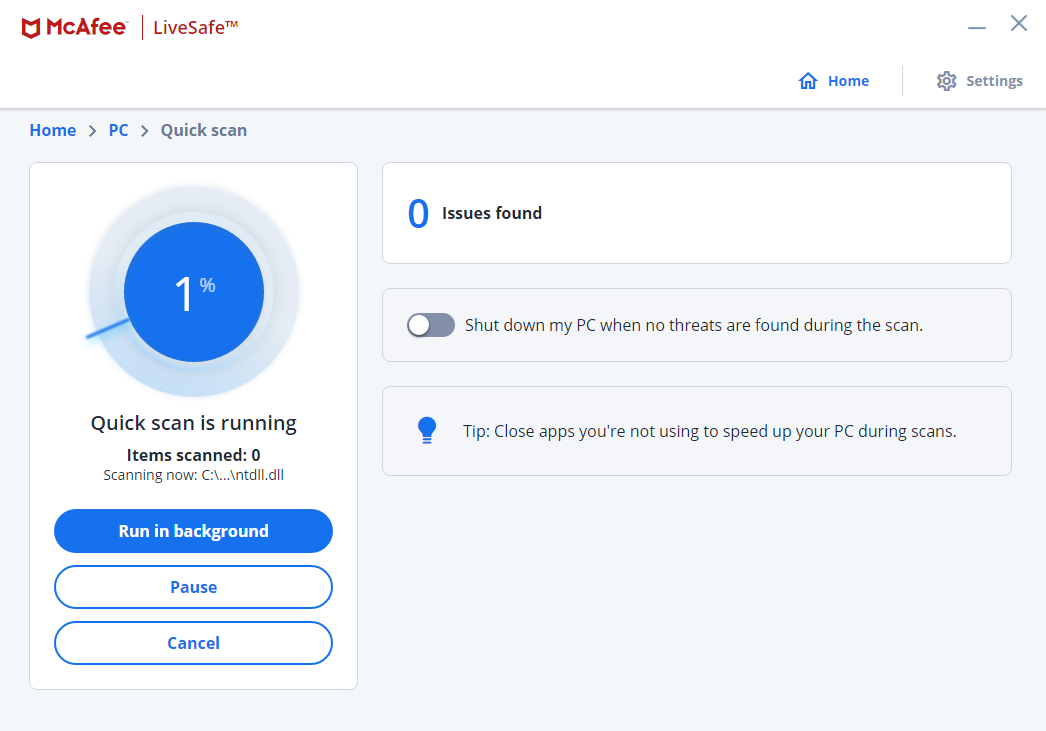
McAfee got a new face lift, here are some screenshots:


Open MalwareTips from your Home Screen or desktop. Follow discussions, find answers and pick up where you left off.
If you cannot find an install option, update your browser or use its bookmark option to keep MalwareTips close.
After installation, open the app and sign in. Enable push notifications in Preferences if you want alerts. On iPhone and iPad, push requires a Home Screen web app and iOS or iPadOS 16.4 or later.
Sign in to manage notificationsInstallation is optional. Your notification settings stay under your control.
 Thread starter
jtshadow92
Thread starter
jtshadow92

I havent really tested the detection cabilities, but as the performance is great. I really dont know its there.New GUI Look's great. How about performance and detection?

that`s true, i testing it now and i`m impressed how light it is. (i don`t do any test against malware but web protection is a strong point of McAfee)I havent really tested the detection cabilities, but as the performance is great. I really dont know its there.

Yes it does automatically updatesI have a question. Does it update automatically?
Because recently I tried McAfee(paid version) for 15 days and it does not update automatically. All the time i have to do is the manual update. A security software should be designed to update automatically so that i don't need to open its user interface. Also it was not performing scheduled scans, quick clean automatically which he supposed to do! Thinking of buying ESET .
Only you can answer this question by checking the product settings. If auto-update is turned on, it means it works. McAfee doesn't release definitions more than 1-2 times a day and auto-update only checks every 8 hours if I am not wrong. It might happen that updates don't get installed immediately, and are later discovered when you run manual update.I have a question. Does it update automatically?
Because recently I tried McAfee(paid version) for 15 days and it does not update automatically. All the time i have to do is the manual update. A security software should be designed to update automatically so that i don't need to open its user interface. Also it was not performing scheduled scans, quick clean automatically which he supposed to do! Thinking of buying ESET .
McAfee does do automatic updates daily, but most of the protection is in the cloud now.I have a question. Does it update automatically?
Because recently I tried McAfee(paid version) for 15 days and it does not update automatically. All the time i have to do is the manual update. A security software should be designed to update automatically so that i don't need to open its user interface. Also it was not performing scheduled scans, quick clean automatically which he supposed to do! Thinking of buying ESET .

McAfee has a 6 months trial promo since forever. You can claim that from here.I have to think because I already have F-Secure with me, purchasing of another software will waste my money. I should have tried McAfee trial (6 months available here). Didn't checked it. It is my fault!
Also I'm thinking of a full reset of my laptop. After that I'll install McAfee and transfer F-Secure to desktop! And will see what it behaves.

 cart.mcafee.com
Yes i forgot it has a trial and purchased. My kaspersky ending in desktop and i will transfer F-Secure or McAfee in that machine.McAfee has a 6 months trial promo since forever. You can claim that from here.
All-in-one Security, Identity, and Privacy Protection
Try one of our new McAfee+ plans and get online protection today!
You’ll find it to be much lighter than f-secure. At least in my experience, it is.I have to think because I already have F-Secure with me, purchasing of another software will waste my money. I should have tried McAfee trial (6 months available here). Didn't checked it. It is my fault!
Also I'm thinking of a full reset of my laptop. After that I'll install McAfee and transfer F-Secure to desktop! And will see what it behaves.
So do i. Mcafee performance is great. Web protection is one of the best in the market. Android version is nice and have all stuff i need.You’ll find it to be much lighter than f-secure. At least in my experience, it is.
And now if you sign up to their auto-renewal, you get free VPN for 5 devices. Don't forget that too.So do i. Mcafee performance is great. Web protection is one of the best in the market. Android version is nice and have all stuff i need.
Last time I tried it has a Mcafee vault or something like that which showed in My computer/This PC and even in documents I think which I found no way of deactivating. Is it still there?You’ll find it to be much lighter than f-secure. At least in my experience, it is.
This is an optional component together with anti-spam. Unless you manually click on file lock, it won't get installed. One you install it, there is no way it can be removed.Last time I tried it has a Mcafee vault or something like that which showed in My computer/This PC and even in documents I think which I found no way of deactivating. Is it still there?
Ow, so I can unselect it during installation?This is an optional component together with anti-spam. Unless you manually click on file lock, it won't get installed. One you install it, there is no way it can be removed.
No, it doesn't get installed. You have clicked on file lock in the main UI and that's how it has appeared.Ow, so I can unselect it during installation?
Members who viewed this thread in the last 5 minutes


