

The MalwareTips app
Your community, one tap away.
Open MalwareTips from your Home Screen or desktop. Follow discussions, find answers and pick up where you left off.
- Home Screen access
- Optional push alerts
- Your community
You're ready to explore.Explore what's new
Installation instructions
iPhone & iPad
- Open MalwareTips in Safari and tap Share. You may need to open the Page Menu first.
- Choose Add to Home Screen. If it is not listed, use Edit Actions to add it.
- Keep Open as Web App enabled if shown, then tap Add.
Android
- Open MalwareTips in Chrome or another browser that supports app installation.
- Open the browser menu and look for Install app, Install and create shortcut, or Add to Home screen.
- Choose Install and confirm. Wording varies by browser.
Desktop
- Chrome: use the install icon in the address bar, or the menu under Cast, save and share.
- Edge: open the menu, then More tools, Apps and Install this site as an app.
- Safari on Mac: choose Share or File, then Add to Dock. Firefox on Windows: look for the web apps button in the address bar.
If you cannot find an install option, update your browser or use its bookmark option to keep MalwareTips close.
Keep up with your conversations
After installation, open the app and sign in. Enable push notifications in Preferences if you want alerts. On iPhone and iPad, push requires a Home Screen web app and iOS or iPadOS 16.4 or later.
Sign in to manage notificationsInstallation is optional. Your notification settings stay under your control.
You are using an out of date browser. It may not display this or other websites correctly.
You should upgrade or use an alternative browser.
You should upgrade or use an alternative browser.
Software Review Microsoft Defender (Windows 11)
-
 Thread starter
Shadowra
Thread starter
Shadowra
- Start date
- 24 Replies
- 11,197 Views
Reviews reflect the reviewer's setup and methods. Check the evidence and limitations.
Thread details
- Product name
- Microsoft Defender
- Installation (rating)
- 5.00 star(s)
- User interface (rating)
- 4.00 star(s)
- Accessibility notes
- The interface is very clear, well configurable for experts, and simple for beginners.
I remove one star because during a scan and when the antivirus detects several malware, the interface freezes or bugs...
- Performance (rating)
- 4.00 star(s)
- Core protection (rating)
- 5.00 star(s)
- Proactive protection (rating)
- 5.00 star(s)
- Protection notes
- Great protection ! (Trojan, Worm, Exploit, RAT etc)
Medium anti-phishing (Microsoft Edge, or the extension on Chrome)
- Browser protection (rating)
- 3.00 star(s)
- Positives
- Freeware
- Minimal setup required
- Low impact on system resources
- Easy to use
- Ransomware protection
- Detects or blocks in-the-wild malware
- Consistently high test scores
- Excellent scores in independent tests
- Great value for money
- Effective malware removal
- Negatives
- Awkward interface
- Limited web protection
- Time spent using product
- 30 days or more
- Computer specs
- Virtual Machine :
VMware Workstation Pro
AMD Ryzen 5 2600X
8Go of dedicated ram on the 32GB of the host machine
SSD dedicated to virtual machines (Crucial MX500 SSD)
- Recommended for
- All types of users
- All types of users
- Overall rating
- 5.00 star(s)

Shadowra
Level 42
Verified
Top Poster
Content Creator
Malware Tester
Well-known
High Reputation
Forum Veteran
I assume you tested with default settings.
Yes
 I just enabled PUA detection for testing purposes.
It blocked them all (they were FakeAV)

Your test shows that default MD affords good protection and implies that advanced settings are quite powerful when used without other resident security. All of which has been well known to members for some time.Yes
It blocked them all (they were FakeAV)

Shadowra
Level 42
Verified
Top Poster
Content Creator
Malware Tester
Well-known
High Reputation
Forum Veteran
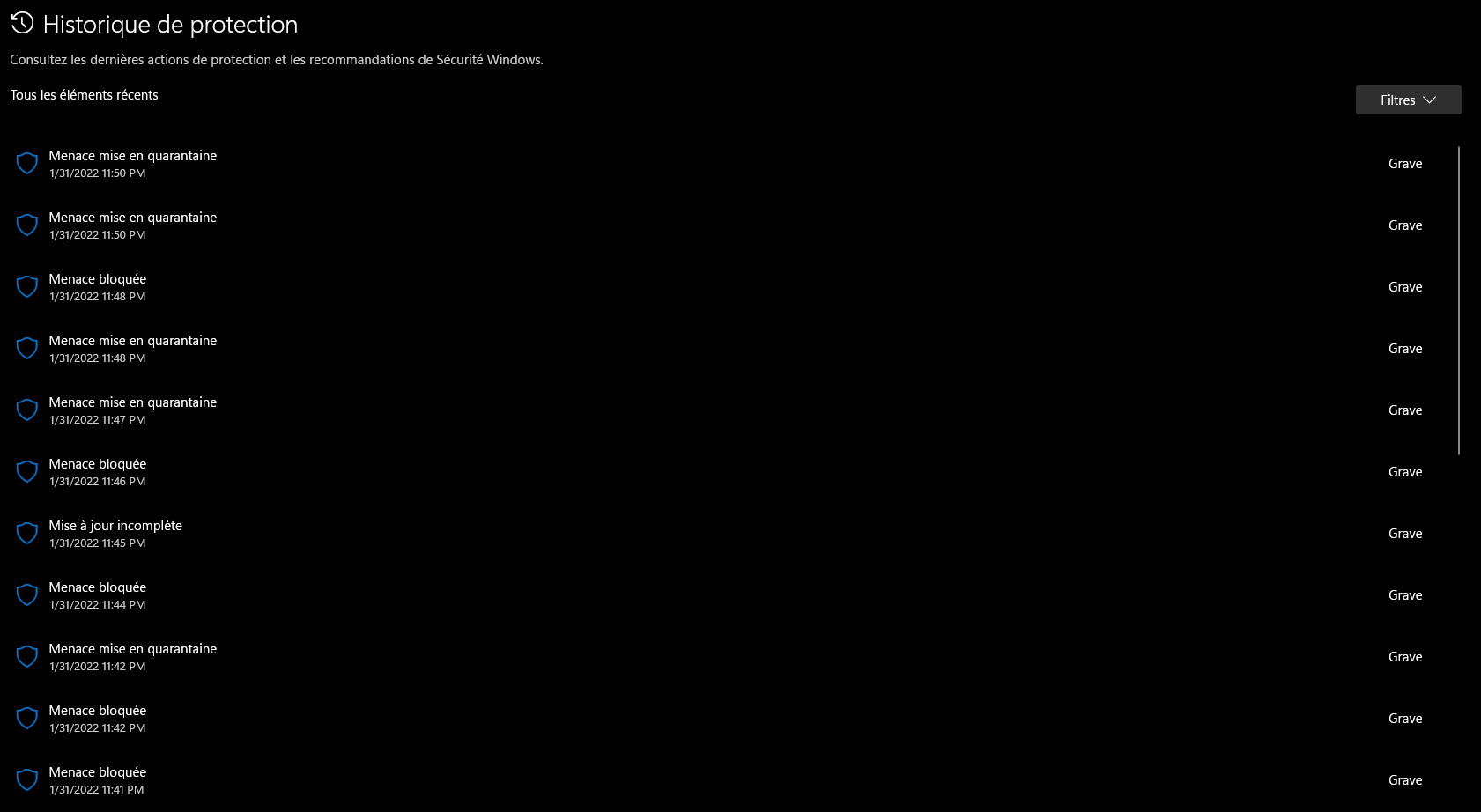
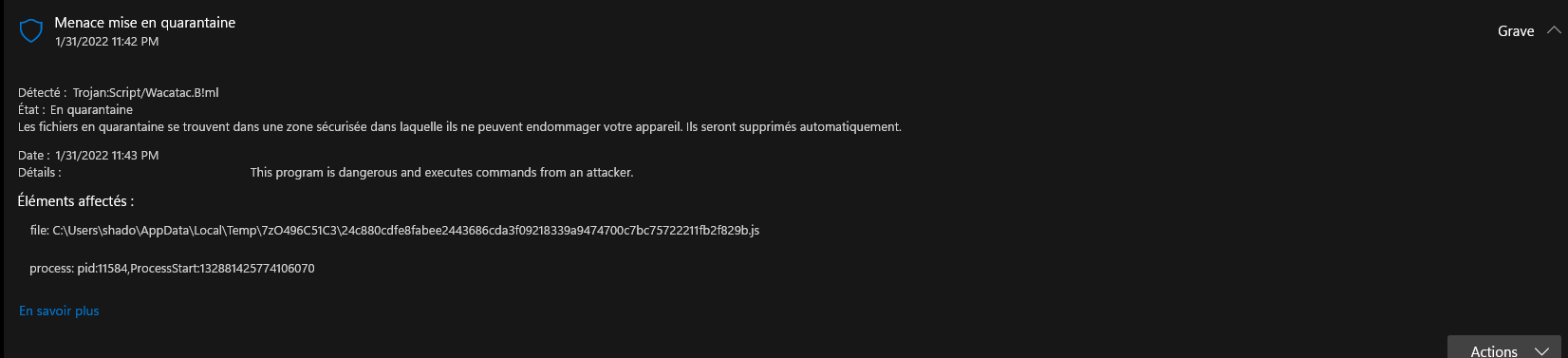
I pushed further, I had 2 0-day Trojans
The 2 malwares are Trojans that pretend to be a video game. Once launched, a Powershell command is executed to steal the ID and Token of an account in the Discord application (TokenGrab).
At the time of writing, before the test, only Wisevector and Kaspersky blocked the attack.
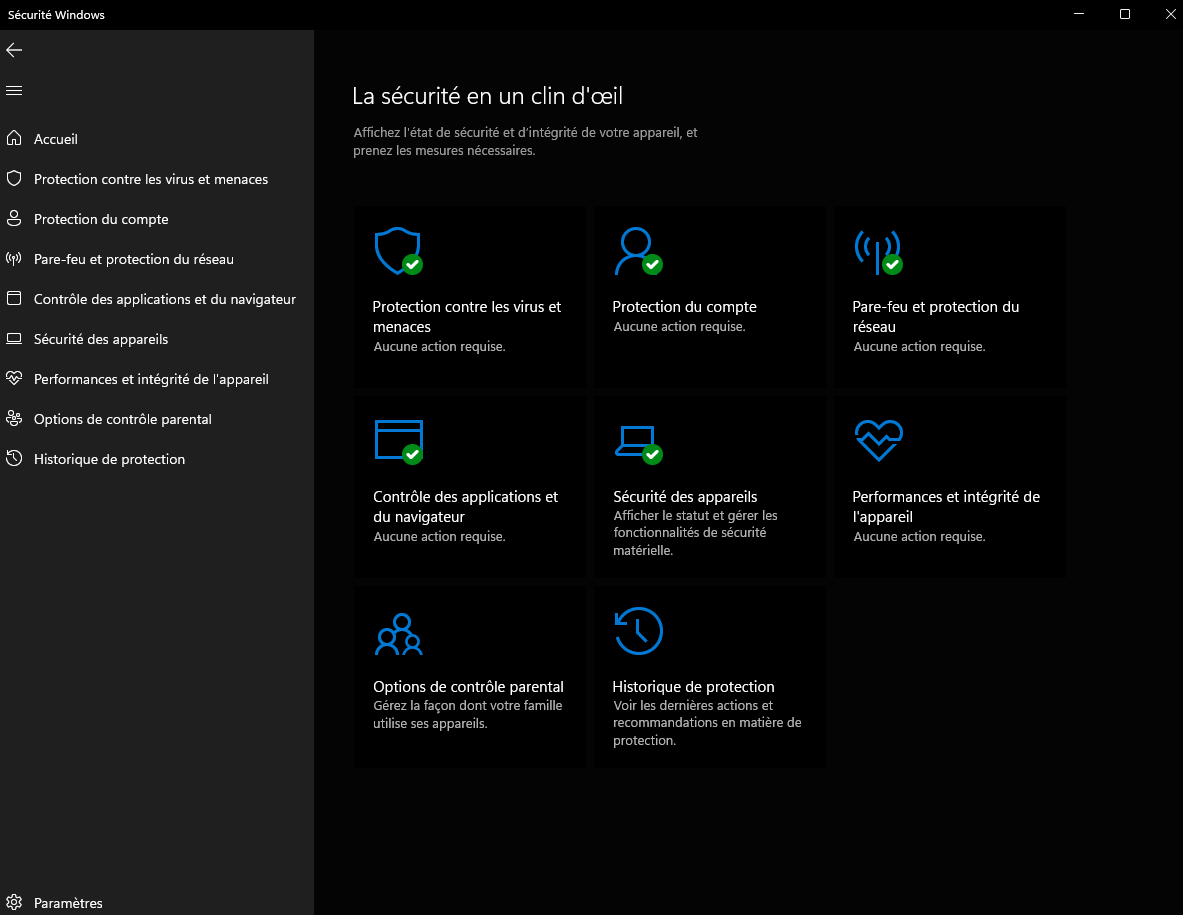
Here is Microsoft Defender on the 2
1.
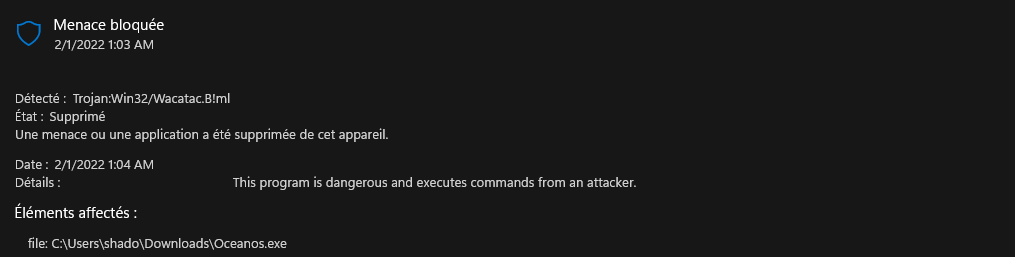
2. The file has been deleted contrary to what Microsoft Defender says
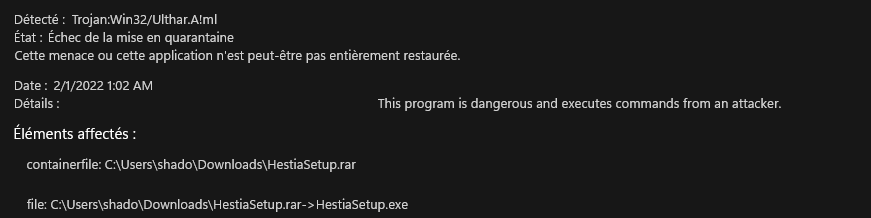
So yes, Microsoft Defender can protect you efficiently, and it's free
The 2 malwares are Trojans that pretend to be a video game. Once launched, a Powershell command is executed to steal the ID and Token of an account in the Discord application (TokenGrab).
At the time of writing, before the test, only Wisevector and Kaspersky blocked the attack.
Here is Microsoft Defender on the 2
1.
2. The file has been deleted contrary to what Microsoft Defender says
So yes, Microsoft Defender can protect you efficiently, and it's free
F
ForgottenSeer 92963
In the past I jumped through loops to get a decent protection on XP A light best of freeware breed HIPS do it yourself setup and now I am only using Microsoft Defender (with Configure Defender on MAX like settings) and SRP (with Hard Configurator like Windows_10_Basic_Recommended profile). When you would have told me in 2006 that in 16 years time I would use Microsoft only protection, I would have taken any bet on it that I would not
Shadowra
Level 42
Verified
Top Poster
Content Creator
Malware Tester
Well-known
High Reputation
Forum Veteran
In the past I jumped through loops to get a decent protection on XP A light best of freeware breed HIPS do it yourself setup and now I am only using Microsoft Defender (with Configure Defender on MAX like settings) and SRP (with Hard Configurator like Windows_10_Basic_Recommended profile). When you would have told me in 2006 that in 16 years time I would use Microsoft only protection, I would have taken any bet on it that I would not
Everything evolves
Microsoft have made great efforts since the addition of AI Machine Learning, even I am still shocked!
I remember in the past that Microsoft's solutions were bad... (Microsoft Security Essentials on Windows 7 / Windows Defender on Windows 8)
Just this little interface bug that remains annoying when I scan a pack (but since Mrs Michu doesn't get infected by 700 000 malwares per day, I didn't underline it too much)

Andy Ful
From Hard_Configurator Tools
Verified
Honorary Member
Top Poster
Developer
Well-known
Forum Veteran
So do I.When you would have told me in 2006 that in 16 years time I would use Microsoft only protection, I would have taken any bet on it that I would not
Andy Ful
From Hard_Configurator Tools
Verified
Honorary Member
Top Poster
Developer
Well-known
Forum Veteran
Everything evolves
Microsoft have made great efforts since the addition of AI Machine Learning, even I am still shocked!
I remember in the past that Microsoft's solutions were bad... (Microsoft Security Essentials on Windows 7 / Windows Defender on Windows 8)
Just this little interface bug that remains annoying when I scan a pack (but since Mrs Michu doesn't get infected by 700 000 malwares per day, I didn't underline it too much)
It seems that MD and Avast are closer in 2021 to the top AVs (in the Consumer Real-World scenario) compared to the period 2019-2020.
REAL-WORLD 2021 (Triathlon = AV-Comparatives + AV-Test + SE Labs) 12 tests
Avast, Microsoft, Kaspersky, Norton ....... 10.5 missed samples
Result rescaled because in the year 2021 there were slightly fewer samples.
Real-World 2019-2020 (Triathlon = AV-Comparatives + AV-Test + SE Labs) 24 tests
--------------------------------- average per 1 year
Norton 360................ 4 missed samples
Kaspersky.................. 9.5 missed samples
Avast, Microsoft...... 18.5 missed samples
Last edited:
Andy Ful
From Hard_Configurator Tools
Verified
Honorary Member
Top Poster
Developer
Well-known
Forum Veteran
out of curiosity...are these tests on Home or Pro?....and is core isolation enabled?
These features cannot have any visible impact on the Consumer test results. The differences between Windows Home and Pro are not relevant in these tests. Core Isolation can help to protect the system against malicious drivers and already infected systems against attacks on the Windows kernel.
Last edited:
These features cannot have any visible impact on the results.
I know...but i'm a details guy.
Shadowra
Level 42
Verified
Top Poster
Content Creator
Malware Tester
Well-known
High Reputation
Forum Veteran
out of curiosity...are these tests on Home or Pro?....and is core isolation enabled?
Windows 11 Pro. Isolation does not work on a virtualized system
Andy Ful
From Hard_Configurator Tools
Verified
Honorary Member
Top Poster
Developer
Well-known
Forum Veteran
It could work if Nested Virtualization is enabled in VM. I tried to turn on Memory Integrity in VM, but it failed due to the incompatible Intel driver (E1G6032E.sys a part of Intel(R) PRO/1000 Adapter). I am not sure what tests @Mjolnir had in mind. In AV Labs tests (from my post) it was Windows 10, but I doubt if Memory Integrity was enabled.Windows 11 Pro. Isolation does not work on a virtualized system
Last edited:

Have you tried this app? It is not yet available in my country but maybe in yours it is.

Microsoft Defender - Free download and install on Windows | Microsoft Store
Simplify your online security with one, easy to use app that keeps you and your family safer. Microsoft Defender is a security app for individuals and families that helps protect identities, data, and devices from online threats. The Microsoft Defender app is available exclusively with a...
www.microsoft.com

Have you tried this app? It is not yet available in my country but maybe in yours it is.
I can't say I really understand the point of this app. Yes, you can scan your current system/device with this. Yes, you can see other devices you have that have this installed. But no, you cannot scan those other devices or interact with them or even locate them. All you can do is see that those other devices are "protected." It seems half-baked, dumb, or both to me. Stick with Eset mobile, since all this is is a Windows Security gui with no real function of its own.
Shadowra
Level 42
Verified
Top Poster
Content Creator
Malware Tester
Well-known
High Reputation
Forum Veteran
Have you tried this app? It is not yet available in my country but maybe in yours it is.
Not available in my country

Gandalf_The_Grey
Level 86
Verified
Honorary Member
Top Poster
Content Creator
Well-known
Forum Veteran
It's USA only for the moment.Have you tried this app? It is not yet available in my country but maybe in yours it is.
Andy Ful
From Hard_Configurator Tools
Verified
Honorary Member
Top Poster
Developer
Well-known
Forum Veteran
Shadowra,
I noticed that Defender has got 5 stars in "Network protection". This can be misguiding. The default setup includes Network Inspection System (NIS) implemented via the service NisSrv.exe, but it works differently from what most people understand as Network protection. According to Microsoft it “helps guard against intrusion attempts targeting known and newly discovered vulnerabilities in network protocols.”The normal "Network protection" is available in Defender only in advanced (non-default) settings.
Last edited:
F
ForgottenSeer 69673
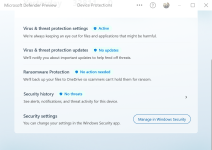
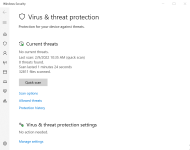
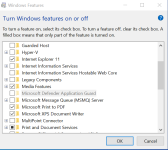
I agree as to what is so special about this app? Installed it yesterday so added some screen shots. I also installed the Microsoft Defender App Guard but since I am trying out a inactivated Win 10 Enterprise, I can't check the program or personalize this OS.I can't say I really understand the point of this app. Yes, you can scan your current system/device with this. Yes, you can see other devices you have that have this installed. But no, you cannot scan those other devices or interact with them or even locate them. All you can do is see that those other devices are "protected." It seems half-baked, dumb, or both to me. Stick with Eset mobile, since all this is is a Windows Security gui with no real function of its own.
Attachments
Recently browsing
Members who viewed this thread in the last 5 minutes
You may also like...
-
-

-
 Serious Discussion Did Microsoft Defender change the way it responds to file downloads?
 -
 Advanced Security RoxasDev's PC Security Config
 -
