Open MalwareTips from your Home Screen or desktop. Follow discussions, find answers and pick up where you left off.
If you cannot find an install option, update your browser or use its bookmark option to keep MalwareTips close.
After installation, open the app and sign in. Enable push notifications in Preferences if you want alerts. On iPhone and iPad, push requires a Home Screen web app and iOS or iPadOS 16.4 or later.
Sign in to manage notificationsInstallation is optional. Your notification settings stay under your control.
No changelog for the rest of this year:Sandboxie's barrage of bits alerts gave me a clue that a new DEV version is available. No changelog yet.
New version # 97.0.1072.13 Will wait for a changelog, hopefully soon.
However, due to the holidays, it will still be a couple of weeks before this moves to Beta. Additionally, this is our last post for the year. There will still be Dev releases in December, but there won’t be any accompanying release notes.
malwaretips.com
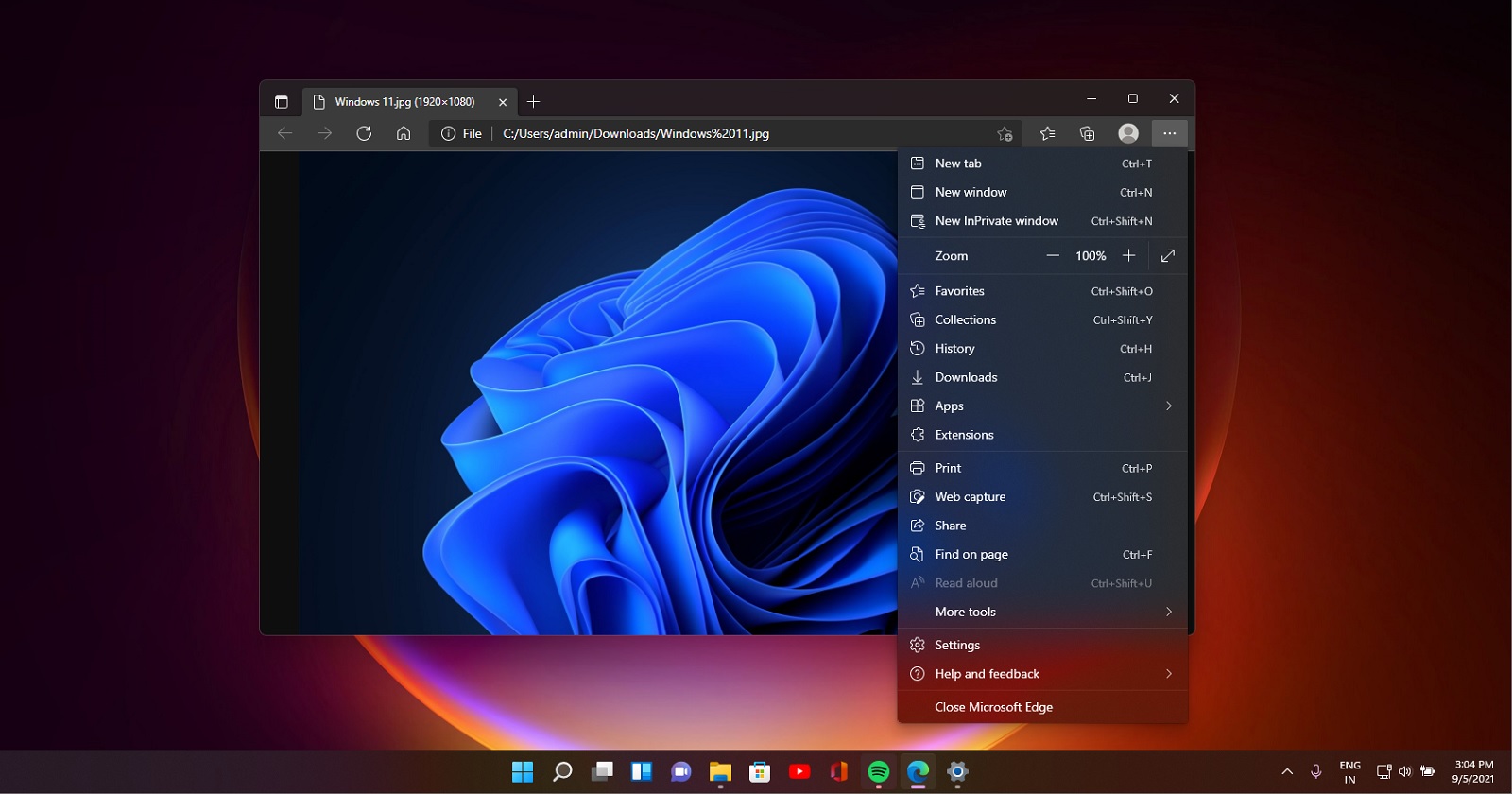
Microsoft is improving Microsoft Edge‘s Find on Page feature. The company is currently testing showing related matches when you search for text or sentence in the Find bar in Edge 98. Here is how you can enable and use the feature.
Over the last few months, Microsoft appears to have become pretty desperate in trying to make people use its Edge browser more regularly. In fact, the company also acknowledged that it was doing it with purpose under certain "improper redirection" scenarios.
In the latest related news, when someone is trying to download Google Chrome from Edge, Microsoft seems to be reminding such users with a popup (image below) that its own browser is built upon the same (Chromium) technology as Chrome, suggesting that there's no need for a new browser.
So far it's somewhat fine since there is no lie in that part. However, the prompt also appears to suggest that Edge itself is more secure than Chrome as part of the prompt says "with the added trust of Microsoft".
Here's the full message:
From that article:![]()
Microsoft says its own Edge browser is more trustworthy than "so 2008" Google Chrome
Microsoft has been really trying to promote Edge amongst people so that it can gain more regular users. There are now funny pop-ups when trying to download Google Chrome on Edge, and a lot more.www.neowin.net
To be completely fair to Microsoft, Google also occasionally sends such pop-ups and prompts when using its search engine or other services. Here's a classic one below. But at least Google allows the option to reject its advances. That's not the case for Edge though.
In mid-November, we reported that Edge for Android would soon allow you to authenticate with a fingerprint or PIN before allowing you to autofill sensitive information. At the time, the option was greyed out, but, according to a tip from Redditor Leopeva64-2, the feature has now been switched on in Edge Dev.
The new feature can be found by going to Settings > Accounts > Passwords. It’s simple enough to enable, just toggle the switch. According to the Reddit post, the feature may be being rolled out in a controlled manner because Leopeva64-2 says the option is still greyed out in Edge Canary. To see how the feature works in action, you can check the GIF below.
![]()
The Microsoft Edge team is very excited to announce the new Detached Elements tool in Microsoft Edge DevTools. It will help you investigate and resolve DOM memory leaks. This tool, inspired by our friends at Microsoft Teams, has already helped us improve many of our own websites and apps.
Now, it seems that the company is working on adding a Games panel to Edge. As discovered by reliable Redditor u/Leopeva64-2, Edge Canary now has an Appearance toggle through which you can add a Games button on the omnibar, next to your address bar.
Image via u/Leopeva64-2 (Reddit)
You can turn it all off and I will, but why?Microsoft is now adding a Games panel to its Edge browser
![]()
Microsoft is now adding a Games panel to its Edge browser
It seems that Microsoft is considering adding a Games panel to its Edge browser, which will enable users to launch casual games like Solitaire and Mahjong quickly via a dedicated panel.www.neowin.net
You can turn it all off and I will, but why?
In November, Neowin reported that Chrome Canary had introduced the ability to manually add passwords to the browser’s password manager. Now, Redditor Leopeva64-2 has noticed that the feature is now available in Microsoft’s Edge Canary too.
Unlike Chrome Canary, where the feature had to be enabled through Chrome://flags, it doesn’t appear as though any flags need adjusting in Edge Canary to switch on the feature. For those interested in having a mess with the feature, you’ll need to ensure that you have Build 99.0.1124.0 installed which is described as a controlled rollout.
Microsoft could be adding a new smooth scrolling feature to its Edge web browser really soon. In the latest Edge Canary build, a new flag called "Boost screen refresh rate when scrolling" has appeared and it is especially interesting as it will utilize the Variable Refresh Rate (VRR) technology to provide this experience. The description of this new feature reads:
Allows Windows to temporarily boost the refresh rate up when scrolling (provided the machine has a VRR panel and a supporting driver). This provides an overall smoother scrolling experience - Windows![]()
Microsoft is gradually offering a new method of navigating PDF files right inside the Edge web browser. Microsoft Edge web browser Build 99.0.1133.0 now offers List View as well as Thumbnail View for scrolling through a PDF file. Both types of views will appear in a pane that will be visible on the left side. If this feature sounds familiar, it's because even Google Chrome offers identical navigation for PDF files that users can access right within Google’s web browser.
Dev channel update to 99.0.1131.3 is liveWelcome to 2022, Insiders! The team is back with our regular updates for what's new in Edge Dev. You will see version 99.0.1131.3 rolling out today, except the macOS version. Josh goes over everything you will see in this week's update on our forums here: https://aka.ms/edgedevreleasenotes
Hello Insiders, it’s been a while! Today we’re releasing build 99.0.1131.3 to the Dev channel. As always, since this is the first release of a new version number, that means the old one (98) is also moving to Beta soon. Over the break, we posted quite a few things we think you’ll want to know about:
We’ll see you next week as we get back to our normally scheduled releases!
- First, over on our YouTube channel, we’ve got a few new videos:
- That last video also has an accompanying blog post: Debug memory leaks with the Microsoft Edge Detached Elements tool - Microsoft Edge Blog (windows.com...
- Next, we’re excited to announce that the long-awaited Cloud Site List management tool is generally available: Cloud Site List Management experience for IE mode in Microsoft Edge now generally available - Micros....
- For consumers, we’ve got an overview of our work on Transparent Ads, which show people information about the personal data that is collected as they browse, who has access to the personal data, and which ads are personalized because of it. Read more at Introducing transparent ads in Microsoft Edge Preview - Microsoft Tech Community.
- Finally, we’ve got an overview of some recent work we’ve done with our Password Management features: New ways to manage your passwords in Microsoft Edge - Microsoft Tech Community.
As for what’s new in the product, these release notes only cover what’s new since the first build of version 99:
Added features:
We’ll see you next week as we get back to our normally scheduled releases!
- Added the ability to manually set which profile certain websites open in via edge://settings/profiles/multiProfileSettings.
- Added the ability to edit saved passwords from the initial dialog to save them.
- Added an option to the right-click menu to open links in new Application Guard windows when Application Guard is available.
- Added info to the Edge Bar settings page informing users which extensions they have installed that are preventing the use of the Edge Bar.
- Management policies (note that updates to documentation and administrative templates may not have happened yet):
- Added a management policy to control if Address Bar Editing is Enabled.
- Added support on mobile for disabling autofill via management policy.
- Developer:
- Added support for custom formats on the clipboard (Chromium Issue 106449).
- Added support for the WebView2 API BasicAuthenticationRequested, which was previously in the experimental state (Issue 120).
- Added support for the dual screen web developer APIs CSS Foldables and Viewport Segments that were previously in the Experimental stage.
1. Similar to Brave Ads except for the BAT payments.
- For consumers, we’ve got an overview of our work on Transparent Ads, which show people information about the personal data that is collected as they browse, who has access to the personal data, and which ads are personalized because of it. Read more at Introducing transparent ads in Microsoft Edge Preview - Microsoft Tech Community.
3. Asking people to invest more time to investigate advertisers' data collection is useless and is "feel good" marketing hype. Who will waste their time doing this?
- See which ad provider is a part of the Transparent Ad Provider program.
- See which ad provider is responsible for an ad.
- See information about the data an ad provider collected or inferred to personalize that ad.
- See the sites that an ad provider tracked the user across.
- Visit the ad provider’s page to delete or de-identify any previously collected data
Asking people to invest more time to investigate advertisers' data collection is useless and is "feel good" marketing hype. Who will waste their time doing this?
You are geek, a techie and a forum junkie like the rest of us here. Most people want automatic, no hassle, etc., many have no interest at all or just don't care.I did in the past to verify the advertising and tracking networks for my own Kees1958 blocklist
![]()
Microsoft Edge is getting more and more features almost every month, and one of the latest features is YouTube integration. YouTube panel seems to be part of the company’s effort to integrate the RSS feed into the browser and contents will appear within Microsoft Edge’s Collections pane.
More specifically, Microsoft is working on a feature that will allow you to follow your favourite content creators using Chromium Edge. This will allow users to access YouTube content with just a click. The new YouTube follow button, which will be added right in the address bar of YouTube URLs, will provide easy-click access to videos.
Microsoft is A/B testing the YouTube integration in Edge and not everybody can try it out, but if you want to try your luck, download and run Edge Canary. It appears that the feature is enabled by default and users can try it by simply visiting YouTube channels.
In addition to RSS feed integration, Microsoft also appears to be experimenting with a new “Discover” tab. Unlike Google Chrome’s Discover tab, Microsoft Edge’s Discover tab will let you discover similar websites and content via Bing.
If you’re already using Edge Canary and the Discover button isn’t available, then there’s nothing you can do. Edge features are rolled out in stages and Microsoft will enable Discover tab or YouTube integration in a future update on your device.
Members who viewed this thread in the last 5 minutes