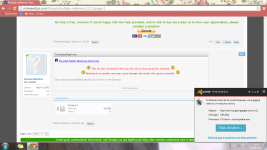
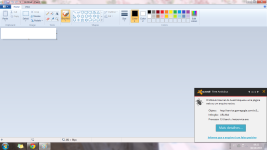
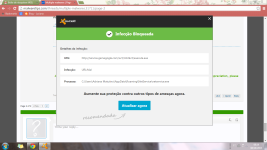
Does it happen all the time or only when you do something?


Open MalwareTips from your Home Screen or desktop. Follow discussions, find answers and pick up where you left off.
If you cannot find an install option, update your browser or use its bookmark option to keep MalwareTips close.
After installation, open the app and sign in. Enable push notifications in Preferences if you want alerts. On iPhone and iPad, push requires a Home Screen web app and iOS or iPadOS 16.4 or later.
Sign in to manage notificationsInstallation is optional. Your notification settings stay under your control.
Does it happen all the time or only when you do something?


Scan with Farbar Recovery Scan Tool
Please re-run Farbar Recovery Scan Tool to give me a fresh look at your system.
Please include their content into your next reply.
- Right-click on
icon and selectRun as Administrator to start the tool.
(XP users click run after receipt of Windows Security Warning - Open File).- Make sure that Addition option is checked.
- Press Scan button and wait.
- The tool will produce two logfiles on your desktop: FRST.txt and Addition.txt.

Fix with Farbar Recovery Scan Tool
This fix was created for this user for use on that particular machine.
Running it on another one may cause damage and render the system unstable.
Download attached fixlist.txt file and save it to the Desktop:
Both files, FRST and fixlist.txt have to be in the same location or the fix will not work!
- Right-click on
icon and selectRun as Administrator to start the tool.
(XP users click run after receipt of Windows Security Warning - Open File).- Press the Fix button just once and wait.
- If for some reason the tool needs a restart, please make sure you let the system restart normally. After that let the tool complete its run.
- When finished FRST will generate a log on the Desktop, called Fixlog.txt.
Please attach it to your reply.
And now I wasn't doing anything, and here I comes again...
FRST search
Once again we shall use FRST for additional checks. Re-run FRST/FRST64 by double-clicking:
- Copy autoupdate.exe into the Search: field in FRST then click the Search Files button.
- FRST will search your computer for files and when finished it will produce a log Search.txt in the same directory the tool is run.
- Please attach it to your reply.
Fix with Farbar Recovery Scan Tool
This fix was created for this user for use on that particular machine.
Running it on another one may cause damage and render the system unstable.
Download attached fixlist.txt file and save it to the Desktop:
Both files, FRST and fixlist.txt have to be in the same location or the fix will not work!
- Right-click on
icon and selectRun as Administrator to start the tool.
(XP users click run after receipt of Windows Security Warning - Open File).- Press the Fix button just once and wait.
- If for some reason the tool needs a restart, please make sure you let the system restart normally. After that let the tool complete its run.
- When finished FRST will generate a log on the Desktop, called Fixlog.txt.
Please attach it to your reply.
FRST search
Once again we shall use FRST for additional checks. Re-run FRST/FRST64 by double-clicking:
- Copy gamegogle into the Search: field in FRST then click the Search Registry button.
- FRST will search your computer for files and when finished it will produce a log Search.txt in the same directory the tool is run.
- Please attach it to your reply.
Fix with Farbar Recovery Scan Tool
This fix was created for this user for use on that particular machine.
Running it on another one may cause damage and render the system unstable.
Download attached fixlist.txt file and save it to the Desktop:
Both files, FRST and fixlist.txt have to be in the same location or the fix will not work!
- Right-click on
icon and selectRun as Administrator to start the tool.
(XP users click run after receipt of Windows Security Warning - Open File).- Press the Fix button just once and wait.
- If for some reason the tool needs a restart, please make sure you let the system restart normally. After that let the tool complete its run.
- When finished FRST will generate a log on the Desktop, called Fixlog.txt.
Please attach it to your reply.
Members who viewed this thread in the last 5 minutes