Hello, Welcome to MalwareTips.
I'm nasdaq and will be helping you.
If you can please print this topic it will make it easier for you to follow the instructions and complete all of the necessary steps in the order listed.
===
This is for information only.
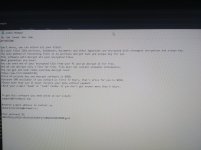
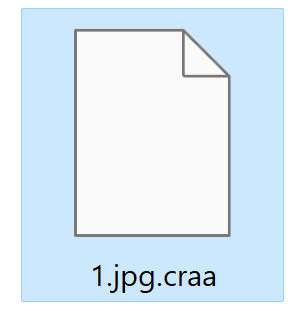
If you cannot open your images, documents, or files and they have a .craa extension, then your computer is infected with the STOP/DJVU ransomware.
This guide teaches you how to remove CRAA ransomware virus for free by following easy step-by-step instructions.

malwaretips.com
<<<>>>
Navigate to this topic.
Upload a ransom note and/or sample encrypted file to identify the ransomware that has encrypted your data.

id-ransomware.malwarehunterteam.com
Submit a sample of the compromised files for their review.
They will reply and let you know what you are dealing with.
From what we know now, your files are not recoverable.
Your only solution would be to restore the files from a good backup if you have one.
The compromised files can be transferred to a CD or Flash drive.
Should a solution be found in the future you may be able to restore them.
It's never to late to use common sense to guard against being infected.
Tips on how to prevent ransomware attacks
What does ransomware do and how can I protect myself? Learn how to protect your computer with ransomware scanners

www.kaspersky.com
Good luck.
p.s.
If you have any other issues with this computer please run this program.
Download the Farbar Recovery Scan Tool (FRST).
Choose the 32 or 64 bit version for your system.
and save it to a folder on your computer's Desktop.
Ensure that you are in an Administrator Account
Double-click to run it. When the tool opens click Yes to disclaimer.
Check the boxes as seen here:
Press Scan button.
It will make a log (FRST.txt) in the same directory the tool is run. Please copy and
paste it to your reply.
The first time the tool is run, it makes also another log (Addition.txt). Please
attach it to your reply.
How to attach a file to your reply:
In the
Reply section in the bottom of the topic Click the "
more reply Options" button.
[img=[URL]http://deeprybka.trojaner-board.de/eset/eng/attachlogs.png[/URL]]
Attach the file(s). A 2 Steps process.
Reply to this topic.
Select the "
Choose a File" navigate to the location of the File.
Click the file you wish to Attach. <- Step 1.
Click Attach this file. <- Step 2.
Click the
Add reply button.
Please post the logs for my review.
Let me know what problems persists.
Wait for further instructions
p.s.
The
Farbar program is updated often.
If it's identified as suspicious by your Anti-Virus program trust it if Downloaded from the link I provided.
You should restore the program from the Quarantine folder.
====