

The MalwareTips app
Your community, one tap away.
Open MalwareTips from your Home Screen or desktop. Follow discussions, find answers and pick up where you left off.
- Home Screen access
- Optional push alerts
- Your community
You're ready to explore.Explore what's new
Installation instructions
iPhone & iPad
- Open MalwareTips in Safari and tap Share. You may need to open the Page Menu first.
- Choose Add to Home Screen. If it is not listed, use Edit Actions to add it.
- Keep Open as Web App enabled if shown, then tap Add.
Android
- Open MalwareTips in Chrome or another browser that supports app installation.
- Open the browser menu and look for Install app, Install and create shortcut, or Add to Home screen.
- Choose Install and confirm. Wording varies by browser.
Desktop
- Chrome: use the install icon in the address bar, or the menu under Cast, save and share.
- Edge: open the menu, then More tools, Apps and Install this site as an app.
- Safari on Mac: choose Share or File, then Add to Dock. Firefox on Windows: look for the web apps button in the address bar.
If you cannot find an install option, update your browser or use its bookmark option to keep MalwareTips close.
Keep up with your conversations
After installation, open the app and sign in. Enable push notifications in Preferences if you want alerts. On iPhone and iPad, push requires a Home Screen web app and iOS or iPadOS 16.4 or later.
Sign in to manage notificationsInstallation is optional. Your notification settings stay under your control.
You are using an out of date browser. It may not display this or other websites correctly.
You should upgrade or use an alternative browser.
You should upgrade or use an alternative browser.
New Update Osprey Browser Protection discussion and updates
-
 Thread starter
Gandalf_The_Grey
Thread starter
Gandalf_The_Grey
- Start date
- 617 Replies
- 120,564 Views
Thread details
- Extension store page
- https://github.com/Foulest/Osprey
https://chromewebstore.google.com/detail/osprey-browser-protection/jmnpibhfpmpfjhhkmpadlbgjnbhpjgnd
https://microsoftedge.microsoft.com/addons/detail/osprey-browser-protectio/nopglhplnghfhpniofkcopmhbjdonlgn
https://addons.mozilla.org/en-US/firefox/addon/osprey-browser-protection/

Fan-of-spyshelter
Level 4
Good, any evidence of this rating ? make a video with all of these extension you told about (mention you are a real competitor), to proove this evaluation to the public is correct.Here's an updated overview of how Osprey stacks up to other free browser protection extensions:
Home
Browser extension that protects you from phishing and malicious websites. - OspreyProject/Ospreygithub.com
Let me know what you think.
for me you are lying to them as always.

Setup PCPC setup
Nice, thank you, it would be cool to also have how they rated at blocking malicious websites, too.Here's an updated overview of how Osprey stacks up to other free browser protection extensions:
Home
Browser extension that protects you from phishing and malicious websites. - OspreyProject/Osprey
Let me know what you think.
Also, I would recommend adding McAfee WebAdvisor to the list.

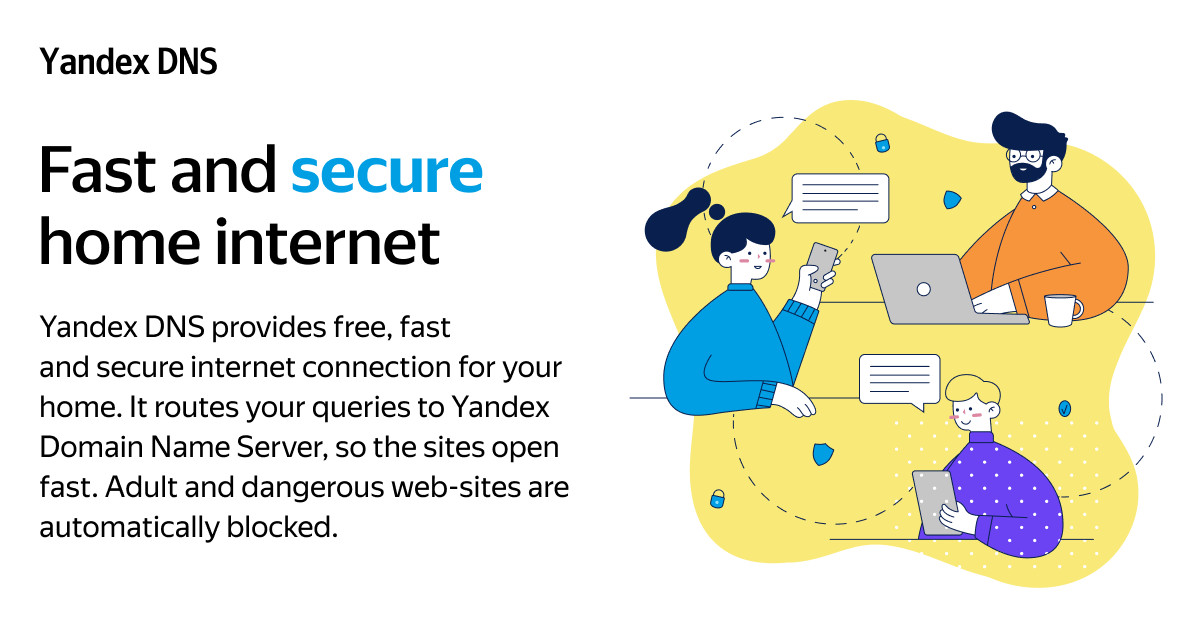
@Foulest I suddenly had an idea that you could also add Yandex DNS, which is disabled by default, in the Safe configuration. This could be useful for Eastern Europe and Central Asia in terms of protection.
 dns.yandex.com
Yandex DNS
Configure Yandex DNS on your computer and mobile device. It can also protect your home network.
dns.yandex.com

Several western stuff do not like any product of Yandex; when was using Yandex browser, msn.com blocked loading of news from its main page; clicking just reloads the page.@Foulest I suddenly had an idea that you could also add Yandex DNS, which is disabled by default, in the Safe configuration. This could be useful for Eastern Europe and Central Asia in terms of protection.
Yandex DNS
Configure Yandex DNS on your computer and mobile device. It can also protect your home network.
In addition to unexplained captcha on other websites.

He didn't do because of privacy concerns but would be nice if it's added as disabled@Foulest I suddenly had an idea that you could also add Yandex DNS, which is disabled by default, in the Safe configuration. This could be useful for Eastern Europe and Central Asia in terms of protection.
Yandex DNS
Configure Yandex DNS on your computer and mobile device. It can also protect your home network.

Added McAfee WebAdvisor to the list.Nice, thank you, it would be cool to also have how they rated at blocking malicious websites, too.
Also, I would recommend adding McAfee WebAdvisor to the list.

Also, Avast's FF extension is still available, but seems to have EOL.Added McAfee WebAdvisor to the list.
Thanks. Updating the table!
Setup PCPC setup
Thank you, @Foulest, McAfee WebAdvisor is also available as a web browser extension.Added McAfee WebAdvisor to the list.
Last edited:
@goodjohnjr
Edge extension: McAfee® WebAdvisor - Microsoft Edge Addons
Chrome extension: McAfee® WebAdvisor - Chrome Web Store
Firefox add-on: McAfee® WebAdvisor
Edge extension: McAfee® WebAdvisor - Microsoft Edge Addons
Chrome extension: McAfee® WebAdvisor - Chrome Web Store
Firefox add-on: McAfee® WebAdvisor
Setup PCPC setup
Thank you, @rashmi, only the Edge version showed for me when I searched myself from the official stores, but your links do show up for me.@goodjohnjr
Edge extension: McAfee® WebAdvisor - Microsoft Edge Addons
Chrome extension: McAfee® WebAdvisor - Chrome Web Store
Firefox add-on: McAfee® WebAdvisor

@goodjohnjr you are a Linux user! Welcome aboard.I use Ubuntu LTS
Setup PCPC setup
Thank you, @lokamoka820, I had tried Ubuntu LTS off & on a few times over the years, I even installed it for a few people.@goodjohnjr you are a Linux user! Welcome aboard.
At work, we used CentOS then PCLinuxOS, until our system administrator passed away, and the new system was moved to Microsoft Windows & ChromeOS Flex.
His passing, Proton for Steam, and being tired of the annoyances with Microsoft Windows finally got me to fully switch to Linux (Ubuntu LTS) over a year ago.
Overall, I have not missed Microsoft Windows since, and I have helped several other people move to Linux / Ubuntu LTS.

It was an easy transition, since I was already a fan of free & open source software.

I hope that Osprey Browser Protection can be a free & open source project that grows developers / volunteers / support to keep it alive & well, like Linux.
Last edited:

Changes in 1.4.1
This update has been submitted to all extension stores.
- Reported by list now stays on refresh
- Fixed issues with blob: URLs
- Fixed issues with IPv6 URLs
- Fixed issues with DNS query encoding
- Fixed potential security issues
- Improved validation across entire project
- Improved URL canonicalization for privacy
- Improved content security policy
- Cleaned up code
Release 1.4.1 · Foulest/Osprey
Changes in 1.4.1 Reported by list now stays on refresh Fixed issues with blob: URLs Fixed issues with IPv6 URLs Fixed issues with DNS query encoding Fixed potential security issues Improved valida...
github.com

No - no new updates are needed for now. Still in talks with several providers into coming on board.Did this project die?

Thank you very much for your work on Osprey.No - no new updates are needed for now. Still in talks with several providers into coming on board.
Even though you only have DNS blockers. Osprey has also been blocking a lot of phishing and malicious websites.. For anyone who is unaware, dns0.eu is officially discontinued. So having it enabled will not block anything.

Recently browsing
Members who viewed this thread in the last 5 minutes
You may also like...
-
-
 New Update RepairKit Updates Thread
 -
 Software Review Osprey Browser Protection Reviews
 -

-

