PC Health Kit troublr

  • Anyone.

    Votes: 0 0.0%
  • Anyone

    Votes: 0 0.0%

  • Total voters
    0
Unbelievable. All I did was download Microsoft Security Essentials, and ran it, and then it said I had only the 32 bit version and I needed to get the 64. So I deleted it and looked for 64. Didn't find it. When I went to search engines, I get the PC driver scam messages AGAIN. I am ready to never download anything again. I think we are up to three beers now.
 
Well it looks like the extension is just for Chrome. This conduit deal pops up on Internet Explorer, Chrome and Mozilla. Haven't done anything yet. Nervous
 

Attachments

  • upload_2014-4-12_8-44-13.png
    upload_2014-4-12_8-44-13.png
    280.3 KB · Views: 114
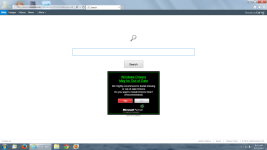
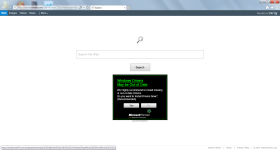
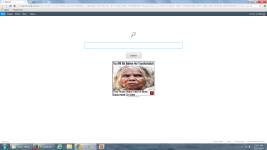
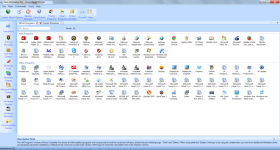
I am a little less nervous now as I see they are all listed as advertisements
 

Attachments

  • upload_2014-4-12_8-46-12.png
    upload_2014-4-12_8-46-12.png
    175.4 KB · Views: 98
I use all of them, but don't need to. I did download microsoft security which went smoothly and it did a quick scan and came up with no threats. You can pat yourself on the back for that. I have not done the other extension. I obviously went to another site for the Microsoft Security download, damn it.
 
Chrome Adblock --> https://chrome.google.com/webstore/detail/adblock/gighmmpiobklfepjocnamgkkbiglidom?hl=en

Mozilla --> https://addons.mozilla.org/en-US/firefox/addon/adblock-plus/


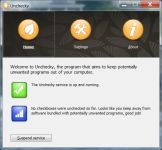
Install this software too, it will protect you from adware hidden in install packages.

http://unchecky.com/


Please download zoek.zip or zoek.rar by smeenk (
Zoek_icon.png
) from here or here and save it to your Desktop.
Unpack the archive...
  • Close any open browsers
  • Temporarily disable your AntiVirus program. (If necessary)
    If you are unsure how to do this please read this or this Instruction.
  • Double click on zoek.exe to run the tool .
    Please wait while the tool does not start...
  • Copy the text present inside the code box below and paste it into the large window in the zoek tool:
    NOTICE: This script was written specifically for this user, for use on that particular machine. Running this on another machine may cause damage to the operating system

    Code:
    createsrpoint;
    gpt.ini;z 
    C:\Windows\System32\GroupPolicy;v
    C:\Windows\SysWOW64\GroupPolicy;v 
    StandardSearch; 
    emptyfolderscheck; 
    installer-list; 
    installedprogs; 
    uninstall-list;
  • Click on
    Run%20Script%20by%20zoek.png
    button.
    Please wait until a logreport will open (this can be after reboot)
  • Save notepad to your Desktop and attach here zoek-results.log
    Note: It will also create a log in the C:\ directory named "zoek-results.log"
 
I did the ad extension for Mozilla. The Google Chrome says I need to install Google Chrome which I have. Reviews say as of this morning it is not effective anymore. I already had Unchecky on my computer ;( Apparently didn't work. I downloaded that about a week ago when you advised it.
 
> Re-run zoek with the script below and attach here fresh zoek log results.
NOTICE: This script was written specifically for this user, for use on that particular machine. Running this on another machine may cause damage to the operating system


Code:
C:\PROGRA~2\SearchProtect;fs
Search Protect;u
C:\Program Files\Common Files\Bitdefender;fs
C:\Users\hogan\AppData\Local\SearchProtect;fs
C:\Program Files (x86)\Common Files\Bitdefender;fs
[HKEY_LOCAL_MACHINE\Software\Microsoft\Windows NT\CurrentVersion\Windows];r
"AppInit_Dlls"="";r
[HKEY_LOCAL_MACHINE\Software\Microsoft\Windows NT\CurrentVersion\Windows];r64
"AppInit_Dlls"="C";r64
[-HKEY_LOCAL_MACHINE\SOFTWARE\Microsoft\Shared Tools\MSConfig\startupreg\qesql];r
C:\\Users\\hogan\\AppData\\Roaming\\qesql.dll;f
C:\Users\hogan\Desktop\bitdefender_isecurity.exe;f
autoclean;
emptyalltemp;
emptyclsid;
emptyfolderscheck;delete
ipconfig /flushdns;b


***** NEXT *****​


Please download Farbar Recovery Scan Tool and save it to your desktop.

Note: You need to run the version compatibale with your system. If you are not sure which version applies to your system download both of them and try to run them.
Only one of them will run on your system, that will be the right version.


  • Double-click to run it. When the tool opens click Yes to disclaimer.
  • Press Scan button.
  • It will make a log (FRST.txt) in the same directory the tool is run. Please attach it to your reply.
  • The first time the tool is run, it makes also another log (Addition.txt). Please attach it to your reply.
 

Recently browsing

Members who viewed this thread in the last 5 minutes

Back
Top