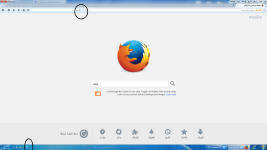
- Describe the problem
- Please see my post!
- What have you tried?
- Using a new Window User!
Using a new Profile of my browser!
Using fresh copy of the browser!
Hello,
I have a problem in my PC.
My PC Language is Arabic and English.
As you know after you click in any Tab to write some thing, you will see pulsatory Line as the picture.
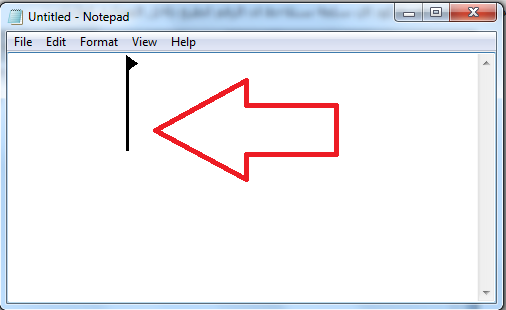
The line has a head, in normal PC, this head will directed to left= so you will write Arabic, and when the head directed to right= so you will write English.
My problem the head of the line directed to Right, but when i write it is Arabic!
This is caused many problems to me!
Note: The problem don't found in: Office Word, Notebad, or Internet Explorer.
The problem found in Firefox and other browsers!
Can you help me!
I will send you Any logs you need!
As per TwinHeadedEagle my PC seems clean!
I have a problem in my PC.
My PC Language is Arabic and English.
As you know after you click in any Tab to write some thing, you will see pulsatory Line as the picture.
The line has a head, in normal PC, this head will directed to left= so you will write Arabic, and when the head directed to right= so you will write English.
My problem the head of the line directed to Right, but when i write it is Arabic!
This is caused many problems to me!
Note: The problem don't found in: Office Word, Notebad, or Internet Explorer.
The problem found in Firefox and other browsers!
Can you help me!
I will send you Any logs you need!
As per TwinHeadedEagle my PC seems clean!