

The MalwareTips app
Your community, one tap away.
Open MalwareTips from your Home Screen or desktop. Follow discussions, find answers and pick up where you left off.
- Home Screen access
- Optional push alerts
- Your community
You're ready to explore.Explore what's new
Installation instructions
iPhone & iPad
- Open MalwareTips in Safari and tap Share. You may need to open the Page Menu first.
- Choose Add to Home Screen. If it is not listed, use Edit Actions to add it.
- Keep Open as Web App enabled if shown, then tap Add.
Android
- Open MalwareTips in Chrome or another browser that supports app installation.
- Open the browser menu and look for Install app, Install and create shortcut, or Add to Home screen.
- Choose Install and confirm. Wording varies by browser.
Desktop
- Chrome: use the install icon in the address bar, or the menu under Cast, save and share.
- Edge: open the menu, then More tools, Apps and Install this site as an app.
- Safari on Mac: choose Share or File, then Add to Dock. Firefox on Windows: look for the web apps button in the address bar.
If you cannot find an install option, update your browser or use its bookmark option to keep MalwareTips close.
Keep up with your conversations
After installation, open the app and sign in. Enable push notifications in Preferences if you want alerts. On iPhone and iPad, push requires a Home Screen web app and iOS or iPadOS 16.4 or later.
Sign in to manage notificationsInstallation is optional. Your notification settings stay under your control.
You are using an out of date browser. It may not display this or other websites correctly.
You should upgrade or use an alternative browser.
You should upgrade or use an alternative browser.
Advice Request Should you let free online password generators create your passwords?
Share practical recommendations that address the author's needs.

I would let it generate a random password and mix it with some of my own gibberish! Add some symbols here and there! Should all be fine 
This doesn't answer my question.I would let it generate a random password and mix it with some of my own gibberish! Add some symbols here and there! Should all be fine
Oh I am so sorry! Brain is sleepy I guess! I am not sure if I understand the question correctly on password being generated behind the scenes.
The website is generating its own password or are you using a password manager? I can try and reproduce the issue if I understand correctly. Should I try and create an account at Windscribe too to see if this happens for me? Sorry cannot be much use without understanding properly and apologies for missing your question initially.
The website is generating its own password or are you using a password manager? I can try and reproduce the issue if I understand correctly. Should I try and create an account at Windscribe too to see if this happens for me? Sorry cannot be much use without understanding properly and apologies for missing your question initially.

F
ForgottenSeer 98186
Bitwarden support:As the password is being generated behind-the-scenes from the website (no info about it) and not from my own keyboard / password manager, how unsafe is this?
"For the [Bitwarden] extension, that information [generated password] is generated in the browser, but isolated in memory to the same extent that any other extension would be on a given browser.
If you use our web vault [bitwarden.com], the generation would take place within the memory allocated to that [web]page so that would, in practice, being generated by the browser as well.
For the desktop app, the password is generated on the local system within the memory allocated by the operating system to the application.
Same applies on a mobile phone."
How much do you trust the website that generates passwords? Do you trust they are not logging password generation on their website? The same goes for password managers in built generators and password creation apps like PWTech, if your machine has malware or a backdoor, you're in trouble. You really have to trust the website or know your machine is 100% clean to be 100% sure it's safe.
To be honest if it was me, I would target online password generators and in app generators and log everything every user inputs/outputs, it's prime territory for good creds and make your job as an attacker easier.
To be honest if it was me, I would target online password generators and in app generators and log everything every user inputs/outputs, it's prime territory for good creds and make your job as an attacker easier.
F
ForgottenSeer 98186
How much do you trust the website that generates passwords? Do you trust they are not logging password generation on their website? The same goes for password managers in built generators and password creation apps like PWTech, if your machine has malware or a backdoor, you're in trouble. You really have to trust the website or know your machine is 100% clean to be 100% sure it's safe.
To be honest if it was me, I would target online password generators and in app generators and log everything every user inputs/outputs, it's prime territory for good creds and make your job as an attacker easier.
# This short PowerShell function will generate a password of $length and use non-alphanumeric symbols in the amount of $amountOfNonAlphanumeric
# Copy-paste the function below into a Windows PowerShell (powershell.exe) console, then enter "Get-RandomPassword <length>  <# of alphanumeric symbols>
#
# Syntax and Example:
#
# Get-RandomPassword <length>  <# of alphanumeric symbols>
# Get-RandomPassword 10 5
#
# Output: ]a].{2wX[V


function Get-RandomPassword {
    param (
        [Parameter(Mandatory)]
        [int] $length,
        [int] $amountOfNonAlphanumeric = 1
    )
    Add-Type -AssemblyName 'System.Web'
    return [System.Web.Security.Membership]::GeneratePassword($length, $amountOfNonAlphanumeric)
}

It is about trust and info disclosure.
Still, I found it unsafe as we don't know for sure if they log the passwords generated or not and also if they're using a 3rd party provider that logs or not the passwords.
In fact, theoretically it's better to use your own password but still we don't know for sure if Windscribe log it so it could be the same thing, whether you're using your own password, generated by a PM or not or the one generated by them.
Still, I found it unsafe as we don't know for sure if they log the passwords generated or not and also if they're using a 3rd party provider that logs or not the passwords.
In fact, theoretically it's better to use your own password but still we don't know for sure if Windscribe log it so it could be the same thing, whether you're using your own password, generated by a PM or not or the one generated by them.

True as trust still matters for a majority of common home users, and one site I can recommend that even try to explains it as the developer understand that people has question about it, is Steve Gibsons:How much do you trust the website that generates passwords? Do you trust they are not logging password generation on their website? The same goes for password managers in built generators and password creation apps like PWTech, if your machine has malware or a backdoor, you're in trouble. You really have to trust the website or know your machine is 100% clean to be 100% sure it's safe.
To be honest if it was me, I would target online password generators and in app generators and log everything every user inputs/outputs, it's prime territory for good creds and make your job as an attacker easier.
On the other hand, attack weak sites or any sites online password generators to get access to " secret " passwords, and without the other crucial keypart: the username, is more of an hassle then it's worth it, and extra since good and fully working credentials ( username + password ) is nowadays easy to get access elsewhere and with much less work and effort.
Yeah, but if you're going to the trouble of stealing random generated passwords on a website or a password app I think you would have a pretty good clue who you're after and attacking them is no problem, or your already on the machine and can easily get a username or with enough recon have a list of probable usernames. Plus, I imagine when you copy the password it's in plain text and then probably copied to the clipboard again in plain text.On the other hand, attack weak sites or any sites online password generators to get access to " secret " passwords, and without the other crucial keypart: the username, is more of an hassle then it's worth it
F
ForgottenSeer 96160
It depends,
If it generates it locally then it's completely safe, If it's being generated on the internet and being sent across to your device then it's unsafe. I recommend you generate your password with a password manager, that way you can make sure it's generated on your device.
If it generates it locally then it's completely safe, If it's being generated on the internet and being sent across to your device then it's unsafe. I recommend you generate your password with a password manager, that way you can make sure it's generated on your device.
Setup PCPC setup
Hmm, I don't think it's possible for an average end-user to know, unless there has been some disclosure, even from a whistleblower. I mean the host of the site, if it's sketchy, certainly isn't going to let on that it's "unsafe" in any way.
I used 1Password's site to generate some random ones which I then altered offline and stored on my offline HDD. The site doesn't look as nicely as the one in OP but OK, whatever. uBlock Origin blocked only one domain and let the other two go, one with a "yellow" iffy mark. I guess at some point you have to say: I will take the chance. So far so good.
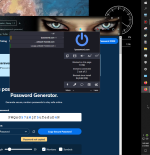
I used 1Password's site to generate some random ones which I then altered offline and stored on my offline HDD. The site doesn't look as nicely as the one in OP but OK, whatever. uBlock Origin blocked only one domain and let the other two go, one with a "yellow" iffy mark. I guess at some point you have to say: I will take the chance. So far so good.

you could mash up your random password by using more than one generator.
 bitwarden.com
 1password.com
Free Password Generator | Create Strong Passwords and Passphrases | Bitwarden
Easy and secure password generator that's completely free and safe to use. Generate strong passwords and passphrases for every online account with the strong Bitwarden password generator, and get the latest best practices on how to maintain password security and privacy online.
Password Generator - Strong, Random Passwords | 1Password
Try out our Strong Password Generator to create strong, random, and secure passwords to keep you safe online. No need to remember them when you have 1Password.

Using Windscribe.com to create a new VPN account, and saw this option in the Choose Password field.
As the password is being generated behind-the-scenes from the website (no info about it) and not from my own keyboard / password manager, how unsafe is this?
View attachment 272701
Try generating password from a different provider for example Norton Password Generator so that you no longer feel concerned...
It might be easier to explain by visiting the website: Windscribe.com/signupOh I am so sorry! Brain is sleepy I guess! I am not sure if I understand the question correctly on password being generated behind the scenes.
The website is generating its own password or are you using a password manager? I can try and reproduce the issue if I understand correctly. Should I try and create an account at Windscribe too to see if this happens for me? Sorry cannot be much use without understanding properly and apologies for missing your question initially.

Setup PCPC setup
If you are that concerned about it , there is always the old fail safe ..... paper and pencil
The human mind can generate a complex password just as well as any password generator.
The human mind can generate a complex password just as well as any password generator.


Using an online password generator to create a password can be safe as long as you use a reputable and trustworthy website that implements secure encryption methods. Windscribe.com, for instance, uses a strong encryption algorithm to generate passwords, which makes it difficult for cybercriminals to guess or crack them.
However, it's important to note that the security of your password also depends on other factors such as the strength and complexity of the password, as well as your ability to keep it confidential and protect it from unauthorized access.
To ensure additional security, you may want to consider using a password manager to store and manage your passwords. This way, you can generate unique and complex passwords for all your online accounts without the need to memorize them all. Just make sure to use a reputable and trusted password manager that uses strong encryption methods to protect your sensitive data.
However, it's important to note that the security of your password also depends on other factors such as the strength and complexity of the password, as well as your ability to keep it confidential and protect it from unauthorized access.
To ensure additional security, you may want to consider using a password manager to store and manage your passwords. This way, you can generate unique and complex passwords for all your online accounts without the need to memorize them all. Just make sure to use a reputable and trusted password manager that uses strong encryption methods to protect your sensitive data.
Recently browsing
Members who viewed this thread in the last 5 minutes
You may also like...
-

-
 Serious Discussion The security of password managers
 -
-
-
