I had the problem with both Yandex and Edge.Which browsers are you guys use? or maybe certain DNS...
Here with Firefox: YT videos links are visible and works fine
View attachment 291409

Could be NextDNS.


Open MalwareTips from your Home Screen or desktop. Follow discussions, find answers and pick up where you left off.
If you cannot find an install option, update your browser or use its bookmark option to keep MalwareTips close.
After installation, open the app and sign in. Enable push notifications in Preferences if you want alerts. On iPhone and iPad, push requires a Home Screen web app and iOS or iPadOS 16.4 or later.
Sign in to manage notificationsInstallation is optional. Your notification settings stay under your control.
 Thread starter
Jack
Thread starter
Jack
I had the problem with both Yandex and Edge.Which browsers are you guys use? or maybe certain DNS...
Here with Firefox: YT videos links are visible and works fine
View attachment 291409

With Brave and Chrome. I disabled uBlock Lite in Chrome, as well as F-Secure Online Protection just to see. When I click on the video, it shows the error. Otherwise, the video displays correctly until I tick on it. I don't use a DNS (Browser DNS setting/ OS default when available), and I disabled F-Secure's VPN.Which browsers are you guys use? or maybe certain DNS...
Here with Firefox: YT videos links are visible and works fine
View attachment 291409

I'm using Firefox with default DNS settings, I can see the preview as in the screenshot, but when I want to play it I get the error.Which browsers are you guys use? or maybe certain DNS...
Here with Firefox: YT videos links are visible and works fine
View attachment 291409

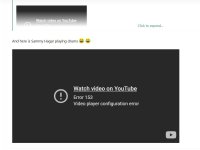

Chrome throws an error 152.Which browsers are you guys use? or maybe certain DNS...
Here with Firefox: YT videos links are visible and works fine
View attachment 291409

I use Chrome and no issues... Can you try to temporarily disable the adblocking extension (or any filtering extension/program) to see if it works..Chrome throws an error 152.
Thanks for checking, Jack. It's pretty much on all that thread page videos, where the preview is fine, it's just when you click on it to play it, shows the error with Brave and Chrome. I'll play around a bit more and see if it's anything on my end, but my previous post is pretty much all I use (limited apps, extensions and settings).It works fine on my end... Are you seeing that error for all youtube videos?
View attachment 291416
Actually, it's error 153. Still no video on Chrome with adblocker disabled.I use Chrome and no issues... Can you try to temporarily disable the adblocking extension (or any filtering extension/program) to see if it works..

I use Chrome and no issues... Can you try to temporarily disable the adblocking extension (or any filtering extension/program) to see if it works..



Two subsequent videos; one with error and the next is okay:For me, it is really weird with YouTube videos. Sometimes they work as it should, and then all of a sudden the same video gives either an error 153, or I get the screen that I should watch the video on YouTube? I use Vivaldi as my Browser.
I tried ~3 when I posted, maybe I should have tried more, but it seemed like progress, that it was resolved? Guess not.
Members who viewed this thread in the last 5 minutes