


23-3-2019
added
mozilla firefox Avira Browser Safety
google chrome Avira Browser Safety
one extension for ads and protection
added
mozilla firefox Avira Browser Safety
google chrome Avira Browser Safety
one extension for ads and protection
windows 10 1809 I do not like but I have to follow the technology.


windows 10 1809 I do not like

same here.[
I have no idea how W8.1 compares to W10, but I hope you like it more when you get used to it.

For Edge if I remeber correctly you can disable autostart under privacy settings:First. My ram now is 6 , 7% percent higher. The boot time longer. I have have again theproblem with auto start of microsoft edge like my daughter's pc.And I do not remember what I was doing and I fix it. The telemetry is a hundred times worse at windows 10. I can write an hour to see all the extra problems I have compared to windows 8.1.The only good thing is that to my great surprise is microsoft keep still free the windows 10 and i did not try to activate them
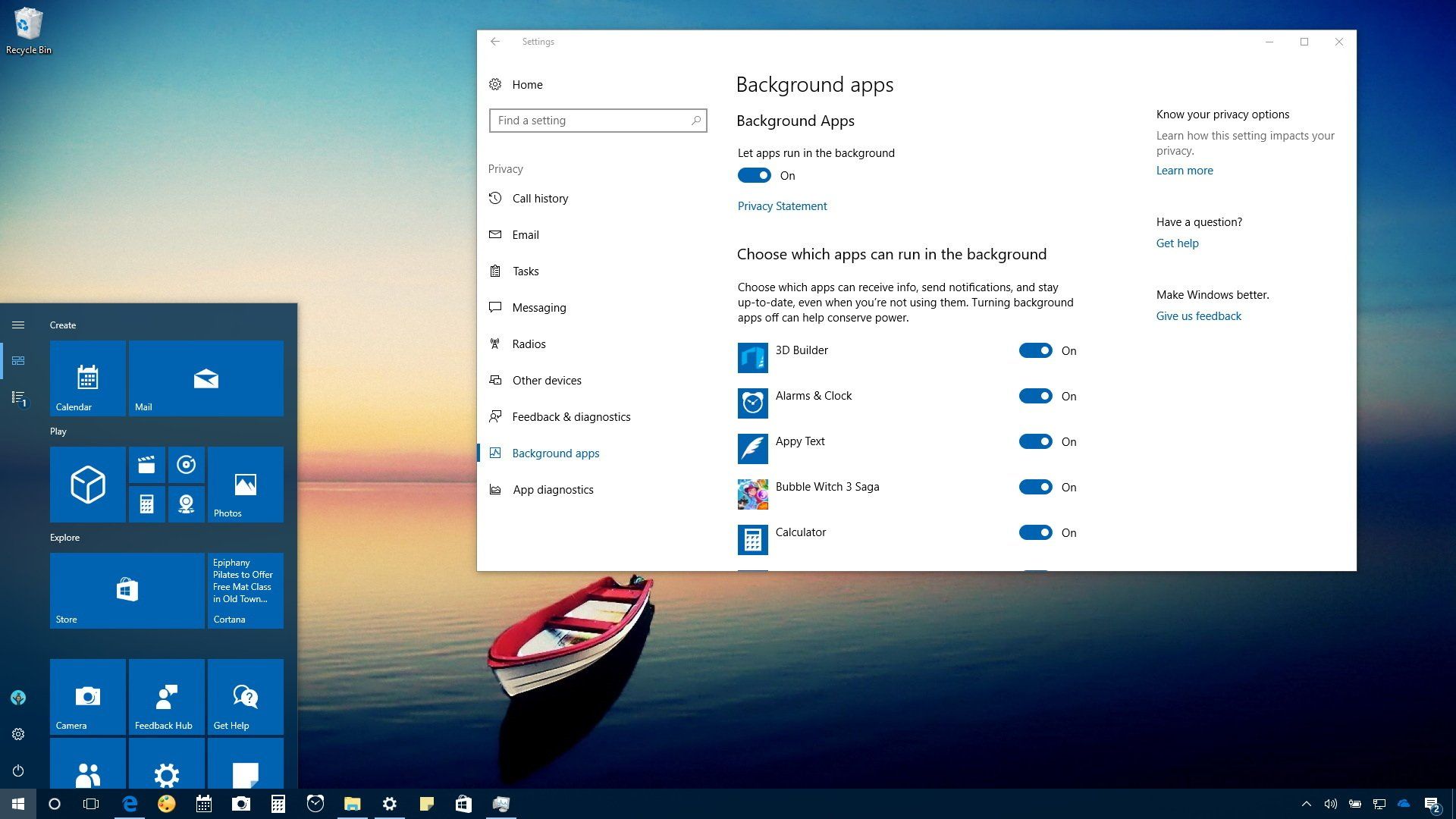
 www.windowscentral.com

 www.oo-software.com
Thanks man for your help. I did the same but continued the problem. Then I chose default browser the Opera and the provlem fixed.For Edge if I remeber correctly you can disable autostart under privacy settings:
Against telemetry I use O&O ShutUp10 at almost all recommended settings.How to stop apps from running in the background on Windows 10
You can stop apps from running in the background to save battery, data usage, and (some) system resources, and in this guide, we'll show you how on Windows 10.
O&O ShutUp10++: Free antispy tool for Windows 10 and 11
With this tool you have full control over which comfort functions under Windows 10 and Windows 11 you wish to use, and you decide when the passing on of your data goes too far.

Friend i use my lovely 360TS. I mentioned the comments about spying on the camera etc. I did not comment on this, but most of the comments were simply bad. Avast is one very good antivirus with very good protection and LIGHT. Just overseer avast exist many years. Before i thing 2 years had another name. I do not want to be confronted by people who do not know and without having tried a product to say they want and accuse.@stefanos
Do you know what made your HD spike while using Avast?
If you test it tell my your opinion. With hardener mode and syshardener the protection is top. Phishing protection is maby better from Netcraft ExtensionI understand what you mean. I also think Avast is a great antivirus. Not only light, but can also be hardened. I wouldn't be surpriced if I tried it soon. Light but very effective is a nice combination.
Thanks bud.
Some more info and solutions posted today on askvg.com:Thanks man for your help. I did the same but continued the problem. Then I chose default browser the Opera and the provlem fixed.
For Edge if I remeber correctly you can disable autostart under privacy settings:
Against telemetry I use O&O ShutUp10 at almost all recommended settings.How to stop apps from running in the background on Windows 10
You can stop apps from running in the background to save battery, data usage, and (some) system resources, and in this guide, we'll show you how on Windows 10.
O&O ShutUp10++: Free antispy tool for Windows 10 and 11
With this tool you have full control over which comfort functions under Windows 10 and Windows 11 you wish to use, and you decide when the passing on of your data goes too far.
I don t know but when I chose default browser the Opera the problem is fixed. Edge not start alone. Anyway thanks my Frind for your tips.Yes, you are able to stop Edge in background via Privacy setttings, but I think this is not related to startup. Under Apps>Startup there is no way to turn Edge off, and this is the setting controlling startup. You must use registry tweak or 3rd party app.
Thanks for your help. For this i am happy to MT.Some more info and solutions posted today on askvg.com:
[Windows 10] What are Microsoft Edge EXE Processes Running in Task Manager and How to Disable Them? - AskVG
[Windows 10] What are Microsoft Edge EXE Processes Running in Task Manager and How to Disable Them? - SUMMARY: If you are wondering what are MicrosoftEdge.exe, MicrosoftEdgeCP.exe and MicrosoftEdgeSH.exe processes running in Windows 10 and why do they alwayswww.askvg.com
I don t know but when I chose default browser the Opera the problem is fixed. Edge not start alone.
I am very safe. Here in Belgium i have not printerI forgot to mention this because I keep Edge as default for PDF printing > very safe = no Adobe needed.


