TaskbarX Update Thread

upnorth

Level 68
Thread author
Verified
Top Poster
Malware Hunter
Well-known
Jul 27, 2015
5,403
2
65,358
6,699
Sweden
Thanks to a suggestion from member @Gandalf_The_Grey I'll post the update for this little software here.

TaskbarX gives you control over the position of your taskbar icons. TaskbarX will give you an original Windows dock like feel. The icons will move to the center or user given position when an icon gets added or removed from the taskbar. You will be given the option to choose between a variety of different animations and change their speeds. The animations can be disabled if you don't like animations and want them to move in an instant. The center position can also be changed to bring your icons more to the left or right based on the center position. Currently all taskbar settings are supported including the vertical taskbar. And Unlimited taskbars.


Latest version 1.6.8.0 :
 
Good software, I really like this little tools to tweak the look of windows.

You can consider too, Droptop4, have a free and a paid version. It's an alternative to windows taskbar.


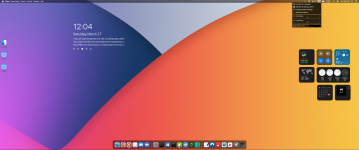
Captura de ecrã 2021-03-27 120512.png
 
This latest version has a bug so reverted to the previous version for the time being.
 
This latest version has a bug so reverted to the previous version for the time being.
I didn't notice this at all because I had the taskbar set to be transparent;)
 
I didn't notice this at all because I had the taskbar set to be transparent;)
Mine is transparent too so I didn't see it. But the left click on the left and right edge of the screen doesn't register when I click. The pre-release version fixed the left side but not the right.
BTW, he's making the same but a separate program for Windows 11 so that we can keep the start menu on the left but the icons on the center. But of course, if Microsoft in the final build of 11 gives us an option to move only the start icon to the left then it won't be necessary.
 
Mine is transparent too so I didn't see it. But the left click on the left and right edge of the screen doesn't register when I click. The pre-release version fixed the left side but not the right.
BTW, he's making the same but a separate program for Windows 11 so that we can keep the start menu on the left but the icons on the center. But of course, if Microsoft in the final build of 11 gives us an option to move only the start icon to the left then it won't be necessary.
I have confirmed the left-click issue. I don't think it's a big problem for my usage, so I'll leave it at 1.7.0.

As for the win11 style of centering everything, I think the start menu should be fixed on the left side. The left edge of the taskbar is a complete waste of space. Don't tell me MS is planning to display news with subtitles running in that space?:censored:
 
The specifications of the taskbar of 11 should have a considerable influence on the update of this software.:unsure:
Not so sure about that as updates on this software always been few anyway. Considering also the extreme small options W11 itself has for the taskbar ( transparency, alignment etc ) and I haven't seen any major changes from MS on that specific even with the now officially released Insider preview version , I would say TaskbarX for sure still has a possible future even with W11.
 
Not so sure about that as updates on this software always been few anyway. Considering also the extreme small options W11 itself has for the taskbar ( transparency, alignment etc ) and I haven't seen any major changes from MS on that specific even with the now officially released Insider preview version , I would say TaskbarX for sure still has a possible future even with W11.
I like this software better than the win11 spec because I want only the start button to be on the left side.:)
 
1.7.3.0
The changelog from GitHub:
  • Merge (Compatibility with Windows 11 with classic taskbar) #820
  • Update TaskScheduler to 2.9.2
 

You may also like...