Advice Request Thunderbird Question (inline image not showing)

Share practical recommendations that address the author's needs.

ErzCrz

Level 26
Verified
Top Poster
Well-known
Forum Veteran
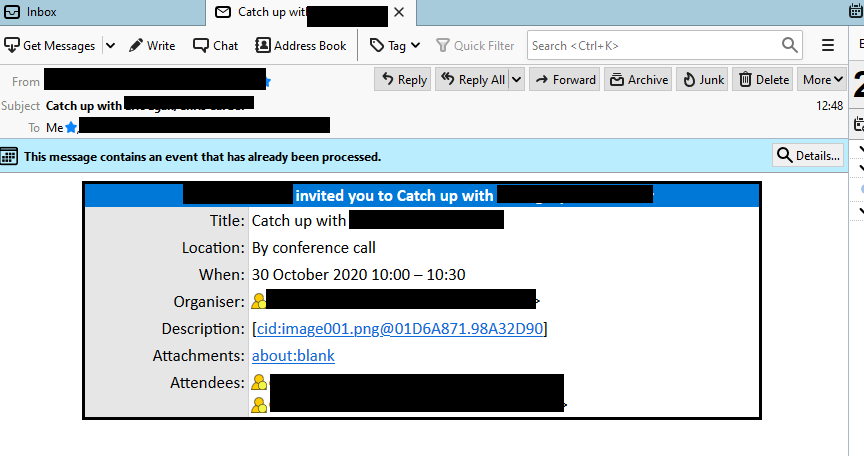
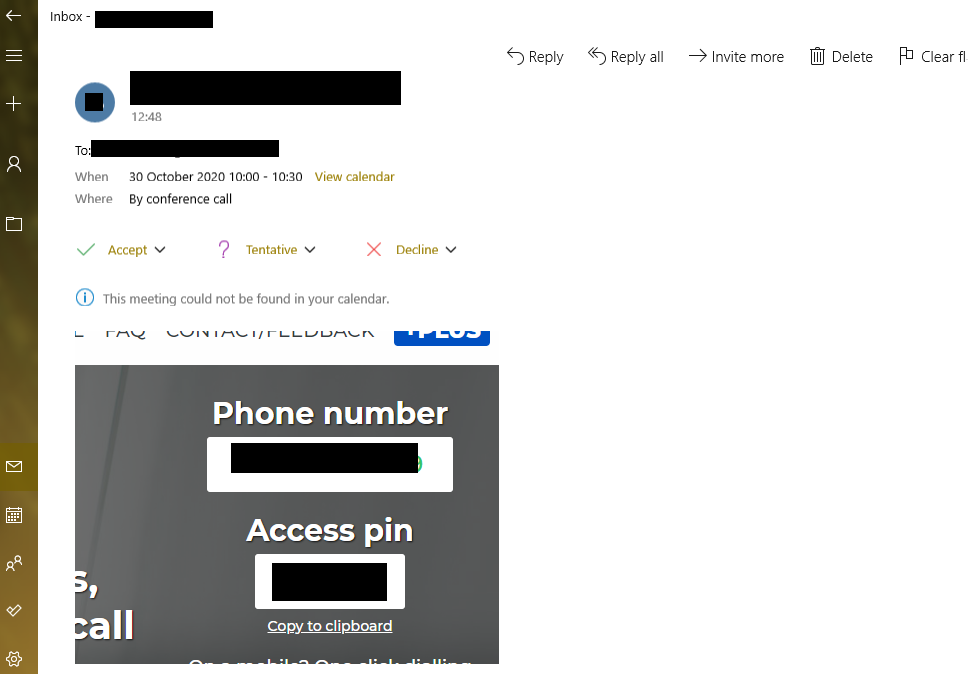
Ok so work sent me an invite for a catchup meeting for next week. Problem is the screenshot clipped image with the number and pin for the call doesn't show in TB but does in Windows Mail.

TB looks like:
1603380953424.png


The image link just opens blank tab. View is set to Original html and theres no warnings about remote images

Windows Mail looks like:
1603380692260.png


I think I'll have to go back to WM if all else fails, I just hate WM layout and minimal options.
 
Ok so work sent me an invite for a catchup meeting for next week. Problem is the screenshot clipped image with the number and pin for the call doesn't show in TB but does in Windows Mail.

TB looks like:

View attachment 247721

The image link just opens blank tab. View is set to Original html and theres no warnings about remote images

Windows Mail looks like:

View attachment 247720

I think I'll have to go back to WM if all else fails, I just hate WM layout and minimal options.

No solution for your TB problem, but eM Client could be an alternative to WM for you:
 
Upvote 0
No solution for your TB problem, but eM Client could be an alternative to WM for you:
Thanks, I'll have a look at it.
 
Upvote 0
It's worth noting the sender's HTML signature isn't showing either. Checking server and mail provider settings but yeah, probably simplify thing with WM.
 
Upvote 0

Recently browsing

Members who viewed this thread in the last 5 minutes

You may also like...

Back
Top