C
Crystal_Lake_Camper
Thread author
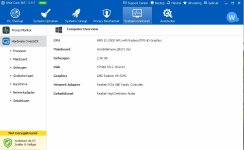
What are your basic PC's specs? I don't wanna get involved in something i will end up uninstalling lol
here they are

What are your basic PC's specs? I don't wanna get involved in something i will end up uninstalling lol
You mean the new PEP?Made sure Anti-Exploit in Norton was on
You mean the new PEP?
After upgrade its enabled by default, right?

Does anyone have an answer?Do I need these at start-up?
View attachment 86480
The first one is Intel and the second one is Acer Docs, but it has Microsoft Processes within it.
Do I need these at start-up?
View attachment 86480
The first one is Intel and the second one is Acer Docs, but it has Microsoft Processes within it.
What I meant was do I need them at start-up?that is totally your choice , if it where me I would turn them of , gaining more speed and less startup items. it all depends , on how much you use the programs
I'm a little confuse about something. Does PEP comes as a standalone application or is it only available in Norton antiviruses?Made sure Anti-Exploit in Norton was on
Disable, you're safe. Pretty sure the software requires some extra processes, you'll just disable Acer Docs.Do I need these at start-up?
View attachment 86480
The first one is Intel and the second one is Acer Docs, but it has Microsoft Processes within it.
It is inside Norton Security, Symantec Endpoint Protection and all other Symantec (Norton) programs.I'm a little confuse about something. Does PEP comes as a standalone application or is it only available in Norton antiviruses?