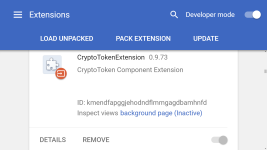
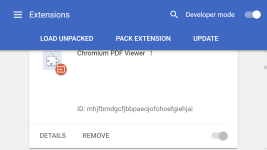
Hi - I have just installed this - I may uninstall this right away - there are pre installed crx extensions that can not be removed - they do not show up in the chromium extensions folder at AppData\Local\Chromium\User Data\Default\Extensions - they do show up in the registry at HKEY_CURRENT_USER\Software\Chromium\PreferenceMACs\Default\extensions.settings - the pre installed unremovable crx extensions are called CryptoTokenExtension 0.9.73 and Chromium PDF Viewer 1 - you actually can't even turn them on or off - only go to the details page - i am going to close ungoogled chromium - and remove the registry settings of the pre installed crx extensions - if they are still there - i am removing ungoogled chromium - here is the only information i can find on the internet about it
What is CryptoTokenExtension in Chromium extensions? - and here is a screenshot from my ungoogled chromium extensions setting - and thanks to HarborFront for the detailed descriptions - was unaware of browser phone homes on so called privacy browsers - also on ungoogled chromium faqs page about installing extension here -
Frequently Asked Questions | ungoogled-chromium Wiki - it says to download the crx files directly using the posted template CRX URL - i used this and the crx file downloads directly - i have the latest ungoogled chromium version 67.0.3396.87 - i use developer mode - and i dragged and dropped - and ungoogled chromium would not allow installation of the crx files - so i used the website crx4chrome to get crx extensions - and all the crx extensions installed