

The MalwareTips app
Your community, one tap away.
Open MalwareTips from your Home Screen or desktop. Follow discussions, find answers and pick up where you left off.
- Home Screen access
- Optional push alerts
- Your community
You're ready to explore.Explore what's new
Installation instructions
iPhone & iPad
- Open MalwareTips in Safari and tap Share. You may need to open the Page Menu first.
- Choose Add to Home Screen. If it is not listed, use Edit Actions to add it.
- Keep Open as Web App enabled if shown, then tap Add.
Android
- Open MalwareTips in Chrome or another browser that supports app installation.
- Open the browser menu and look for Install app, Install and create shortcut, or Add to Home screen.
- Choose Install and confirm. Wording varies by browser.
Desktop
- Chrome: use the install icon in the address bar, or the menu under Cast, save and share.
- Edge: open the menu, then More tools, Apps and Install this site as an app.
- Safari on Mac: choose Share or File, then Add to Dock. Firefox on Windows: look for the web apps button in the address bar.
If you cannot find an install option, update your browser or use its bookmark option to keep MalwareTips close.
Keep up with your conversations
After installation, open the app and sign in. Enable push notifications in Preferences if you want alerts. On iPhone and iPad, push requires a Home Screen web app and iOS or iPadOS 16.4 or later.
Sign in to manage notificationsInstallation is optional. Your notification settings stay under your control.
You are using an out of date browser. It may not display this or other websites correctly.
You should upgrade or use an alternative browser.
You should upgrade or use an alternative browser.
Advice Request Uninstalling Onedrive in Windows 11 Pro
-
 Thread starter
amirr
Thread starter
amirr
- Start date
- 9 Replies
- 1,750 Views
Share practical recommendations that address the author's needs.
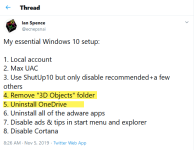


Just disable it from GPO 

Disable or Uninstall OneDrive Completely in Windows 10 - Tech Journey
OneDrive (previously SkyDrive, Windows Live SkyDrive and Windows Live Folders) is a personal cloud file hosting, storage and […]
 techjourney.net
I used to resist MSA and onedrive, but they are nicely integrated together and considering MSA is/will be mandatory, you better get used to it and take advantage of it.
For example I used 3rd party email for MSA, except onedrive nor outlook do not work with it, so I regretted it later. Recently MS started to remove some 3rd party emails.
Onedrive has 15GB for free and I believe file versioning does not take much space. It is useful to have it at hand to let it quickly sync files updated daily for an easy access.

@TairikuOkami What do you mean by MSA?

M$ Account.@TairikuOkami What do you mean by MSA?

My experience is similar to TairikuOkami. It used to be the first thing I deleted after installing Windows, but not anymore. I keep some files in it since it's quite easy and fast to sync. But I sync manually when I need it so it's not allowed to run at startup and my free OneDrive is 5GB only, not 15.
It doesn't contain system resources when you remove it from startup.
It doesn't contain system resources when you remove it from startup.
MicroSoft Account.What do you mean by MSA?
You can bump it up by 10GB by referrals link, just register 20 more accounts, never used again afterwards. You can register about 2 accounts per week without a phone number.my free OneDrive is 5GB only, not 15.
Attachments
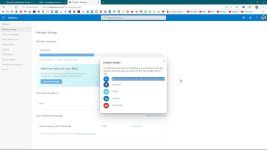
Thanks a lot. It worked. Gained 1 more GB now with 2 referrals. Will do 2 more a week laterMicroSoft Account.
You can bump it up by 10GB by referrals link, just register 20 more accounts, never used again afterwards. You can register about 2 accounts per week without a phone number.

Hi Well this may help you out in fixing the problem: Turn off, disable, or uninstall OneDrive.
Recently browsing
Members who viewed this thread in the last 5 minutes


