

The MalwareTips app
Your community, one tap away.
Open MalwareTips from your Home Screen or desktop. Follow discussions, find answers and pick up where you left off.
- Home Screen access
- Optional push alerts
- Your community
You're ready to explore.Explore what's new
Installation instructions
iPhone & iPad
- Open MalwareTips in Safari and tap Share. You may need to open the Page Menu first.
- Choose Add to Home Screen. If it is not listed, use Edit Actions to add it.
- Keep Open as Web App enabled if shown, then tap Add.
Android
- Open MalwareTips in Chrome or another browser that supports app installation.
- Open the browser menu and look for Install app, Install and create shortcut, or Add to Home screen.
- Choose Install and confirm. Wording varies by browser.
Desktop
- Chrome: use the install icon in the address bar, or the menu under Cast, save and share.
- Edge: open the menu, then More tools, Apps and Install this site as an app.
- Safari on Mac: choose Share or File, then Add to Dock. Firefox on Windows: look for the web apps button in the address bar.
If you cannot find an install option, update your browser or use its bookmark option to keep MalwareTips close.
Keep up with your conversations
After installation, open the app and sign in. Enable push notifications in Preferences if you want alerts. On iPhone and iPad, push requires a Home Screen web app and iOS or iPadOS 16.4 or later.
Sign in to manage notificationsInstallation is optional. Your notification settings stay under your control.
You are using an out of date browser. It may not display this or other websites correctly.
You should upgrade or use an alternative browser.
You should upgrade or use an alternative browser.
Software Review Vipre Advanced Security BETA
- Thread starter Shadowra
- Start date
Video Reviews - Security and Privacy
42 Replies
12,922 Views
Reviews reflect the reviewer's setup and methods. Check the evidence and limitations.
Thread details
- Content created by
- Shadowra

@Shadowra does Viper intall/uninstall cleanly? How does one join the Beta program?
Key is on there as well.

Installs and uninstalls very easily. I’ve seen no leftovers like others.


The link takes me to a login page and it doesn't specify "sign up" or "create an account".Key is on there as well.
The link takes me to a login page and it doesn't specify "sign up" or "create an account".
Sorry. I’m always signed in. Here’s what you should need to get the ball rolling. Not sure if you have to set up an account. Don’t believe so……
Beta Download: https://go.threattracksecurity.com/?linkid=1616
Beta Registration Key: 4227W-263WQ-7MQQQ-2SKSW-EPSYR
@Shadowra did you test this theory ?I knew Vipre was / has been a rebranded Bit defender since many years. Just for a clarity in coming weeks if you are free can we test it side by side with BD BB.I suspect it might be using BD BB. But yeah can't speak without ***

Shadowra
Level 42
Verified
Top Poster
Content Creator
Malware Tester
Well-known
High Reputation
Forum Veteran
@Shadowra did you test this theory ?
I have already received this request and I will test all the antiviruses that have the Bitdefender engine in comparison with Bitdefender

The video will be shot next week normally!

It's a beta. You'll find many links in this thread that will get you hooked up.i wanna try this!any discount for Vİpre advanced?
F
ForgottenSeer 69673
It has been a few years since I checked out a Viper Beta but I always thought they did well in my tests.
Vipre beta 2 is out and live. Good luck and Happy Holidays y’all!

Vipre beta 2 is out and live. Good luck and Happy Holidays y’all!
Are you still testing this? I am interested in it. Thanks!
Yes, still testing it. Have had no issues. 1 windows7, 1 windows10.Are you still testing this? I am interested in it. Thanks!
Email vipre support.... They should give you a fresh key.Tried installing it but that key does not work.
beta@vipre.com
productsupport@vipre.com
homesupport@threattrack.com
Email vipre support.... They should give you a fresh key.
beta@vipre.com
productsupport@vipre.com
homesupport@threattrack.com
Thank you sir.
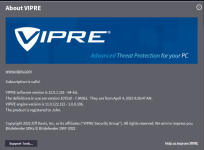

Setup PCPC setup
New Vipre Beta 3 available.
I did not see this. Good catch. So far no complaints. Anyone else running it???
Recently browsing
Members who viewed this thread in the last 5 minutes
You may also like...
-
 Software Review Vipre Advanced Security 2024
 -
Software Review eScan Total Security Suite 2026
-
Software Review K7 Ultimate Security 2026
-
Software Review F-Secure Internet Security 2026
-