VoodooShield discussion

Status
Not open for further replies.
On start up VS icon and shield not run and I can't open Google Chrome.I can only open Google when VS open shield and icon in background.
I don't have this problem
try to uncheck -> recheck VS boot option in settings
also use task manager/msconfig
it still doesn't work -> reinstall VS
 
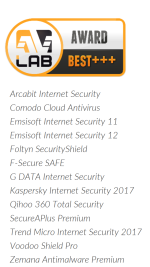
VS get 100% on test vs Ransimware:
https://avlab.pl/sites/default/files/68files/ENG_2016_ransomware.pdf

Screenshot_2016-11-10-19-36-03.png
 
What is the most security mode in VoodooShield ?
Always On mode is the most secure but most annoying with most prompts

Autopilot: least prompts, sometimes no prompts if the apps receive safe results from Ai and VT
Smart mode: - On: same as Always on mode
- Off (The shield is red): same as Autopilot mode
smart mode may consume more CPU than always on mode due to its constant scanning for the presence of web apps every 250 or 500ms depend on the version
 
Has VoodooShield ever saved many of you in real life from a catastrophic infection that your AV didn't detect?

Personally, I uninstalled it after a few months because the only thing it did was give me FPs. I will say, it did make me feel very secure, just not worth the annoyance factor in the long run.
 
  • Like
Reactions: AtlBo
it's not a mature product yet. I gave it up for similar reasons. I reinstall it when new versions come out, but every time I run into issues.
okay, I am trying out the new version, and this time, I am using custom folders to allow one of my problematic drivers. Custom folders is easier to use now, it automatically selects the default folders to be protected. That helps a lot.
 
it's not a mature product yet. I gave it up for similar reasons. I reinstall it when new versions come out, but every time I run into issues.
yeha, the problem of VS is having too much FP. VoodooAi is nowhere near the correct score
I trust VT results more than Ai score :) I know more malwares can bypass VT but VT is always a reliable source

I prefer the autopilot mode than the others because they are extremely annoying. Too many prompts force me to allow without reading => less secure
 
  • Like
Reactions: AtlBo
There's "TRAINING" mode which can lessen the annoyance factor...
Dan said he was planning to remove the training mode because it provides 0 security and whitelists everything running. He said autopilot was better and suitable for everone
 
Dan said he was planning to remove the training mode because it provides 0 security and whitelists everything running. He said autopilot was better and suitable for everone
that's too bad, because a poster on the other forum reported that training mode was the only way he could get his printer (I think it was his printer?) properly whitelisted.
 
that's too bad, because a poster on the other forum reported that training mode was the only way he could get his printer (I think it was his printer?) properly whitelisted.
That was me and my Epson XP-820 wireless printer... would hate to see the training mode go away. Just put it in training mode the first time printing and my printer files were properly whitelisted.
 
I found voodooshield to have alot of false positives and too many unnecessary popups where an amateur user would be screwed if the wrong answer was clicked on.
 
  • Like
Reactions: AtlBo and shmu26
I found voodooshield to have alot of false positives and too many unnecessary popups where an amateur user would be screwed if the wrong answer was clicked on.
that's a problem with VS Ai that's why I always put it in the autopilot mode to avoid unnecessary popups
a great alternative is SecureAPlus. However, their servers are often in maintainance and leave users unprotected/less protected during that time
zemana is also great but the pandora causes too many FPs
 
  • Like
Reactions: AtlBo
I found voodooshield to have a lot of false positives and too many unnecessary popups where an amateur user would be screwed if the wrong answer was clicked on.

That's why VS has included a sandbox and Ai for such occasion...

Dan said he was planning to remove the training mode because it provides 0 security and whitelists everything running. He said autopilot was better and suitable for everyone

Training mode is just there for convenience just in case a trusted software doesn't play well with VS like in the case of @Gandalf_The_Grey ... I do admit autopilot is better on other scenarios.
 
I asked Dan about the local sandbox of VS and he said it was a bit incomplete. I tried the local sandbox many times but it rarely worked for me because most apps I wanted like to run required administrator priviledges but the local sandbox denied all apps like that. The local sandbox requires a lot more work to be fully functional like the comodo's one

 
Status
Not open for further replies.