Advice Request What Browser Extensions are you using in 2020?

Please provide comments and solutions that are helpful to the author of this topic.
Status
Not open for further replies.
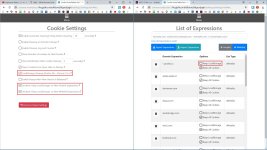
Cookie AutoDelete has recently added an option to clean Local Storage. You might want to change settings and exceptions, if you want it cleaned.
 

Attachments

  • capture_05032020_194959.jpg
    capture_05032020_194959.jpg
    307.4 KB · Views: 270
Cookie AutoDelete has recently added an option to clean Local Storage. You might want to change settings and exceptions, if you want it cleaned.
This was a Firefox exclusive feature. Great to know that they managed to put it in Chromium also.
 
  1. Ublock Origion
  2. Mcafee Truekey
  3. Emsisoft web protection "installed with Emsisoft Malware"
  4. Adguard in integration mode with the desktop app
  5. HTTPs Everywhere
  6. Internet download manager "add with the desktop app"
  7. mega cloud
  8. Just Black "for chrome Dark theme"
  9. Mail Track
  10. Gmail Checker
  11. Google drive extension
  12. keep extension.
  13. Netcraft.
  14. Malwarebytes browser guard
 
Here you go (AdBlockPlus and AdGuard)


Notes:
You should add the country code of the languages yu can read, e.g. changed NL (Netherlands) to RO (Romania) and Italian
As far as I know, AdGuard does not copied the uBO popunder feature, because AdGuard offers a popup-blocker also (link on Github)


View attachment 238447

TIP: use the Adguard popup blocker on demand by changing tampermonkey's site access to on-click (see below)
View attachment 238449
When a website throws nasty popups or popunders which are missed by your browser, just click on the tampermonkey icon
View attachment 238450

This on demand option works with Adguard Popup blocker and not with popup blocker strict or proper blocker (at least I did not get that working with the popup extensions).

@oldschool noticed that your enthousiasm on Brave convinced me 😉
Very awesome, just installed to go with my Adguard. Thanks for the info!
 
Trying Click & Clean
Excellent extension to clear all web browser data by one click
It's useful for Chrome. However, you probably don't need it if you're using Brave or Edge since they can clear browser data on exit.
 
Is Https Everywhere still worth it?
To me isn't worth using HTTPS Everywhere as almost all my visited daily websites are offering HTTPS.
Another reason to me it's causing higher consuming of CPU while browsing with Edge-Chromium, Firefox, Brave, so in my case without HTTPS Everywhere saving more battery of my Laptop...
 
When you have Adguard desktop (instead of the browser extension like I use), you can install that popup-blocker user script without needing tampermonkey : Userscripts | AdGuard Knowledgebase
I remember that not working with some monkeys.
Doesn't popup blocker (strict) have a blacklist mode? Also uBlock Origin too can be used to manually blacklist popups.
 
I remember that not working with some monkeys.
Doesn't popup blocker (strict) have a blacklist mode? Also uBlock Origin too can be used to manually blacklist popups.
I used it with tampermonkey, but someone posted it did not work with another user script manager. You can add user scripts in Adguard desktop, that should work (maybe adguard desktop users can explain how).

Poper blocker did not work correctly in Opera for me, so I did not bother. I read people complaining about proper blocker, so did not even bother to try that one (but AdGuard's adblock with tampermonkey worked fine on demand).
 
Another reason to me it's causing higher consuming of CPU while browsing with ... Brave, so in my case without HTTPS Everywhere saving more battery of my Laptop...

It may be disabled in Brave browser.

What about Edge or Opera?

Not built into Edge. I don't know about Opera.
 
Status
Not open for further replies.