Advice Request What Browser Extensions are you using in 2022?

Please provide comments and solutions that are helpful to the author of this topic.
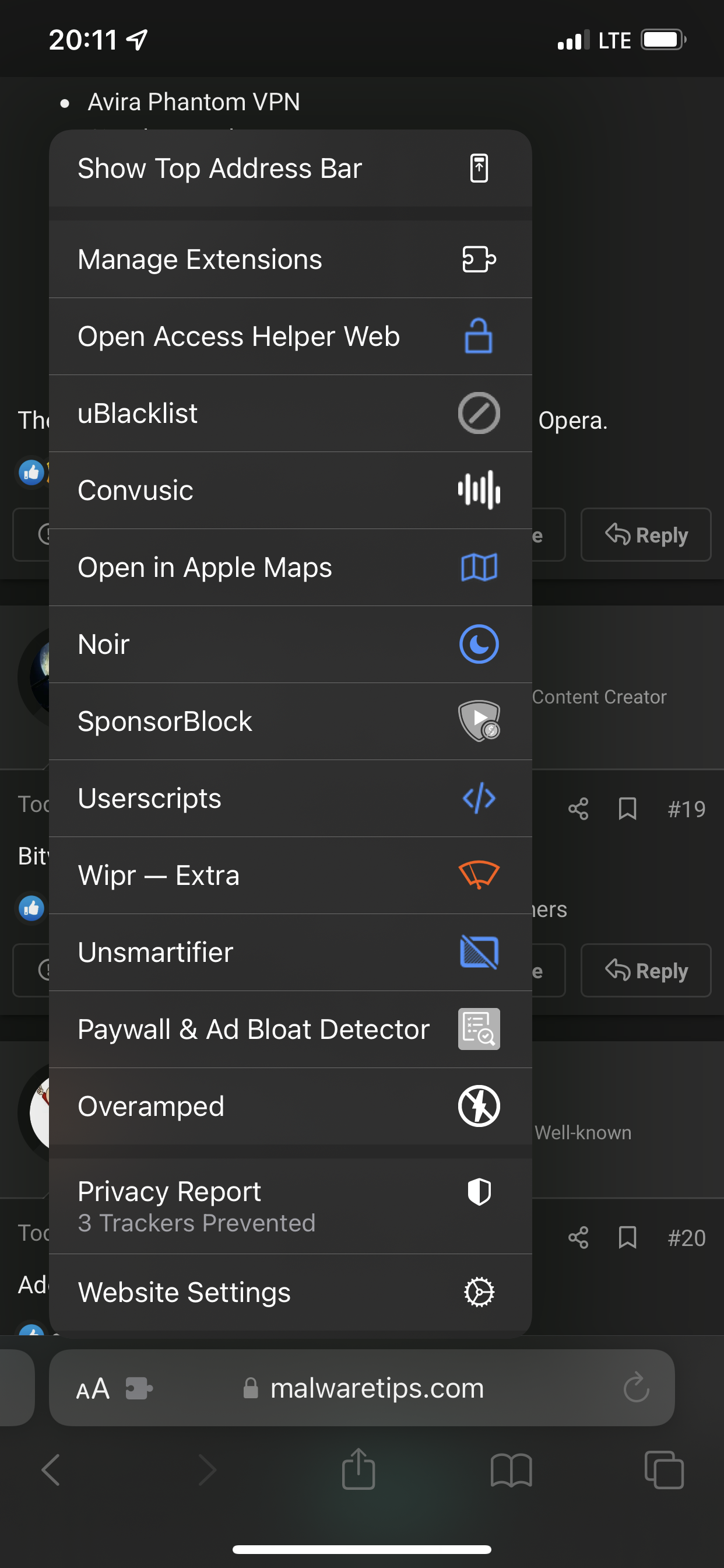
On iOS Safari:

Open Access Helper (research papers)
uBlacklist (spam)
Convusic (open Spotify links in AM)
Mapper (open GMaps in Apple Maps)
Noir (dark mode)
Sponsorblock
Userscripts (yes on Safari for iPhone!)
Wipr Extra (adblock)
Unsmartifier (ad banner, popup)
Paywall detector
Overamped (redirect AMP to regular)
2390196F-DAAA-47C8-B3F2-51622A593F9B.png
 
Any reason to choose F-Secure Brrowsing Protection and not Bitdefender Trafficlight?
Only when you are using an F-Secure product as AV.
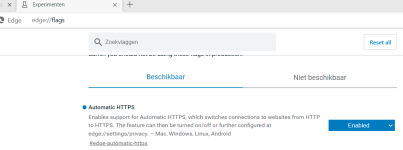
In time, there is any way to enable only HTTPS mode on Edge without https everywhere? I also heard that Https everywhere was not necessary anymore in the modern browsers...
Only through edge://flags at the moment:

1649743014884.png
 
@MrBananaxx Hi, the LanguateTool extension, you have the free plan or paid? Is that better than Microsoft Editor?
 
  • Like
Reactions: Kongo
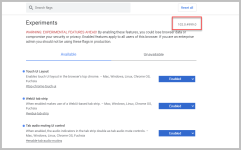
Now Chrome Canary which I did set it as default in my Windows 11:

1649756133466.png

1: Flags enabled to get also bigger UI at the top, which I love it:
1649756097645.png

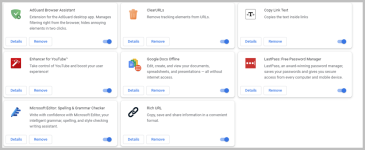
Addons:
1649756269313.png

Forgot to add, I also use this:
Chromium Wheel Smooth Scroller
Offered by: kataho
 
FireFox add-ons I currently run:
  • 7TV - bunch of stupid emote stuff for Twitch and Youtube Gaming.
  • Firefox Multi-Account Containers - Fancy containers.
  • FireMonkey - A UserScript (.js) and User-Style (.CSS) manager.
  • LanguageTool - Free variant; still looking if there are better onces out there on a free plan.
  • Simple Translate - Quick way to translate in-tab without needing to switch tabs or websites. Supports both DeepL (I use this one) and Google Translate.
  • Sound Adjustment - Sound volume adjustment tool per tab(not global). I use speakers and sometimes videos or streams are low volume even at 100%, just boost it up, rather than all the sounds of the entire pc.
  • Tabs Aside - Experiment to see if there are add-ons similar to Edge's collection feature. Note: there are 100's of add-ons with this name... I'm testing this one specifically. 🤡
  • uBlock Origin - Boring add-on, why do I have this one again? 🤡
 
Last edited:
Extensions: Annoyance Removal
Adblocker:
https://chrome.google.com/webstore/detail/adguard-adblocker/bgnkhhnnamicmpeenaelnjfhikgbkllg

Skip Intermediary Links:
https://chrome.google.com/webstore/detail/fastforward/icallnadddjmdinamnolclfjanhfoafe

Skip Sponsors:
https://chrome.google.com/webstore/detail/sponsorblock-for-youtube/mnjggcdmjocbbbhaepdhchncahnbgone

Auto-Solve Captchas:
https://chrome.google.com/webstore/detail/buster-captcha-solver-for/mpbjkejclgfgadiemmefgebjfooflfhl

Pop-up Blocker:
GitHub - AdguardTeam/PopupBlocker: Popup blocking userscript

Protect Adblocker:
GitHub - AdguardTeam/AdGuardExtra: AdGuard Extra is designed to solve complicated cases when regular ad blocking rules aren't enough.

Hide Overlays:
https://chrome.google.com/webstore/detail/popupoff-popup-and-overla/ifnkdbpmgkdbfklnbfidaackdenlmhgh

Extensions: Usability
Add Subtitles to Any Video Site:
https://chrome.google.com/webstore/detail/substital-add-subtitles-t/kkkbiiikppgjdiebcabomlbidfodipjg

Turn Websites Dark:
https://chrome.google.com/webstore/detail/dark-reader/eimadpbcbfnmbkopoojfekhnkhdbieeh

Copy Text from Videos, Images:
https://chrome.google.com/webstore/detail/blackbox-select-copy-past/mcgbeeipkmelnpldkobichboakdfaeon

Clear and Adapt Webpage for Printing:
https://chrome.google.com/webstore/detail/print-friendly-pdf/ohlencieiipommannpdfcmfdpjjmeolj

Spelling & Grammar Correction:
https://chrome.google.com/webstore/detail/microsoft-editor-spelling/gpaiobkfhnonedkhhfjpmhdalgeoebfa/

Autofill Forms:
https://chrome.google.com/webstore/detail/autofill/nlmmgnhgdeffjkdckmikfpnddkbbfkkk

Save Webpages:
https://chrome.google.com/webstore/detail/save-page-we/dhhpefjklgkmgeafimnjhojgjamoafof
 
Is good.