

The MalwareTips app
Your community, one tap away.
Open MalwareTips from your Home Screen or desktop. Follow discussions, find answers and pick up where you left off.
- Home Screen access
- Optional push alerts
- Your community
You're ready to explore.Explore what's new
Installation instructions
iPhone & iPad
- Open MalwareTips in Safari and tap Share. You may need to open the Page Menu first.
- Choose Add to Home Screen. If it is not listed, use Edit Actions to add it.
- Keep Open as Web App enabled if shown, then tap Add.
Android
- Open MalwareTips in Chrome or another browser that supports app installation.
- Open the browser menu and look for Install app, Install and create shortcut, or Add to Home screen.
- Choose Install and confirm. Wording varies by browser.
Desktop
- Chrome: use the install icon in the address bar, or the menu under Cast, save and share.
- Edge: open the menu, then More tools, Apps and Install this site as an app.
- Safari on Mac: choose Share or File, then Add to Dock. Firefox on Windows: look for the web apps button in the address bar.
If you cannot find an install option, update your browser or use its bookmark option to keep MalwareTips close.
Keep up with your conversations
After installation, open the app and sign in. Enable push notifications in Preferences if you want alerts. On iPhone and iPad, push requires a Home Screen web app and iOS or iPadOS 16.4 or later.
Sign in to manage notificationsInstallation is optional. Your notification settings stay under your control.
You are using an out of date browser. It may not display this or other websites correctly.
You should upgrade or use an alternative browser.
You should upgrade or use an alternative browser.
Troubleshooting Windows 7 Black Screen Takes 5 Minutes To Load!
-
 Thread starter
Xanoas
Thread starter
Xanoas
- Start date
- 16 Replies
- 5,644 Views


mmm
Maybe your system is infected (Malware Removal Assistance)
Maybe your hard disk is damaged (use crystal disk info to chek it)
Maybe you have too much software (mmm soluto or "Autoruns" can help you)
Maybe your system is infected (Malware Removal Assistance)
Maybe your hard disk is damaged (use crystal disk info to chek it)
Maybe you have too much software (mmm soluto or "Autoruns" can help you)
Upvote
0

Are you sure this program isnt just another NSA type program?Try soluto, maybe its can help you
Upvote
0
Not so sure if its malware since malwarebytes says im clean and i havent got many applications on autorun only 4 that are needed and im checking the hard disk now.mmm
Maybe your system is infected (Malware Removal Assistance)
Maybe your hard disk is damaged (use crystal disk info to chek it)
Maybe you have too much software (mmm soluto or "Autoruns" can help you)
Upvote
0
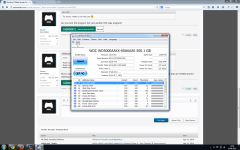
I check the hard disk with crystal disk and this is what i got.mmm
Maybe your system is infected (Malware Removal Assistance)
Maybe your hard disk is damaged (use crystal disk info to chek it)
Maybe you have too much software (mmm soluto or "Autoruns" can help you)
Attachments
Upvote
0

- When did this issue started? Which are the programs that you have installed right before noticing this issue?
It could be a service or application lagging at start up. You could go to msconfig and try disabling some of the services that are starting up to see if that solves the problem. You can also look at the programs that are starting up when windows loads and disable anything you don't want to start up right away ( Start > Search box > type msconfig > Startup tab > click Disable All button > Click OK. ).
- Did you try to use the System Restore, to restore you system to a previous state before the issue started?
- Did you try to create another user account to see if the issue persists?
Upvote
0

jim lin
Level 8
jack has good info but to add to that
you could try running CHKDSK with the /r /f options from a command prompt then run a defrag program
http://technet.microsoft.com/en-us/magazine/ee872425.aspx
How to Run Disk Check in Windows 7
http://www.sevenforums.com/tutorials/433-disk-check.html
CHKDSK can take sometime to run DO NOT STOP IT (things can happen if you do) it could take hours
also Malwarebytes IS NOT A AntiVirus Program and should be used with a AV program so have you scanned
with something else like AV software?
James
you could try running CHKDSK with the /r /f options from a command prompt then run a defrag program
http://technet.microsoft.com/en-us/magazine/ee872425.aspx
How to Run Disk Check in Windows 7
http://www.sevenforums.com/tutorials/433-disk-check.html
CHKDSK can take sometime to run DO NOT STOP IT (things can happen if you do) it could take hours
also Malwarebytes IS NOT A AntiVirus Program and should be used with a AV program so have you scanned
with something else like AV software?
James
Upvote
0

Most probably windows services or some startup application is causing delay in startup.
i used to disable these windows 7 services to stop the delays in start.
Microsoft .NET Framework NGEN v2
Microsoft .NET Framework NGEN v3
Microsoft .NET Framework NGEN v4
i used to disable these windows 7 services to stop the delays in start.
Microsoft .NET Framework NGEN v2
Microsoft .NET Framework NGEN v3
Microsoft .NET Framework NGEN v4
Upvote
0
Im worried about the screen turning black and having a cursour only, it started 1 week ago. I have not used system restore nor have i created another user account. I am going to do a scan with my anti virus to check, i will also run the disk check and CHKDSK. Thx for the help guys I will tell you the results of what happens.
Upvote
0
M
MalwareT
I check the hard disk with crystal disk and this is what i got.
Please check with HD Sentinel or HD Tune.
Upvote
0
It appears before and after and I haven't installed anythingHave you made any software or hardware changes to your PC, prior to the issue? Does the black screen appear before or after Login screen?
Upvote
0
jim lin
Level 8
sometimes getting updates from Microsoft Update can fragment the MFT and running chkdsk can
fix that and also find free space marked as allocated in the volume Bitmap that can slow a
computer down and is why running a chkdsk /r /f and then defrag could help
have you tryed msconfig and make sure normal startup is checked and not selective startup
msconfig
http://www.computerhope.com/jargon/m/msconfig.htm
Windows Vista and Windows 7
1. Click the Start orb in the Start Search
2. Type msconfig and press enter
3. If the User Account Control (UAC) prompts you for permission click the Continue button.
you also can use msconfig to troubleshoot slow startup problems by using selective startup
and removing the check next to "load startup items" and see if that helps and if it helps
you can use the startup tab and put a check mark in your startup items one by one to see
if which one slows down your startup
James
p.s.
Speeding Up Your PC
https://forums.malwarebytes.org/index.php?/topic/81990-slow-pc-start-here/
Optimize Windows for better performance
http://windows.microsoft.com/en-us/...optimize-windows-better-performance=windows-7
How to start Windows 7 faster
http://www.cnet.com/how-to/how-to-start-windows-7-faster/
fix that and also find free space marked as allocated in the volume Bitmap that can slow a
computer down and is why running a chkdsk /r /f and then defrag could help
have you tryed msconfig and make sure normal startup is checked and not selective startup
msconfig
http://www.computerhope.com/jargon/m/msconfig.htm
Windows Vista and Windows 7
1. Click the Start orb in the Start Search
2. Type msconfig and press enter
3. If the User Account Control (UAC) prompts you for permission click the Continue button.
you also can use msconfig to troubleshoot slow startup problems by using selective startup
and removing the check next to "load startup items" and see if that helps and if it helps
you can use the startup tab and put a check mark in your startup items one by one to see
if which one slows down your startup
James
p.s.
Speeding Up Your PC
https://forums.malwarebytes.org/index.php?/topic/81990-slow-pc-start-here/
Optimize Windows for better performance
http://windows.microsoft.com/en-us/...optimize-windows-better-performance=windows-7
How to start Windows 7 faster
http://www.cnet.com/how-to/how-to-start-windows-7-faster/
Upvote
0
Recently browsing
Members who viewed this thread in the last 5 minutes
You may also like...
-

-
-

- S
-