Unmaintained WiseVector Free AI Driven Security

Yeah, I was wondering whether Heuristic Analysis High-Aggressive (false positive) detection might stop (interrupt) Windows startup. Do all detections wait for user action Exclude or Quarantine?
Will Windows be able to reach login &or desktop with boot process Heuristic detection?
Maybe, Heuristic Analysis does not act alone. Maybe, Heuristic Analysis is part of the process flow. IDK
Hi,

1. When there is a detection popup, the suspicious or malicious file has been stopped.
2. Setting protection level of Heuristics Analysis is effective when users perform static scanning only, nothing about the dynamic scanning. Setting on High or Aggressive, WiseVector StopX can detect more suspicious files during static scanning, but there might be more FPs. WiseVector StopX doesn't detect System Files as malware, so it can't prevent Windows start-restart from reaching desktop.

Regards,
WiseVector
 
Hi, when I click on Check for Updates, the program states that the streaming download completed successfully. However, the version 2.67 stayed the same. If WVAI, uses the Cloud, why does it say that the update download completed successfully?

Shouldn' it say no updates available?

I just did it again, and the update gui just showed a screen but no download bar, and then closed itself.

I think there definitely should be a message that no updates available unless I misunderstand what you are trying to say or how your updates work?

Clarification is appreciated. Otherwise, I enjoy the program!
 
Hi, Can you run it alongside BTS or what?, I would like to try, is it totally free?:eek:

Might be overkill because BTS already has some of the protections that WiseVector AI offers. Make sure in each app you exclude the other to avoid conflicts. Also depending on your preferences to avoid duplication in one app, you might want to turn off the similar feature in the other app. This is just my opinion.

It is totally free.
 
Might be overkill because BTS already has some of the protections that WiseVector AI offers. Make sure in each app you exclude the other to avoid conflicts. Also depending on your preferences to avoid duplication in one app, you might want to turn off the similar feature in the other app. This is just my opinion.

It is totally free.
Hi, Based on your advice & other things, I think I will Pass, Thank You. ;) (y)
 
Hi this is the wrong place for this but ,has the website changed ,I am viewing a mess,anyone else? Thks
Some seems to be fixed thks
 
Last edited:
  • Like
Reactions: [correlate]
Hi, when I click on Check for Updates, the program states that the streaming download completed successfully. However, the version 2.67 stayed the same. If WVAI, uses the Cloud, why does it say that the update download completed successfully?

Shouldn' it say no updates available?

I just did it again, and the update gui just showed a screen but no download bar, and then closed itself.

I think there definitely should be a message that no updates available unless I misunderstand what you are trying to say or how your updates work?

Clarification is appreciated. Otherwise, I enjoy the program!
Hi,
Since the lasted version is 2.67 at present, the version No. will stay the same when you click on Check for Updates. Once a new version is released, the version No. will change. But signatures, modules and etc. get updated in seconds or minutes, so it shows "the update download completed successfully".
I think there should be a message if no updates available rather than closing the update GUI. I will tell our designer. Thanks for your advice!
 
I enjoy the program but I have noticed that it seems to always be the last program to load in my system tray almost 5 minutes after every other program loads. I have it listed as an exclusion in my anti-virus. Has anyone else noticed a delay?

I noticed it runs as a service, and it is set to run Automatically.

Any ideas or is this normal because it runs as a service? Thanks.
 
I enjoy the program but I have noticed that it seems to always be the last program to load in my system tray almost 5 minutes after every other program loads. I have it listed as an exclusion in my anti-virus. Has anyone else noticed a delay?

I noticed it runs as a service, and it is set to run Automatically.

Any ideas or is this normal because it runs as a service? Thanks.

I notice the exact opposite. It is one of the first icons popping up in the taskbar, before Windows Security, Adguard, Onedrive, Radeon software, etc.
 
Last edited:
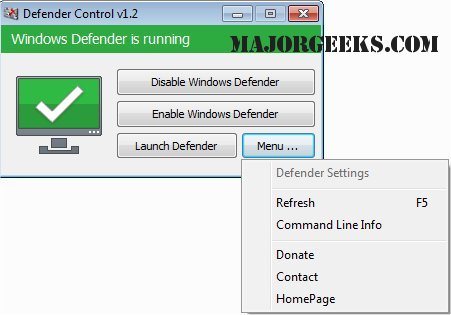
@Andy Ful can you confirm if ConfigureDefender fully disables Windows Defender in latest stable W10 build? I tried and only partially disables it.

Also for those wondering on latest W10 builds, Defender Control will not have the disable of windows defender persistent after reboot.

@WiseVector thought you should know as I know in Wilders you have given Defender Control as an option to disable Windows Defender.

I am still in the process of setting up my gaming system running 1909 build, will confirm accordingly.
 
Falsely detects fitgirl repack compression algorithm even though i sent it as false positives a few months ago
Could you send me the file? I would like to have a look.

Also to note all fitgirl repacks that are from fitgirl legit site are repacks of cracked games by default.

Worse would be if you didnt grab it from the official fitgirl site and one of the look a like sites, which well, do contain additional nasties... Thanks
 
@Andy Ful can you confirm if ConfigureDefender fully disables Windows Defender in latest stable W10 build? I tried and only partially disables it.
...
ConfigureDefender never had such ability. Some features can be disabled (a few require disabling Tamper Protection), but WD is still running.
In the early versions, ConfigureDefender had an option to disable Real-time protection (WD still running), but I had to remove this option when Microsoft classified such feature as a hack-tool. (y)