Xvirus Personal Guard - feedback and bug reports (OLD)

Status
Not open for further replies.
System 32= ADware
TAGAQe5.jpg
 
Last edited:
Hi Dani,

Some feedback for you about Xvirus Personal Guard. :)

Tested on Windows 10, 32-bit (real-machine)

Good

+ Installation was easy and without issues
+ If one process killed then it started again
+ UI is interesting, I like colors and menu
+ Toolbox features
+ Automatic updates

Possible bugs

- Settings not saved (after restart all default settings)
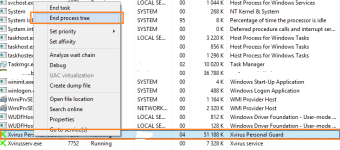
- Managed to close Xvirus completely via Task manager (Details tab -> End process tree) Screenshot
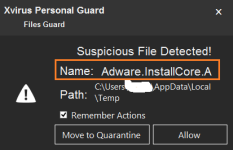
- Disabled heuristic analysis but still got pop-up about suspicious files Screenshot
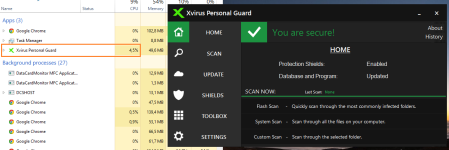
- CPU usage is quite high all the time Screenshot

Suggestions

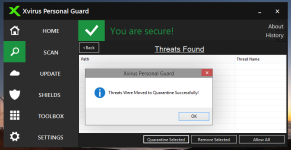
* Even when Quarantine list is empty It still show "Threats Were Moved to Quarantine Successfully"
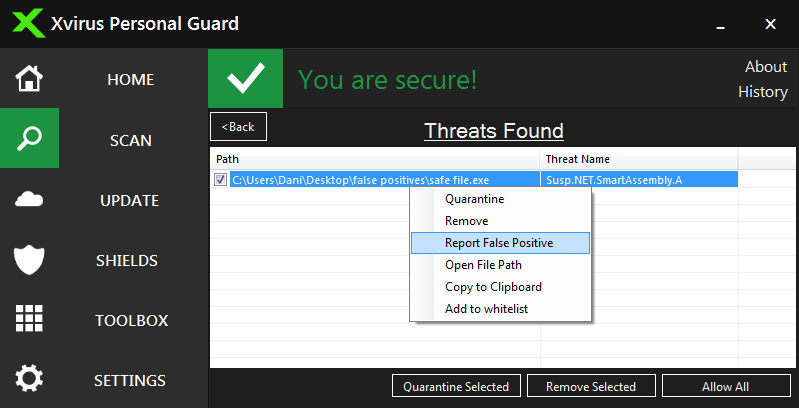
(Maybe you should add some filter to see if Quarantine list is already empty) Screenshot
* If you cancel/stop scan, then maybe it should reset scanned files, found threats count to zero.

Overall

Because I am also developer of another product, I wish you all the best and I want to help
you with testing and feedback to work out all bugs. In this version one heuristic entry called
Adware.InstallCore.A caused many false positives but I am sure you can fix it.

@Dani Santos Keep it up and if you have any questions then feel free to ask anytime via MT or Skype. :)

Regards,
Kardo
 

Attachments

  • Xvirus_1.png
    Xvirus_1.png
    46.6 KB · Views: 767
  • Xvirus_2.png
    Xvirus_2.png
    13 KB · Views: 752
  • Xvirus_3.png
    Xvirus_3.png
    73.8 KB · Views: 774
  • Xvirus_4.png
    Xvirus_4.png
    54.3 KB · Views: 781
Last edited:
@Kardo Kristal
- Settings not saved (after restart all default settings)
Fixed in new version
- Managed to close Xvirus completely via Task manager (Details tab -> End process tree)
It is supposed to protect from malware not from people.
- Disabled heuristic analysis but still got pop-up about suspicious files
Fixed in new version
- CPU usage is quite high all the time
On our test it only was between 0 and 3 % of cpu.

The new version 5.1 will be released in a few moments.
 
Hi
Dani
We have already talked once by email about your product.

About this new release.
First of all: I give you my congratulations, because what you're doing is not easy. I think you are on the right track and you must not give up. However there are some things to correct. I just tested it on XP. I know that there are some bugs on XP, and It's understandable you concentrate your efforts on Windows 7 and 8 because XP is old. I also intend to test it on 7 and 8.1 and then we talk again.
However there are some issues to be corrected:
- memory used: too much. Sometimes it goes beyond more than 1GB!!
- scanner speed: very slow. A quick search exceeded 20 minutes ( and my disk has only 25 gb of files! ). What would it be to carry out a full scan?
- still incompatible with some programs;
- alerts aren't very explicit ;
- does not indicate when the research ends;
- finally, a note: the layout doesn't have a Portuguese option?! My friend, you do not speak Portuguese?!!!
 
Status
Not open for further replies.