


A bank notice about a wallet you do not use can make you reach for your card before you have finished reading. The email offers a way to undo it.
Before using that option, check whether the bank actually recorded a change.
Overview
The notice claims a debit card was added to a Bitcoin wallet
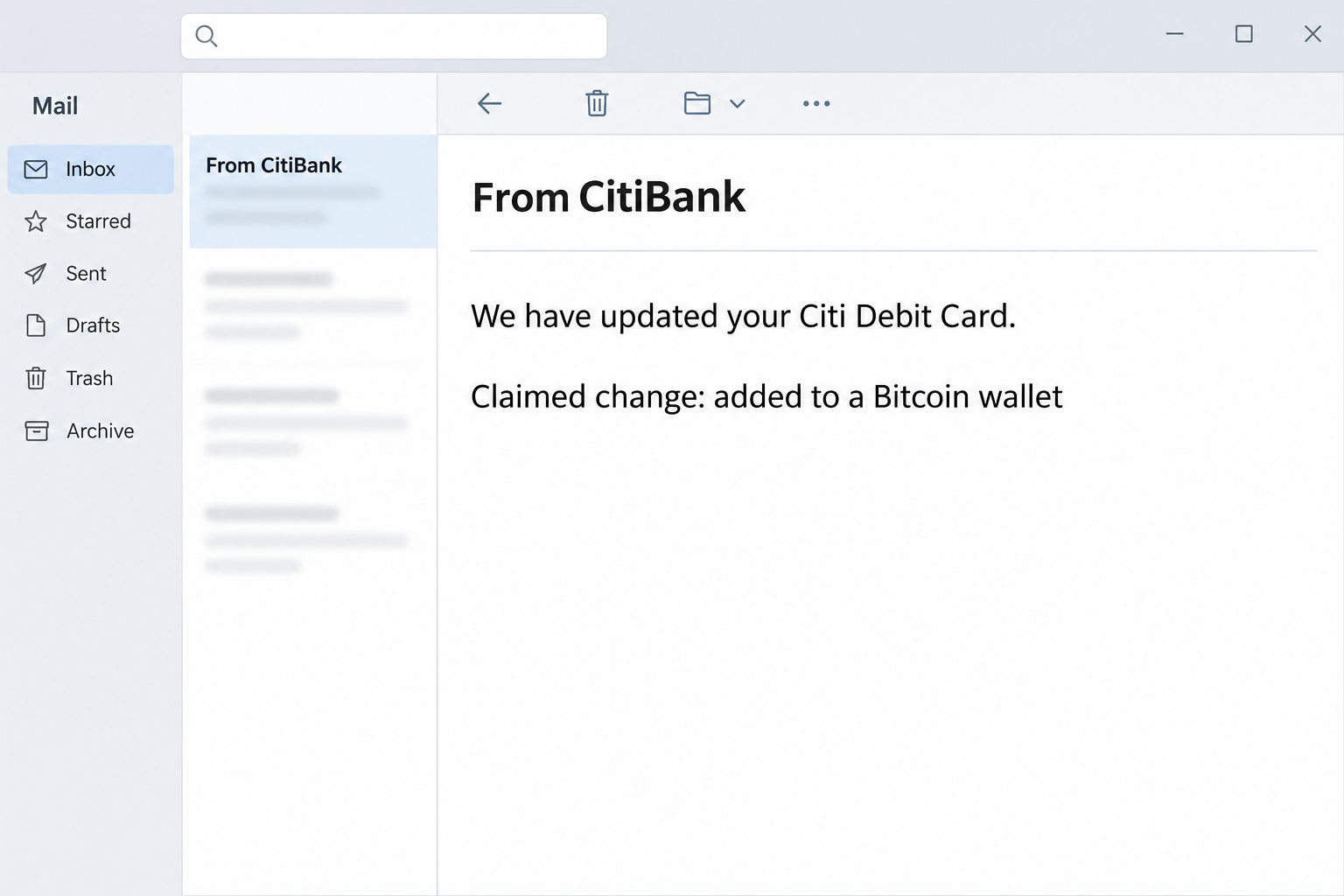
The Citi debit card Bitcoin wallet email scam claims a change has already happened. It says the recipient’s card was added to what it calls a Bitcoin wallet.
It presents the change as a benefit, then tells anyone who did not authorize it to sign in and cancel it. That cancellation offer is the reason to stop.
The reported subject reads “From CitiBank.” The image recreates the wording and the claimed change without a card number, a link or information about a real customer.
The notice is not a message confirming that Bitcoin moved, that the card was used or that a real wallet was created. The email makes those fears feel close.
The option to cancel opens a copied Citi sign-in
The reported link led to a page resembling Citi’s online sign-in. It asked for a user ID and password instead of providing a verified way to remove a card.
That is a separate event from anything you might see in your bank account. The copied page cannot tell you whether the bank enrolled the card in anything.
The message borrows a real institution’s name and refers to familiar authentication features. Neither the Citi name nor the mention of biometric sign-in authenticates the sender.
The documented issue is a phishing form. The specimen does not verify an unauthorized enrollment, card transaction or Bitcoin purchase for any individual recipient.
Check the card, the wallet and the account separately
A real digital wallet can use an eligible card for payments. The bank can help confirm the difference between a legitimate wallet enrollment and an unfamiliar charge or alert.
A cryptocurrency wallet is generally about control of crypto assets. That does not mean a debit card account was converted to crypto because an email uses both terms.
- Open the bank app you already use instead of following the cancellation link.
- Check the actual card activity and any wallet or device alert you can verify.
- Call the bank through a number on your card if the change is unclear.
- Tell the bank promptly if you submitted a password or approved an unfamiliar request.
Citi’s digital wallet terms describe allowed use of eligible cards. For an active incident, reach the bank through the number on your card or the verified app.
How the Citi Debit Card Bitcoin Wallet Scam Works
Step 1: Good news turns into an emergency at the bottom
The notice starts by presenting an alleged new capability. Someone who never asked for it will read the same language as a report that a stranger made a change.
That makes the cancellation instruction feel needed even when the email has not shown a card identifier you recognize or any independently verified notification.
Notice the difference between checking a claim and reversing a change. You can use the genuine app to check whether there is anything to reverse before acting.
Customers who do use a digital wallet may find the story plausible. Familiarity with one wallet does not verify what an unknown sender says about another.
Step 2: A banking sign-in feels like the obvious place to cancel
The message asks the reader to sign in if the addition was unauthorized. That puts the supposed solution next to the exact fear that prompted the reader to act.
In a real issue, a bank may ask you to identify yourself through its normal process. It does not follow that you should authenticate on the page from this email.
Close an unfamiliar form before resolving the details. The trusted app or the number printed on your card gives you a new channel not chosen by the sender.
If your bank uses a different way of managing wallets, follow its directions from that verified channel. Do not trust a page merely because it uses banking vocabulary.
Step 3: The copied page asks for credentials it should not receive
The reported page used Citi’s visual appearance and asked for a user ID and password. That is what makes the link materially different from a card notification.
A page can collect what a user types without presenting an error or a successful cancellation. Its response cannot establish that the real bank saw the request.
Someone who entered a password should tell the bank what happened even if an extra verification step prevented an immediate sign-in. The first details can still be exposed.
If a later prompt or caller asks for a code, do not treat the earlier email as evidence it belongs to the bank. Ask the bank through its trusted number.
Step 4: The financial risk depends on which action actually happened
A stranger attempting account access is not the same as an unauthorized purchase or a new wallet enrollment. Each event needs its own verification through the bank.
If you typed only the ID, tell the bank that. If you gave a password or accepted a sign-in request, include the specific action and the approximate time.
A debit card can have consequences different from a password exposure. The bank may need to review the affected card, account sessions or actual transactions separately.
Do not conclude that a cryptocurrency purchase succeeded simply because the message mentioned Bitcoin. Use the transaction record rather than the original claim to decide what needs attention.
Step 5: A real problem can still arrive alongside a fake notice
An independently verified bank alert or charge is a reason to contact the bank promptly. It does not make the purported cancellation button a good place to resolve it.
If the bank confirms a wallet issue, ask which card and device were involved and which process will remove unauthorized access. Let the bank explain the available controls.
If the bank finds nothing, you can report the email and leave the card settings alone unless the bank advises otherwise. Do not change things merely to match the message.
If you submitted the password, still handle that exposure. The genuine activity review and the phishing response answer different questions.
What to Do if You Have Fallen Victim to This Scam
-
Close the copied page without authorizing another request.
Do not try to cancel the alleged wallet from the message. Ignore follow-up prompts until you obtain a fresh connection with the real bank.
Note what you typed, approved or viewed. Keep the actual password and codes out of any notes, screenshots or messages you share.
If you only read the email, the notice alone is not evidence of a card change. Check your account independently if you are concerned.
-
Reach Citi through a channel you already trust.
Open the installed bank app, use the number printed on your card or reach the official site independently. Never call a number supplied by the suspicious email.
State that the notice claimed your card was added to a Bitcoin wallet. Ask the bank to check actual wallet enrollment and account activity for the affected card.
Tell support whether you entered a user ID, password or code. Sharing the type of disclosure is enough to direct the investigation without providing the secret itself.
-
Protect your account and card with help from the bank.
Follow the bank’s directions for credentials, sessions and card restrictions. The appropriate action depends on what was exposed and what the bank can see.
Do not assume replacing the card alone signs a stranger out of online banking. Likewise, a password reset may not answer whether a card should be restricted.
If you used the password on other services, replace it through their respective providers. Check the address that receives bank alerts if you suspect somebody else controls it.
-
Review what actually posted or remains pending.
Look for purchases, transfers or other changes you did not make. Ask the bank about pending authorizations as well as transactions visible in the app.
Do not pay someone who says they must reverse a Bitcoin purchase for you. Ask the bank what it can verify about the route and recipient.
Preserve the date, amount and merchant names from genuine records. Ask the bank how to report an unauthorized item promptly and retain its case reference.
-
Keep a record of the false notice and the real evidence.
Save the email’s subject and arrival time privately. If your bank needs the original, follow its official instructions for sending it safely.
Do not publish card digits, passwords, banking codes or account screenshots while warning someone. Describe the claim without exposing the details you are trying to protect.
If a new contact claims to be handling your case, call the bank back through your trusted route. A caller repeating the wording is not automatic confirmation.
-
Make the next alert easier to verify.
Confirm which alerts the bank makes available and where you can see actual account activity. Keep the genuine contact at hand without trusting a saved number from this email.
If you share finances with someone else, agree on a way to confirm new wallet use. Do not assume unfamiliar activity is unauthorized before checking the relevant records.
If another affected person entered different information, give the bank that separately. A report about one device or card should not stand in for every household member.
If You Already Use a Digital Wallet
Ask whether the bank can confirm which card and wallet service were involved. The name in the email may not describe your actual setup.
Compare your actual mobile wallet with the issuer’s record. Leave a second device alone until you know the change was real and affects it.
Retain the time and details of any genuine wallet alert you did not expect. The bank may need that information to distinguish a real event from an unrelated phishing message.
If an expected enrollment and the phishing attempt occurred close together, tell the bank about both. An authorized change does not make a second notification safe.
When the real app shows a separate notification
Read what the app says it is asking you to do. A request to approve a sign-in or confirm a purchase is not a cancellation of a card enrollment.
If you did not start the action, do not approve it to dismiss the prompt. Give the bank the time and wording without sharing any code with a caller.
A family member may legitimately use an authorized card on another device. Verify who made the change before you alter a shared setup, but still report an exposed login.
When the bank confirms possible unauthorized access, ask what to watch for while it reviews the account. That is more useful than waiting for an alleged crypto transaction.
If a real purchase remains unclear, preserve its merchant and amount separately. Those records let the bank investigate the charge without relying on the notice.
Frequently Asked Questions
Is the Citi debit card Bitcoin wallet email genuine?
The reported notice is an impersonation attempt. It offers a cancellation route that led to a copied Citi login rather than a verified bank control.
Keep the message out of the decision. Use Citi’s real app or a known contact if you need to verify anything about the card.
Does the email mean somebody bought Bitcoin with my card?
The notice itself is not a record of any purchase. Check the actual account history and ask the bank about unclear or pending activity.
If a real charge exists, report it through the bank’s official route. Do not trust a site from the email to identify or reverse it.
Can a real bank send a wallet enrollment alert?
A genuine institution may send digital wallet or account activity notifications. The existence of legitimate alerts does not authenticate an unexpected email with a sign-in link.
Check the event from the bank and wallet services you actually use. An independent record is more useful than the layout of a notice.
What if I only visited the copied sign-in?
Visiting alone does not show that your password was disclosed. Tell the bank or security team whether you typed, approved or downloaded anything.
Use the app to check for verified activity. If you submitted information, contact the bank promptly without waiting for an unfamiliar purchase.
Does a password change remove my card from a wallet?
Changing a password and reviewing wallet enrollment are separate actions. Ask the bank what it can verify and which steps are appropriate for the affected services.
If an unauthorized transaction appears, report it separately. Do not wait for the wallet question to be settled before telling the bank about a charge.
What if a caller offers to fix the wallet change?
End the unsolicited call and use a bank number you already trust. Knowing the story from the email gives a caller no authority over your account.
Tell the real bank what the person requested. Do not share an authentication code or approve a request just to end the call.
The Bottom Line
Do not use the sign-in link to cancel the alleged Bitcoin wallet addition. The reported route asks for bank credentials on an imitation of Citi’s page.
Check any real enrollment or charge with Citi directly. If you shared credentials or approved something, contact the bank promptly and explain the exact action.

Join the discussion
0 commentsShare your experience or ask a question about this article.
Community experiences
Did this happen to you?
Your experience could help someone recognize the same scam. Submit a private report for our team to review.
I experienced this tooReports are reviewed before publication. Sharing publicly is always your choice.
Discussion
Start the conversation
Have a question or something useful to share? Add the first comment.