


Your phone lights up with confirmations from businesses you never contacted. In between the sign-up texts is a message that looks like it came from Apple.
Hours later, a second alert says an iPhone is ready for pickup. The rush of junk messages makes it harder to tell which notice deserves your attention.
Overview
The charge appeared after the flood started
A customer reported getting more than 100 texts, many suggesting they had signed up for communications from businesses. One of the earliest messages appeared to come from Apple.
The bank account showed no matching charge when the customer first looked. Later, a pickup notice arrived, and a second check showed a pending Apple charge over $1,000.
The customer said the purchase was unfamiliar and that Apple told them it used an email address they could not provide. The reported concern centered on a physical iPhone.
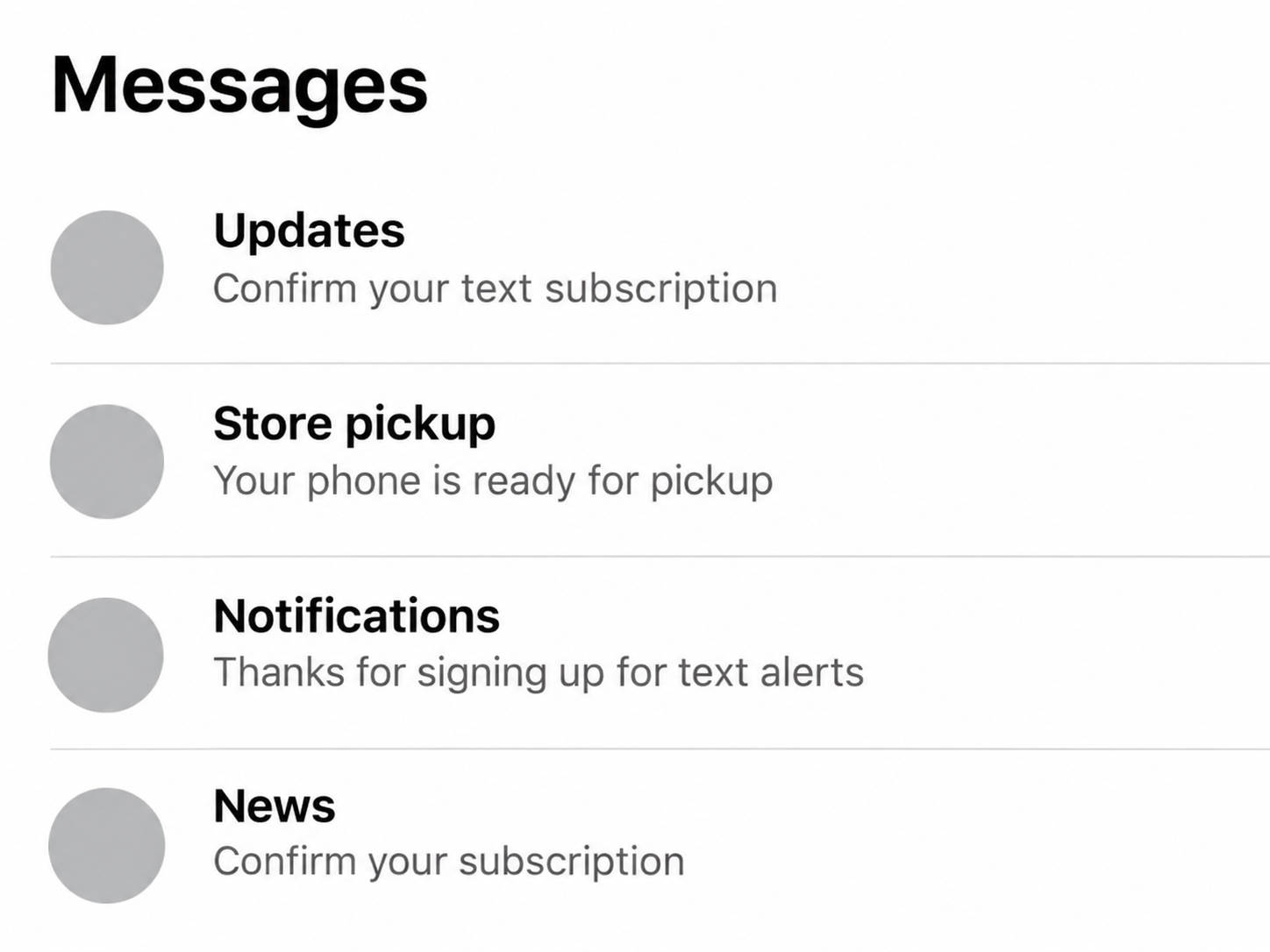
The image above reconstructs what an important notice can look like among subscription confirmations. The wording is illustrative, and it does not depict a particular address or order.
The purchase and the account are separate questions
A pending retail charge tells you there was a payment authorization to investigate. A pickup notice gives you a separate clue about where to direct the merchant inquiry.
The ordering method remains unknown from those details. The customer wondered whether someone bypassed Apple’s two-factor authentication, but the reported timeline never established that a new Apple Account login occurred.
A store order might use different contact information from the cardholder’s account. That possibility makes it important to check the payment, the retail order and account activity separately.
The important alerts are the ones you can check directly
Treat a sudden burst of notifications as a reason to look for unauthorized activity. The quickest checks usually take place inside services you can already access.
- Review pending card transactions as well as transactions that have already posted.
- Check the Apple Store order through Apple’s retail support route.
- Review your Apple Account’s connected devices and account information separately.
- Save the pickup message and related timestamps without opening a suspicious link.
The first quiet check can miss a charge that appears later. If you see a new pickup notice or unexplained payment, use the new detail to check again.
Why the Bank and the Store Need Different Details
Your card issuer can see the payment authorization and ask whether you made it. Apple’s retail team can check a store order and advise whether pickup can still be stopped.
The person who received the alerts said the order used a different email address. Their difficulty supplying it shows why starting in your own order history can leave questions unresolved.
Keep the pickup notice and call through Apple’s official shopping help. Explain that you have an unfamiliar card authorization and may lack the ordering email.
Apple’s order help describes cancellation options for eligible orders. Ask support what it can do when the buyer information does not match what you have.
Give your card issuer the merchant description and amount shown in the bank app. The issuer can advise on securing the card and how it handles a charge while pending.
The App Store’s purchase history serves a different purpose. It is useful for apps, subscriptions and other digital billing, while a store pickup warrants an Apple Store order inquiry.
Keep a short timeline that starts with the flood. Add the first Apple-related text, when you reviewed the bank app, and when the pickup and authorization became visible.
When talking to the store, say which information you actually have. An available store name or order reference can help, while an invented buyer email only makes the search harder.
How the Text Flood and Store Pickup Scam Work
Step 1: Subscription alerts crowd the inbox
The customer woke up to a long string of messages from businesses.
Each might look trivial on its own, but together they changed the way the inbox had to be read.
Regulators have documented a similar distraction with email. An HHS alert on email bombing describes floods that can bury order confirmations, account changes and security alerts.
In this case the flood was reported as SMS. The shared lesson is about the effect on attention, while the report does not establish who produced each message.
Step 2: One notice is easy to set aside
The first apparent Apple message came before the customer saw anything on their bank account. A clean transaction list at that moment could make the alert seem like more noise.
An authorization and a store notice can become visible at different times. Keep an unusual alert long enough to compare it with any later account activity.
You can check the service yourself without trusting the alert. That approach works whether the message is a genuine notice about fraud or a separate phishing attempt.
Step 3: The pickup alert adds a separate point to verify
The second notice said an iPhone was ready at a local Apple Store. Around that point, the customer also saw the pending charge that made the incident more urgent.
Apple’s shipping and pickup help describes pickup notifications for online orders. A real pickup process can be used for a purchase the cardholder never approved.
The question to ask the retailer is whether the order can still be held or canceled. The question to ask the issuer is how to limit further card use.
Step 4: The charge can matter even if the account looks normal
The Apple Account settings were a natural place for the customer to look. But an unfamiliar store order and a verified takeover are different findings, with different immediate responses.
A purchase can deserve a fraud report even if no new device appears on the cardholder’s Apple Account. Locking down the card should proceed alongside any separate account check.
The report does not establish whether the phone was collected or what ultimately happened to the authorization. A pending status alone cannot answer either question.
What to Look For While the Messages Keep Coming
A brief search can pull the relevant alerts forward
Search for the retailer or merchant shown on the bank statement, then look for purchase, pickup, payment and password notices around the same time.
Use the date and amount to compare results. Ignore contact information inside unsolicited messages, including replies that offer to cancel an order you never placed.
If the text app groups messages from unknown senders, check that group directly. A legitimate transactional alert might share a view with dozens of unwanted confirmations.
You do not have to sit there clearing every unread item. Check the bank app first if the suspected problem involves payment, and come back to the inbox after that.
Leave the unfamiliar confirmations alone
Some sign-up texts may come from real companies whose notification systems were triggered. Others may be suspicious on their own, so use the messaging app’s built-in report features.
Clicking a batch of unfamiliar unsubscribe links is a poor use of time while a purchase is still in progress. An unexpected checkout or sign-in request deserves more attention.
The University of Florida’s guidance on email bombing recommends looking for unauthorized transactions and account changes through known channels when inboxes become flooded.
Look for changes that would point to actual account access
Check your trusted devices and contact information by going through Apple directly. An unfamiliar device, password change or recovery detail is worth acting on promptly.
Read Apple’s advice on social engineering if someone calls during the incident and asks for a password, code or approval to reverse the transaction.
If the activity is limited to your card, follow the issuer’s directions about monitoring and card replacement. If you see account changes too, address both problems while preserving your records.
What to Say When the Store and the Bank Send You Back and Forth
Give the bank a short description of the payment first.
Tell it that you did not place the order, saw a pickup notice and are checking the purchase separately with Apple.
When you speak to Apple, explain that your report concerns an in-store pickup tied to an unfamiliar authorization. Ask where to submit the reference without posting it somewhere public.
A store notification can help you identify the retailer and location, while the exact card status remains the issuer’s territory. Keep a note of which company confirmed each part.
If a support agent cannot locate the order, ask what detail they need and document the answer. Then pass that information back through the bank’s verified fraud channel.
Check whether someone you authorize to use the card recognizes the purchase. If they do not, continue the fraud report even if your own Apple profile looks familiar.
If a retailer asks for identity information, check why it needs that information and use the official channel you started. Leave full card numbers and account secrets out of screenshots.
Give a second notice about a different order its own place in your timeline. The issuer may need to identify more than one transaction, even if the retailer names match.
Save the pending charge before it disappears from the list
Some pending authorizations may no longer be displayed later. Save the merchant name, amount and date for your own records while the entry is visible.
A missing pending item can be a useful change to tell the issuer about. Ask whether your report is still open and whether anything else on that card needs attention.
If the device has already been collected, ask the retailer for a case number so your issuer can follow up on the order.
If someone asks you to buy another device or share a security code to reverse the charge, end the call and contact your issuer directly.
A legitimate call about your report should be possible to verify through the support channel you already used. Give the next representative the reference from that original contact.
If you share a family payment card, ask each authorized user to check for their own order confirmation. Use an existing group chat or direct call you trust.
What to Do if You Have Fallen Victim to This Scam
-
Open the bank or card app independently and contact the issuer through that app or the number on your card.
-
Use Apple’s shopping help to ask what information can identify the store order and whether the pickup can still be stopped.
-
Save the pickup message and note when the text flood began, when you first checked the bank and when the authorization appeared.
-
Ask your issuer whether to secure or replace the card now and how to dispute the charge if it posts.
-
Check trusted devices and recovery details separately, and change the Apple Account password if you find access you never authorized.
-
If someone calls claiming to reverse the order, decline to share your password or verification code and contact Apple or the issuer directly.
Keep the report or case number each company provides. If the merchant cancels the order, that status can help your issuer understand what happened to the pending authorization.
The FTC’s payment recovery guidance recommends contacting the card issuer promptly for an unauthorized charge. Ask when you should check again if it is still pending.
Save any notices about fresh orders that show up after the first incident. A second authorization could matter to the issuer even if the first one drops off.
If the flood continues, silence unfamiliar senders temporarily while keeping your official bank alerts accessible. Check missed calls and security alerts through the apps you already use.
Frequently Asked Questions
Why would someone flood my phone before an unauthorized purchase?
A long stream of messages can draw attention away from a real order or security alert. The public report establishes the sequence, while the sender of the flood remains unknown.
Can a pickup notification really come from Apple during fraud?
A real pickup alert can concern an unauthorized order. Verify it through Apple’s retail support and report the unfamiliar charge to the issuer.
Does the charge mean someone bypassed Apple’s two-factor authentication?
The charge shows a payment that needs checking. An unrecognized sign-in or a changed account setting would give you separate evidence about your Apple Account.
Should I wait for a pending charge to become final before acting?
Contact the issuer promptly and ask how it handles an unauthorized authorization. It can explain whether you should secure or replace the card before a dispute can be opened.
What should I do if the order is missing from my Apple account?
Use official Apple shopping support and provide any pickup details you have. Explain that the order could be associated with an email address you do not recognize.
Can I safely delete all the subscription messages?
Keep any messages tied to the suspicious order, along with a few timestamps that show when the flood began. Then use the app’s filtering or reporting options on the rest.
The Bottom Line
If a pickup notice arrives during a flood of unrelated messages, check your card activity and contact the retailer directly.
Tell the issuer immediately and ask the retailer to stop the order if possible. Check the Apple Account separately for changes you never made.

Join the discussion
0 commentsShare your experience or ask a question about this article.
Community experiences
Did this happen to you?
Your experience could help someone recognize the same scam. Submit a private report for our team to review.
I experienced this tooReports are reviewed before publication. Sharing publicly is always your choice.
Discussion
Start the conversation
Have a question or something useful to share? Add the first comment.