


An employee says their home address is circulating online. IT can check for a breach, but the employee also needs someone to handle the threat at home.
Start by separating immediate safety, removal of the exposed information, and suspicious account or payment activity. Assign a person to each part before sending a broad company alert.
Overview
A Public Address and a Stolen Work Account Need Different Responses
Someone may have copied an address from a public page without accessing a company system. Verify work account activity independently rather than reading a data source into the exposure.
The Context Decides What Needs Immediate Attention
An old directory entry isn’t equivalent to a message threatening a visit. A credible threat or unwanted contact in person takes priority over any request to remove a search result.
Keep the Exposure Out of Broad Company Channels
An employee can report a problem without submitting their full address to a shared ticket. Attach sensitive material only where responders need it and can restrict access.
- Private intake: Record what is visible, where it appeared, what contact occurred, and whether action is urgent.
- Safety decision: Involve designated responders if there are threats or visits, not just a static listing.
- Removal decision: Address the publisher and the search result as separate records.
Why a Home Address Belongs in the Workplace Safety Plan
Incogni and Ironwall assessed 618 U.S. executives and board members across selected finance, healthcare, and energy companies. Their study found roughly a third were likely discoverable through people-search sites.
That is a matching estimate for a selected group, not a confirmed address for every match or a rate the study established for all employees or industries.
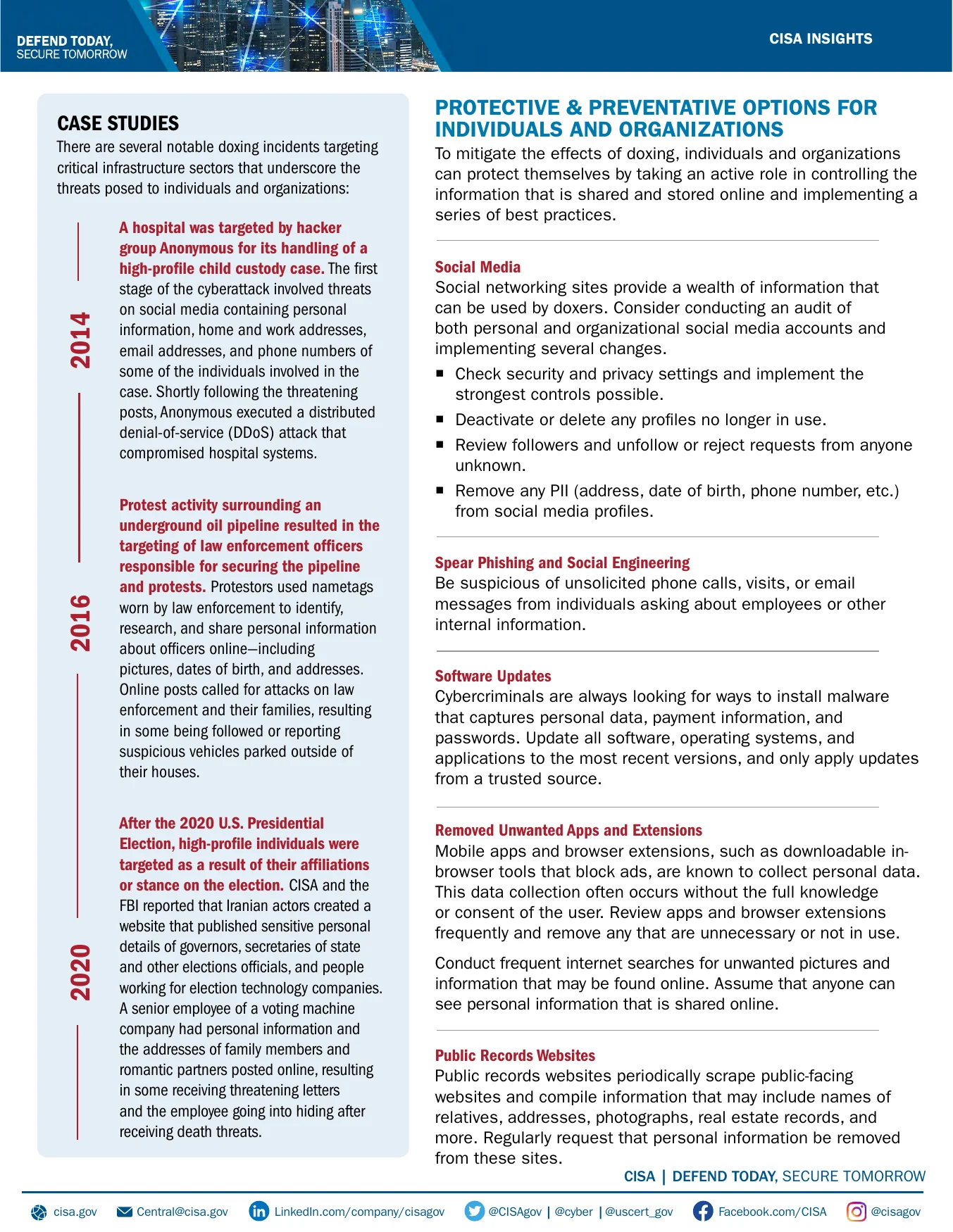
CISA’s guidance on doxing treats exposure as an issue for individuals and organizations. It is also a reason to set limits on what staff confirm to unexpected callers.
For a workplace, the useful question is who owns the response when private information appears outside its systems. A private HR record and a public address listing require different checks.
An employee may need help before anyone knows how the information escaped. Do not require them to prove a corporate breach before your team addresses an immediate concern.
Likewise, a listing doesn’t establish that a caller has any authority over the organization. Knowing a correct detail cannot substitute for an independent callback or authorization.
Make this plan available to employees with visitor-facing responsibilities as well as executives. People regularly named on your website should know the reporting route before they need it.
During onboarding, show staff a private reporting channel that works from outside the office. Someone worried about their work account should not have to use it to report.
Give people options if the incident involves a colleague or manager. An alternative route can keep sensitive evidence away from an individual who should not see it.
What to Do When an Employee Reports an Exposed Home Address
Check Safety Before Sending Takedown Requests
- Ask whether the employee received a specific threat, saw someone unexpectedly at the address, or is concerned about immediate harm. Use a safe channel to ask.
- If there is imminent danger, contact local emergency services. Notify the organization’s physical security team according to its own plan, without waiting for IT to confirm a breach.
- If there’s no immediate danger, record the site or platform, the date, and the type of information exposed. Keep identifying details out of the initial group notification.
- Agree on one point of contact and a check-in time. Share the report with the smallest team that can address safety, removal, and any suspicious work activity.
If the employee thinks an address is being used to harass them, ask what happened in addition to the listing. Save the specifics without asking them to confront the sender.
Do not drive the employee toward a public exchange with the account that posted the material. The immediate job is to reduce exposure, preserve what happened, and arrange help.
Save the Evidence Without Making Another Public Copy
- Keep the exact page address and timestamp in a restricted case record. Note whether you viewed the source page or only a search snippet.
- If a screenshot is necessary, store the original only where approved responders can reach it. Redact unrelated details in any copy used outside that group.
- Separate claims from observed facts. For example, record that a message names an address rather than saying the sender visited it when nobody verified a visit.
- When asking an external service for help, share the needed page or post reference and the minimum details required. Review any identity demand before accepting it.
The address inside a screenshot can expose other residents. Use a file name and a summary that describe the issue without including the address itself.
Don’t paste raw details into a broad incident chat or a public forum. If another employee needs a reminder to verify visitors, the household’s location adds no value.
Give the case an identifier and keep the address out of message subject lines. Use the identifier when teams coordinate without needing to know the underlying household information.
If an employee shares screenshots from a family account, show them the private upload route first. Repeated copies make it harder to restrict access later.
Keep hostile replies in context when they show a pattern. A report that contains only the latest screenshot may miss a previous message that changes how urgent it is.
Fix the Source, Then Check How People Find It
Work Through the Publisher That Controls the Page
If the address is on a page you control, assign the owner to replace the home detail with an appropriate business contact. Check the live page after the edit.
Review the published attachment if the information came from a PDF or directory export. Changing the headline or an employee page may leave the downloadable copy accessible.
If a third-party site controls the page, note the exact listing and use the site’s official support, privacy, or abuse route. Do not forward the employee’s entire incident file.
When you contact the publisher, ask it to remove the specific address or listing and confirm how it will handle the request. Keep the reference and date securely.
If a company inadvertently published an employee’s address in a downloadable file, give the public copy a clean replacement. Leave required internal records in their authorized retention system.
When the same document lives on a partner site, contact the partner about that copy. An edit on the employer’s website won’t propagate to a separate file.
After you correct any company-owned page, open it from a signed-out browser session. Verify the public link now shows the business detail or no longer exposes the address.
Ask the Search Engine About Its Copy Separately
On the Google result exposing your own information, select the options icon beside the entry, choose Remove result if available, and follow the personal contact information route.
Check Google’s eligibility and reporting guidance for account or result limitations. Look for the result in Removal requests after submission and check the outcome there.
A search removal may make the page harder to find while the original stays available. Test the source URL separately, and don’t close the publisher request based on Google alone.
If the source is a public record, ask the responsible agency which correction or confidentiality options apply. Don’t assume it can erase the record on request.
Eligibility can depend on your location and circumstances. Use a designated legal or privacy contact for exceptions rather than asking the employee to share sensitive documents across departments.
Use a Broker Request for Broker Records, Not for Every Copy
A commercial directory may have a separate opt-out from a government record or company publication. Identify the copy you want addressed before choosing a request tool.
For California residents, the agency’s official DROP instructions explain how to verify eligibility, create a profile, and submit a request to registered brokers.
From the official state site, choose Get started. The affected individual should complete the residency verification and profile steps themselves, unless working through an authorized route.
Submit the request from the verified portal and save the status information privately. If an employer is arranging assistance, it should not collect everyone’s verification data into a shared document.
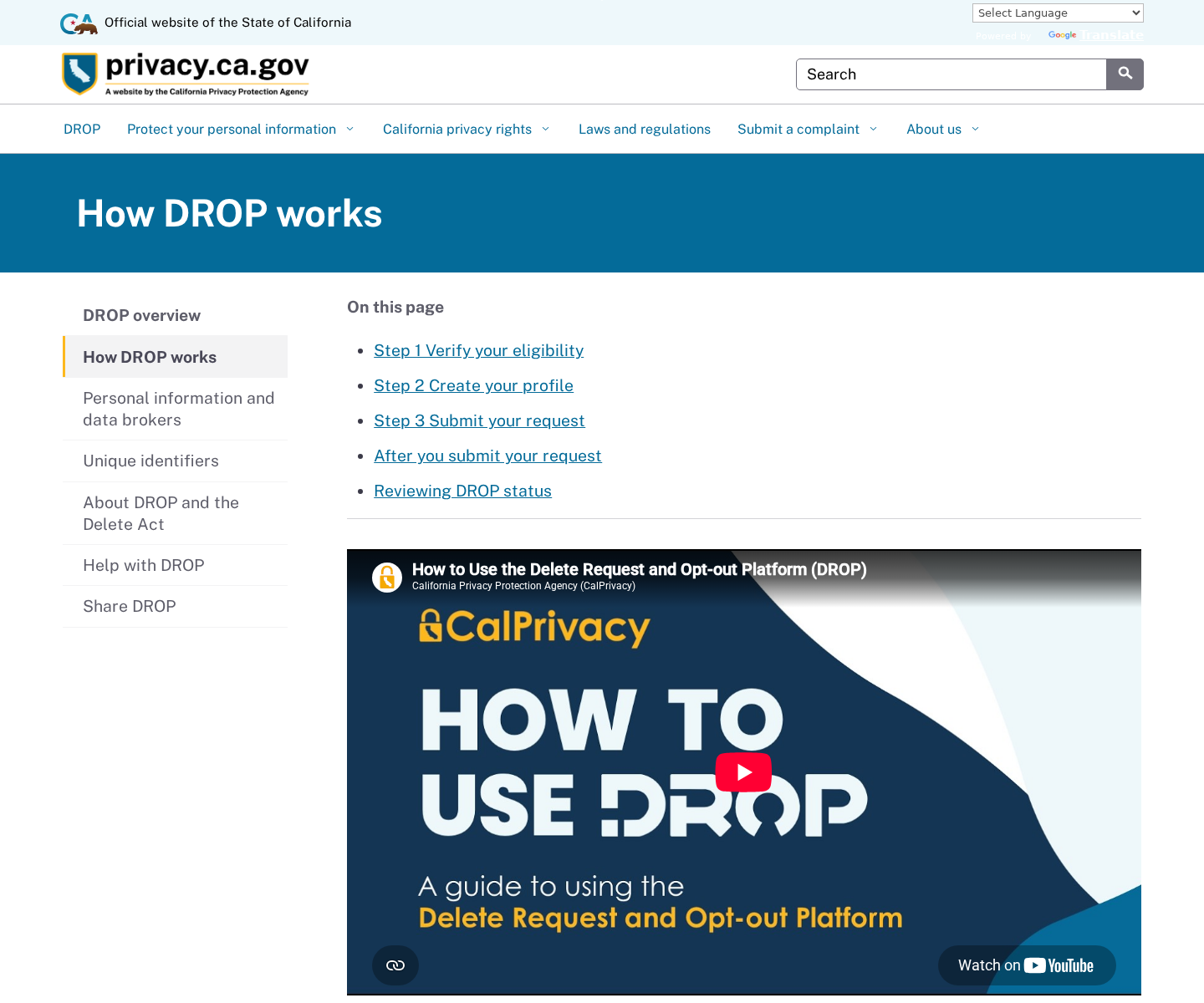
DROP does not automatically erase every public record or a social media post. Use a direct request to the publisher when the page is outside the broker system.
Check the original listing even if one removal channel has acknowledged your request. Acknowledgment confirms receipt, not that the address has stopped appearing on every page.
Reduce the Chance the Information Gets Used Against Staff
Stop Treating Personal Details as Proof of Identity
Remind the front desk and finance teams not to treat a home address, title, or familiar contact detail as authorization. The same rule applies even when they recognize the name.
If an unexpected caller requests private contact or schedule information, do not confirm the detail. Route the request through the established customer or workplace process instead.
When an unusual payment or account change request arrives, use a known internal number to verify it. Do not use the callback details included in the new message.
Keep this reminder short enough to use in the moment. The goal is an independent decision about disclosure or payment, not a debate with the caller.
If you need to warn coworkers, describe the type of request they might receive and the verified contact to use. The sensitive information is not required for that warning.
Provide a private route for people who received related requests to report them. This lets a responder connect incidents without having employees post real messages in a public channel.
Someone outside the company might call about the original page without knowing an incident exists. Train staff to handle the request using ordinary disclosure rules, not a new exception.
Keep Digital and Physical Follow-Up Separate
Ask IT to check the affected work account if there are unrecognized logins, password resets, or messages sent without permission. Establish what evidence belongs to that investigation.
If those indicators are absent, do not close the safety concern. An exposed address can still matter even when there is nothing to repair on a work device.
Follow up with the employee after the agreed interval. Record which copy is gone, which remains, and whether new contact or a material threat still requires help.
For a household already receiving unwanted contact, do not describe a removal request as a safety guarantee. Agree which response stays in place while the online copy is checked.
Before you close the digital task, test the same URL and record what loads for a signed-out visitor. If another site still shows the address, track that item separately.
Where an organization creates recurring reports, keep results about locations and people restricted. Track removal outcomes without turning a safety program into a new directory of employee addresses.
Practice a Short Handoff Before the Next Report
Give the responders a written example with an invented employee and no real address. Ask them to say what they would do first and who would own each task.
Test the difference between a public listing and a threat using two separate examples. The first should reach privacy support, while the second should trigger a safety review.
Confirm the after-hours contact and who can access the restricted evidence. The procedure should work even when the employee’s usual manager is unavailable or part of the concern.
Finish by testing how you would mark the case resolved. A correct answer should name the particular source, its status, and any safety or account checks still open.
Use anything the exercise missed to improve the intake procedure, not to expand surveillance of employees. Check with privacy and HR before collecting new categories of information.
Frequently Asked Questions
Does a Published Address Mean Our Company Was Hacked?
Not by itself. Check the original source and look for independent signs of work-account misuse rather than assuming that the publication came from an internal system.
What Should an Employee Do First If Someone Threatens a Visit?
Prioritize immediate safety, contact local emergency services if there is imminent danger, and inform the designated workplace responder through a private channel. Removal can follow.
Should We Publish a Warning Containing the Original Screenshot?
Keep the original in restricted evidence. A company warning about suspicious calls can explain how to respond without redistributing the employee’s address or family details.
Is Removal From Google the Same as Removal From the Website?
No, the address may still be on the underlying page. Confirm separately what the publisher removed and what the search engine now shows.
Will the Same Opt-Out Work for a Public Record and a Private Directory?
Those copies are controlled by different organizations. Ask the record custodian what options exist for the public record and use the directory’s own opt-out where applicable.
How Can Finance Staff Act on a Call That Sounds Real?
Use an established, independent channel to verify unusual requests. Knowing a real address, title or name does not increase the caller’s authority to change an existing process.
The Bottom Line
When an employee’s address appears online, assign someone to assess safety, preserve evidence and seek removal. Use a private channel so the response does not spread the detail further.
Check the actual source and any search copies separately. If someone uses the information to make a credible threat, prioritize the threat rather than waiting for a removal decision.

Join the discussion
0 commentsShare your experience or ask a question about this article.
Discussion
Start the conversation
Have a question or something useful to share? Add the first comment.