

Orders are set, the report date is approaching, and a clean home near the new installation appears at a price the family can manage.
The supposed landlord even says military tenants are preferred. A military move rental listing can be copied from a real property and wrapped around a fake lease.
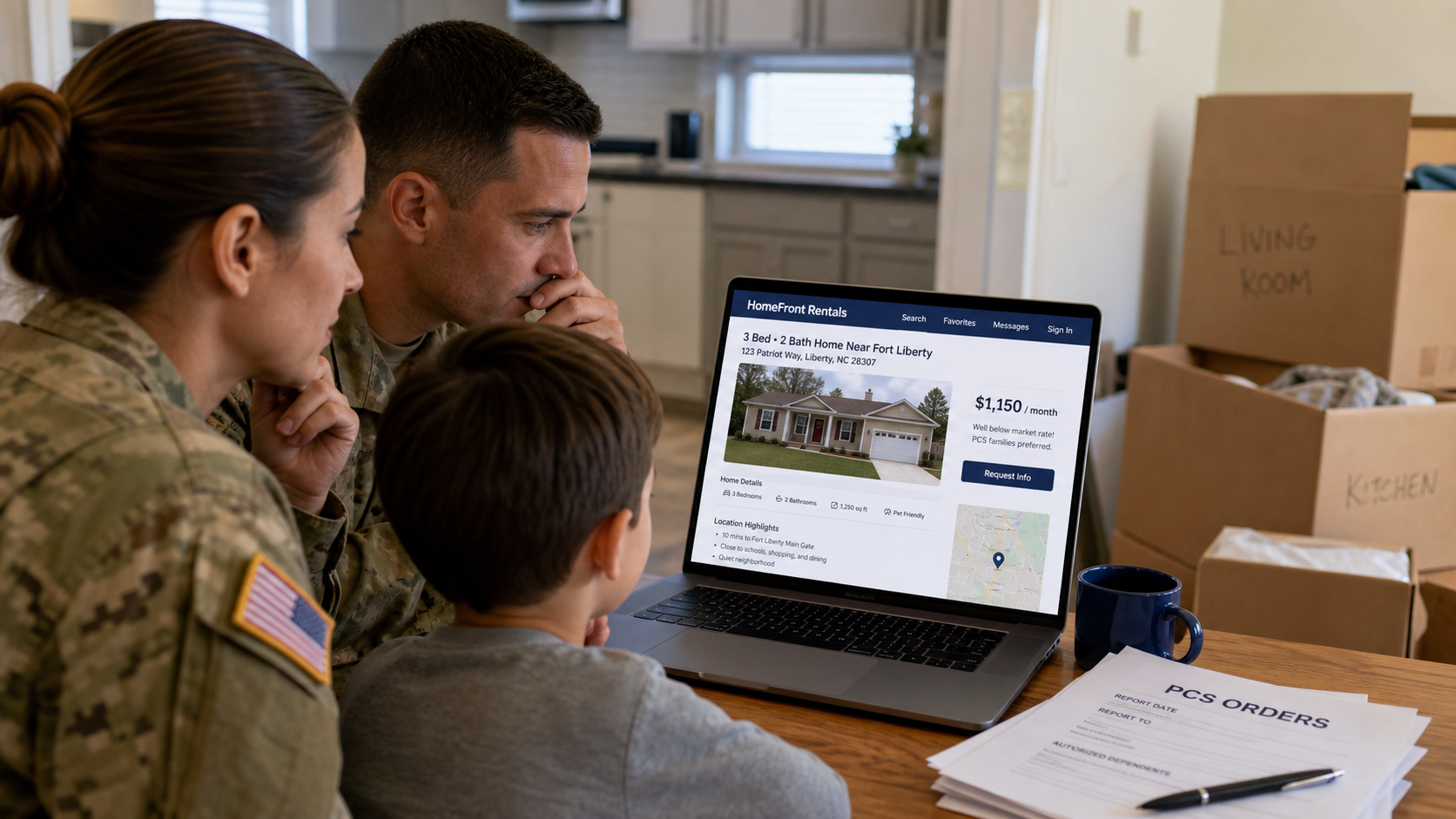
Rental scammers steal photos and descriptions from legitimate listings or advertise homes that are not available. A below-market price draws attention from families trying to secure housing before a PCS deadline.
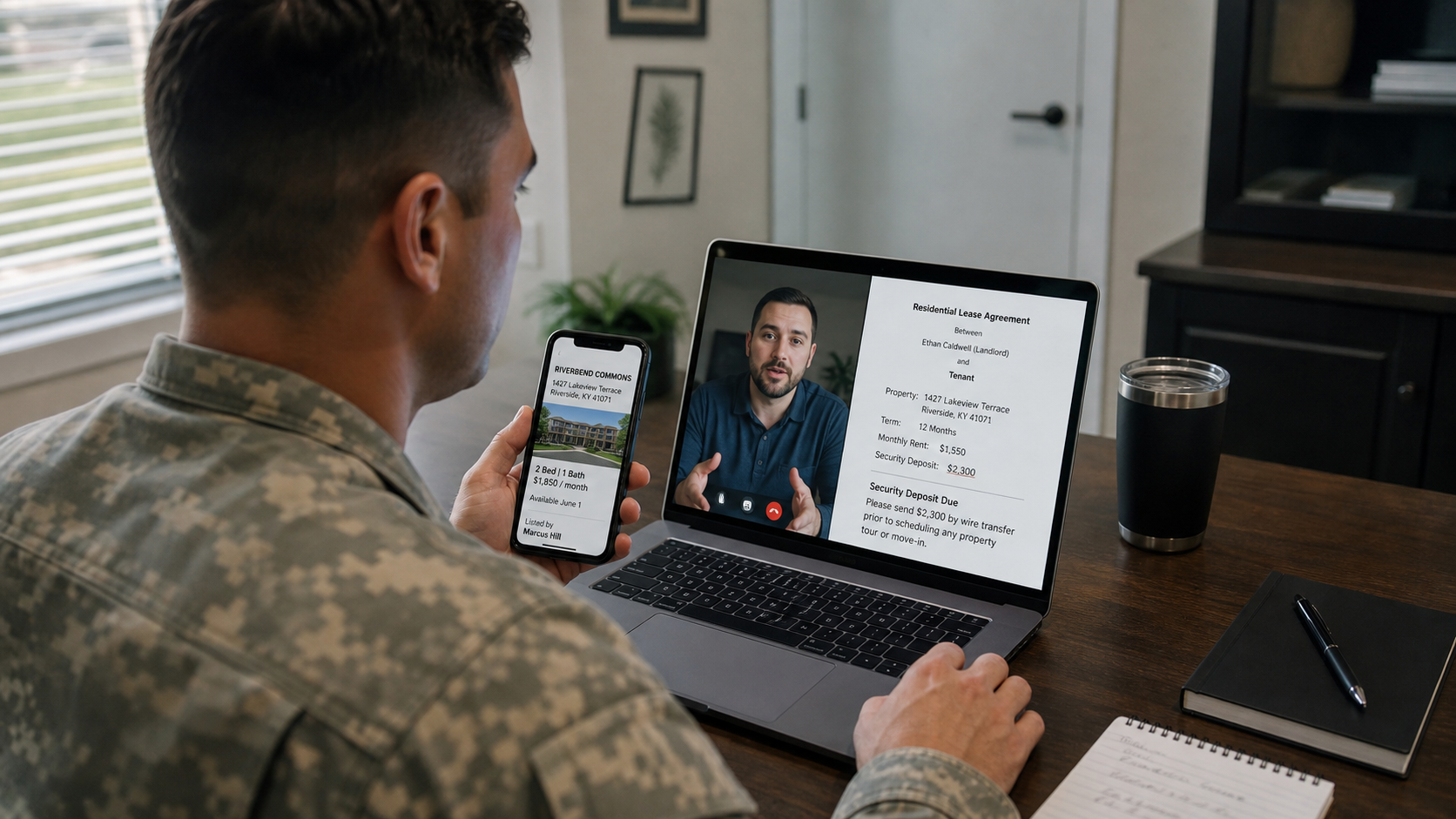
The landlord cannot provide an in-person tour because of deployment, travel, illness, or work in another state. A video call and electronic lease are offered as substitutes for access to the property.
Then the family is asked to wire a deposit, send cryptocurrency, buy gift cards, or use another cash-like method. Once payment is sent, the listing and landlord may vanish.
Overview
The security deposit may disappear long before the moving truck arrives.
The listing is tailored to the pressure of military relocation
A short report window, unfamiliar market, school planning, pet needs, and limited temporary lodging can make a remote lease feel practical. The scammer uses military language to appear understanding and credible.
Phrases such as PCS families preferred or close to the gate do not prove any connection to the installation, housing office, owner, or property manager.
Real property information makes the fake ad convincing
Photos, square footage, school zones, amenities, and addresses can be copied from a sale or rental listing. The home may exist exactly as shown while the advertiser has no right to rent it.
Searching the address can reveal the same property at another price, with another contact, or listed only for sale.
The deposit is collected before possession can be verified
The fake landlord creates a reason why nobody can enter the home and promises keys after payment. A polished lease may identify a made-up owner or use details copied from public property records.
Wire transfers, gift cards, crypto, and cash-like apps offer little protection. The FTC advises military families to slow down, investigate the address, arrange a tour, and avoid those payment methods.
- The rent is substantially below comparable homes near the installation.
- The listing says PCS or military families receive special preference.
- The landlord cannot provide an in-person or live guided tour.
- Property photos appear in another listing with different terms.
- The lease is offered before identity, ownership, and access are verified.
- A security deposit must be paid immediately to hold the home.
- Payment must use wire, cryptocurrency, gift card, cash, or an unrelated app account.
- The installation housing office or real property manager cannot confirm the listing.
Why PCS Moves Create a Powerful Rental Deadline
Military families often coordinate transportation, schools, childcare, pets, storage, temporary lodging, and a report date across long distances. Waiting to see a home in person may feel impossible.
Housing markets near installations can move quickly, especially during peak PCS season. Legitimate landlords sometimes accept remote applications, which gives a scammer a believable model to copy.
Military identity can also become part of the sales pitch. A fake landlord may claim to be a deployed service member, veteran, chaplain, civilian employee, or spouse who wants to help another military family.
That shared identity is meant to replace verification. A uniform photo, deployment story, or military email style can be stolen or fabricated just like a property listing.
The goal is not to reject every remote rental. It is to build independent proof that the advertiser controls the property, the lease is valid, and the payment reaches the accountable owner or manager.
What the FTC Tells Military Families to Check
FTC guidance published in July 2026 warns that scammers invent properties or steal pictures from legitimate listings, repost them elsewhere, and attract renters with below-market prices.
Because the scammer cannot enter a property they do not control, they create excuses for why the prospective tenant cannot see it in person. That missing access is a central warning sign.
The FTC recommends searching the address online and comparing names, prices, and listings. A second listing with a different landlord or rent can expose the copy.
Families who are not local can ask a trusted person to tour or drive by the home. Installation relocation or housing referral offices may also help identify rental resources and companies to avoid.
The agency warns that gift cards, cryptocurrency, and wire transfers are like sending cash. Once the money is delivered, recovery can be difficult.
How the Military Move Rental Listing Scam Works
Step 1: The scammer copies a real home
Photos and descriptions are taken from a sale listing, property manager, vacation rental, or recently leased home. The address and neighborhood facts remain accurate.
The fake ad is posted on another site or social group under a new contact identity and a lower rent.
Step 2: Military language targets families under orders
The listing mentions quick base access, BAH-friendly rent, military discounts, flexible move-in, or PCS preference. The advertiser may join local spouse and relocation groups.
A stolen uniform photo or veteran story creates a false sense of shared community.
Step 3: The price and deadline force a quick response
The rent is below comparable listings, pets are welcome, and the deposit supposedly secures the property before several other applicants arrive.
The family is warned that waiting for a tour will lose the home and create expensive temporary lodging.
Step 4: The landlord explains why access is impossible
Common stories include deployment, missionary work, illness, travel, remote employment, or a property manager who is temporarily unavailable. Keys will arrive after the lease and payment.
A prerecorded walkthrough or video call from somewhere else may be used to imitate a live tour. The caller may never show the requested exterior, street, or room in real time.
Step 5: A lease and identity documents are exchanged
The scammer sends a professional rental agreement using a name from property records. The family is asked for orders, IDs, Social Security numbers, pay records, and banking details.
Those documents can support identity theft even if the family later refuses the deposit.
Step 6: The security deposit is routed outside protected channels
The landlord requests a wire, gift card, crypto transfer, cash, or payment-app account belonging to an assistant or relative. The reason is speed, deployment access, or a broken rental portal.
The recipient name may not match the lease. The scammer promises keys and countersignature after funds arrive.
Step 7: The home and payment disappear
The listing is removed, messages stop, and no keys arrive. In some cases, several families appear at the same address believing they rented it.
The real owner or tenant may know nothing about the advertisement. The victim must rebuild housing plans while also dealing with financial and identity exposure.
Company, Address, and Fulfillment Checks
The landlord name may be borrowed from property records
Confirm ownership through appropriate county records, then contact the owner or licensed property manager using details found independently. A matching name on a lease can be copied.
Ask for government ID only through a secure, lawful process and verify the person's live connection to the property.
The address can be real while the rental is fake
Search the exact address across rental, sale, vacation, and property-management sites. Compare photos, price, availability, contact names, and listing dates.
Ask a trusted local person or installation housing resource to visit. A real home is not proof that the advertiser controls it.
The phone and email may exist only for the deposit campaign
Search the phone number, email, profile history, and message wording. Recently created accounts, changing numbers, generic voicemail, and refusal to answer property-specific questions are warnings.
Call the established property manager or brokerage through its official website, not the contact details in the suspicious listing.
The lease, access, and payment recipient must connect
The legal lessor, property owner, management authority, bank recipient, and person providing keys should form one explainable chain. An unrelated recipient requires independent proof.
A legitimate remote lease should still provide verifiable access, disclosures, local contacts, and a protected payment record before move-in funds are released.
How to Verify Housing Before a Long-Distance PCS
Begin with the installation relocation or housing referral office and established local property managers. These resources cannot guarantee every listing, but they can provide market context and known contacts.
Search the address and reverse-search the photos. Call any legitimate agent connected with another version and ask whether the home is available and who is authorized to rent it.
Arrange a live tour. If you cannot attend, use a trusted local person or reputable independent service. Ask the guide to show the street number, exterior, entry, every room, utilities, and current date in one continuous session.
Verify the landlord or manager's authority through property and licensing records. Do not rely on a document the advertiser supplied as the only evidence.
Check whether the property is occupied, in foreclosure, or advertised only for sale. Speak with the verified manager about move-in readiness, keys, utility responsibility, and who will complete the condition report.
Read the complete lease and compare names with the payment recipient. Confirm rent, deposit, fees, term, utilities, pets, move-in condition, maintenance, cancellation, and key delivery.
Use a payment method with a clear recipient and dispute path. Never send a security deposit by gift card, cryptocurrency, or wire to an unverified remote landlord.
Warning Signs to Watch For
- The rent is much lower than nearby comparable homes.
- The ad uses military preference to accelerate trust.
- The landlord claims deployment or travel prevents all access.
- Only prerecorded video or listing photos are available.
- The same address appears with another name or price.
- A lease arrives before the landlord and property are verified.
- Orders, IDs, and financial documents are requested through ordinary email.
- The deposit recipient does not match the lease.
- Payment must use wire, gift card, crypto, or cash.
- Keys are promised only after the irreversible payment.
A PCS deadline is real, but it does not give a stranger the right to replace property access and ownership proof with a military story.
What to Do if You Have Fallen Victim to This Scam
- Contact the payment provider immediately. Tell the bank, wire service, payment app, gift card issuer, or crypto platform that the deposit went to a fraudulent rental. Ask about recall, reversal, or freezing the recipient.
- Notify the real property contact. Find the owner, listing agent, or manager independently. Tell them the home and photos were used in a scam and ask them to preserve the legitimate listing.
- Report the listing and profile. Use the platform's fraud process and provide the account, messages, lease, payment request, and copied property link. Ask the platform to preserve records.
- Protect military and identity documents. If orders, IDs, Social Security numbers, pay records, or bank statements were sent, consider credit freezes, monitor accounts, and follow IdentityTheft.gov guidance.
- Alert military support resources. Contact the installation housing or relocation office, chain of command support resources when appropriate, and legal assistance office for guidance on housing and document exposure.
- Preserve the complete rental trail. Save the ad, photos, address, profile, email headers, phone numbers, video calls, lease, IDs presented, payment instructions, receipts, and all alternate listings.
- Check devices and accounts. If forms, attachments, or remote-access tools were used, change exposed passwords and run a full Malwarebytes scan. Review email and cloud sessions for unauthorized access.
- Block known malicious pages and ads. AdGuard can reduce exposure to known phishing and scam domains while you resume the housing search. Continue verifying every property independently.
- Report the fraud and reject recovery fees. File at ReportFraud.ftc.gov and with the state attorney general or local police as needed. Anyone demanding upfront payment to recover the deposit may be another scammer.
Frequently Asked Questions
Is every remote military rental risky?
No. Many legitimate rentals are completed remotely. The owner or manager, property access, lease authority, and payment recipient must still be independently verified.
Does a copy of military ID prove the landlord is real?
No. The image may be stolen or altered. Verify the person's property authority through independent records and a live property process.
What if I cannot visit before the PCS?
Ask a trusted local person, installation housing resource, or reputable independent service to tour and verify the home in real time.
Can a real owner offer below-market rent?
Yes, but a large discount combined with no access and irreversible payment is dangerous. Compare the market and verify the owner directly.
Should I send PCS orders to a landlord?
Share only what is legally necessary, through a secure process, after verifying the landlord or manager. Redact unnecessary sensitive details.
Can AdGuard confirm that a rental listing is legitimate?
No. It can block some known malicious domains. Ownership, authority, access, lease terms, and payment still require human verification.
The Bottom Line
A military move rental listing scam uses a real PCS deadline, a real-looking home, and a false sense of military trust to make an irreversible deposit feel necessary.
Search the address, verify who controls the property, arrange a live tour, compare the lease with the payment recipient, and use a recoverable payment channel.
If the deposit or documents were already sent, contact the payment provider, secure identity records, alert the real property contact and military resources, preserve the evidence, and report the fraudulent listing.

Join the discussion
0 commentsShare your experience or ask a question about this article.
Discussion
Start the conversation
Have a question or something useful to share? Add the first comment.