


An Instagram post says a famous sportswear company needs new models between 11 and 21. Applicants only need to follow the page, share the post, and wait for a direct message approving them.
For a young person hoping to be discovered, that approval can feel like a career beginning. For the account operator, it can be the start of a very different process.

Overview
The post is not an official Nike casting call
The Nike modeling scam uses unauthorized social accounts and posts to claim that Nike is recruiting models for clothing or footwear campaigns. One widely circulated version targeted people ages 11 to 21 and instructed them to follow, repost, and await approval by direct message.
Nike is a real brand, but the social account and casting offer are not authenticated by the brand name, copied logo, or photographs. Scammers routinely impersonate recognizable companies because applicants are less likely to question an exciting opportunity.
The fake application may lead to upfront fees, identity theft, malicious links, bank information requests, fake checks, or unsafe requests for photographs and video calls.
Sharing the post helps the scam recruit new targets
Applicants are often told that reposting is part of the selection process. This turns hopeful users into unpaid promoters and makes the offer appear endorsed by friends.
Warning signs include:
- A new or unofficial account using a copied Nike logo
- Very broad age ranges with no location or campaign details
- Guaranteed approval after following and sharing
- Interviews conducted only through direct messages
- Fees for registration, portfolios, travel, or test shoots
- Requests for banking data or a one-time code
- Pressure on minors to communicate without a parent
The harm can go beyond losing an application fee
A fake scout may collect a full name, address, birth date, school, phone number, identification, and photographs. That combination can support identity theft or further targeting.
Young applicants may also face grooming, sexual exploitation, or pressure to send inappropriate images. Any request to hide the conversation from a parent or move to an encrypted app should end contact immediately.
The FTC’s modeling scam guidance warns that real agencies find work for models and are paid when the model is paid. Upfront charges, guaranteed work, forced photographers, and rushed contracts are key warning signs.
Why Famous-Brand Casting Posts Spread So Quickly
The brand supplies instant aspiration. Applicants imagine professional photographs, free products, travel, and public recognition before they examine the account’s history.
A social post feels more informal than a contract. People who would never email a passport to a stranger may send personal details through a direct message because the conversation resembles ordinary social media.
High engagement can be manufactured. Likes, followers, and excited comments may come from bots, purchased accounts, or other victims who have not yet discovered the offer is false.
The campaign can return under new usernames and current seasons. Old screenshots may be edited with a new year, age range, product line, or application deadline.
How to Examine the Instagram Account
Start with the exact username. Extra punctuation, underscores, “casting,” “models,” or “official” can make an impersonation look connected while remaining separate from Nike’s verified presence.
Check when the account’s earliest posts appeared and whether the content changed suddenly. A compromised page may have years of unrelated history followed by a recent rebrand.
Follower numbers deserve context. Thousands of followers with little genuine discussion, repetitive comments, or sudden growth can indicate purchased engagement.
Look at the link destination before opening it. A free form builder, shortened address, unfamiliar domain, or page asking for a social-media password is not an official casting portal.
Search the campaign name and casting director outside Instagram. A genuine large campaign usually leaves a trail through the brand, production company, agency, or established casting platform.
Direct-message verification badges can be faked inside screenshots. Only the platform’s live account state and Nike’s independently confirmed channels matter.
What a Legitimate Modeling Agreement Should Explain
A real offer identifies the client, agency, project, dates, location, expected work, compensation, agent commission, travel, wardrobe, and the rights attached to resulting images.
For minors, it should explain guardian consent, supervision, working-hour restrictions, education arrangements, privacy, and any permits required by the location.
Image usage matters. A contract should state where photographs or video may appear, in which territories, for how long, and whether the brand can reuse or edit them.
Applicants should receive time to read and seek advice. Pressure to sign on a phone immediately prevents meaningful consent and can hide broad usage clauses.
A legitimate agency may recommend development work, but an applicant should not be forced to use one expensive photographer as a condition of receiving a job.
Never provide online banking credentials for payroll. A verified employer can collect appropriate payment and tax information through a secure onboarding process after the job is confirmed.
Travel should be coordinated through identifiable professionals. A private ticket fee sent to a recruiter’s personal account is not a normal brand booking.
When anything feels unclear, pause. Missing one genuine audition is safer than placing a young person’s identity, images, and physical safety in an unverified stranger’s control.
Why Moving the Conversation Off Instagram Increases the Risk
A fake scout often asks the applicant to continue through WhatsApp, Telegram, text message, or email. The move gives the scammer a private channel with fewer visible links to the original account and makes it harder for the platform to review the full conversation.
The recruiter may describe secrecy as standard industry practice or say that a campaign has not been announced. Confidential projects exist, but confidentiality does not require a young applicant to hide the conversation from a parent, guardian, or attorney.
Once the target is isolated, requests can escalate gradually. A normal headshot may be followed by demands for identification, measurements, banking details, private photographs, or a live video call in clothing chosen by the stranger.
Applicants should never send intimate images. A person who threatens to publish photos, contact friends, or ruin a career is committing coercion, not conducting a casting process. Stop responding and preserve the evidence.
A fake recruiter may also send a check for wardrobe, travel, or equipment and instruct the applicant to pay a preferred vendor. The bank may initially show the deposit, but the check can later be reversed, leaving the applicant responsible for the money sent onward.
Do not accept a payment arrangement that requires forwarding part of a check, buying gift cards, purchasing cryptocurrency, or sending money to a photographer selected through a direct message. Legitimate expenses and compensation should be described in a verifiable written agreement.
Parents should keep copies of usernames, profile URLs, messages, email headers, payment instructions, and images requested. Reporting the account promptly can protect other applicants even when no money was lost.
How the Scam Works
Step 1: A fake casting post copies Nike branding
The account uploads logos, product photographs, campaign images, and a modeling application graphic. The username may contain extra words such as models, casting, talent, official, or careers.
The post claims applications are open for a limited time and makes eligibility extremely broad. No verifiable casting director, production company, location, or contract is provided.
Step 2: Applicants are told to follow and share
Sharing is presented as a requirement or proof of enthusiasm. Each repost gives the scam access to new social circles and borrowed trust.
The account may ask applicants to tag friends, increasing reach without paying for advertisements.
Step 3: A direct message announces approval
Many applicants receive nearly identical congratulations. The ease of approval creates excitement and reduces the chance they will ask why no audition or portfolio review occurred.
The supposed scout may flatter appearance, confidence, or “brand fit” using only public profile information.
Step 4: The conversation moves away from Instagram
The recruiter asks to continue on WhatsApp, Telegram, email, or a video service. This makes platform reporting harder and creates a private channel for documents and pressure.
Minors may be told that parents can be involved later. A legitimate professional should welcome guardian involvement from the beginning.
Step 5: Personal documents or images are collected
The form requests address, date of birth, school, measurements, phone number, identity documents, and bank information. Some scammers demand revealing photographs that are not appropriate for a normal first application.
Do not send documents or private images until the agency, job, and adult contacts have been independently verified.
Step 6: A fee, fake check, or account request appears
The victim may be charged for registration, a portfolio, courier delivery, insurance, travel, clothing, or a mandatory photographer. Another version sends a fake check and instructs the model to pay a designated vendor.
The bank may make check funds temporarily available before discovering the counterfeit. Money sent to the “vendor” then comes from the victim.
Step 7: The account disappears or escalates exploitation
After payment, the casting date changes, another fee appears, or the profile vanishes. Collected identity data and images may be reused or sold.
Threats can follow if sensitive images were sent. Do not pay blackmail demands; preserve evidence and involve a trusted adult and law enforcement.
Company, Address, and Fulfillment Checks
The Instagram username is not Nike’s legal identity
Check Nike’s verified accounts and official careers or contact pages independently. A copied badge inside an image is not platform verification.
Ask for the casting company’s legal name, agent, client authorization, and written project details.
The studio address must be safe and verifiable
Research the location and call the studio through a number you found yourself. Never attend a private residence, hotel room, or isolated location alone.
A parent or trusted adult should accompany a minor to every audition, shoot, and meeting.
Support and representation should withstand direct contact
Ask Nike whether the campaign and casting partner are authorized. Contact the agency’s published office, not the direct-message number.
Real professionals should provide clear names, roles, contracts, and safeguarding procedures.
The job and payment must be traceable
Verify campaign dates, usage rights, compensation, travel, wardrobe, guardian consent, and how payment will be made. Models should not pay to unlock wages.
A check that requires sending money to a photographer or stylist is a fake-check warning.
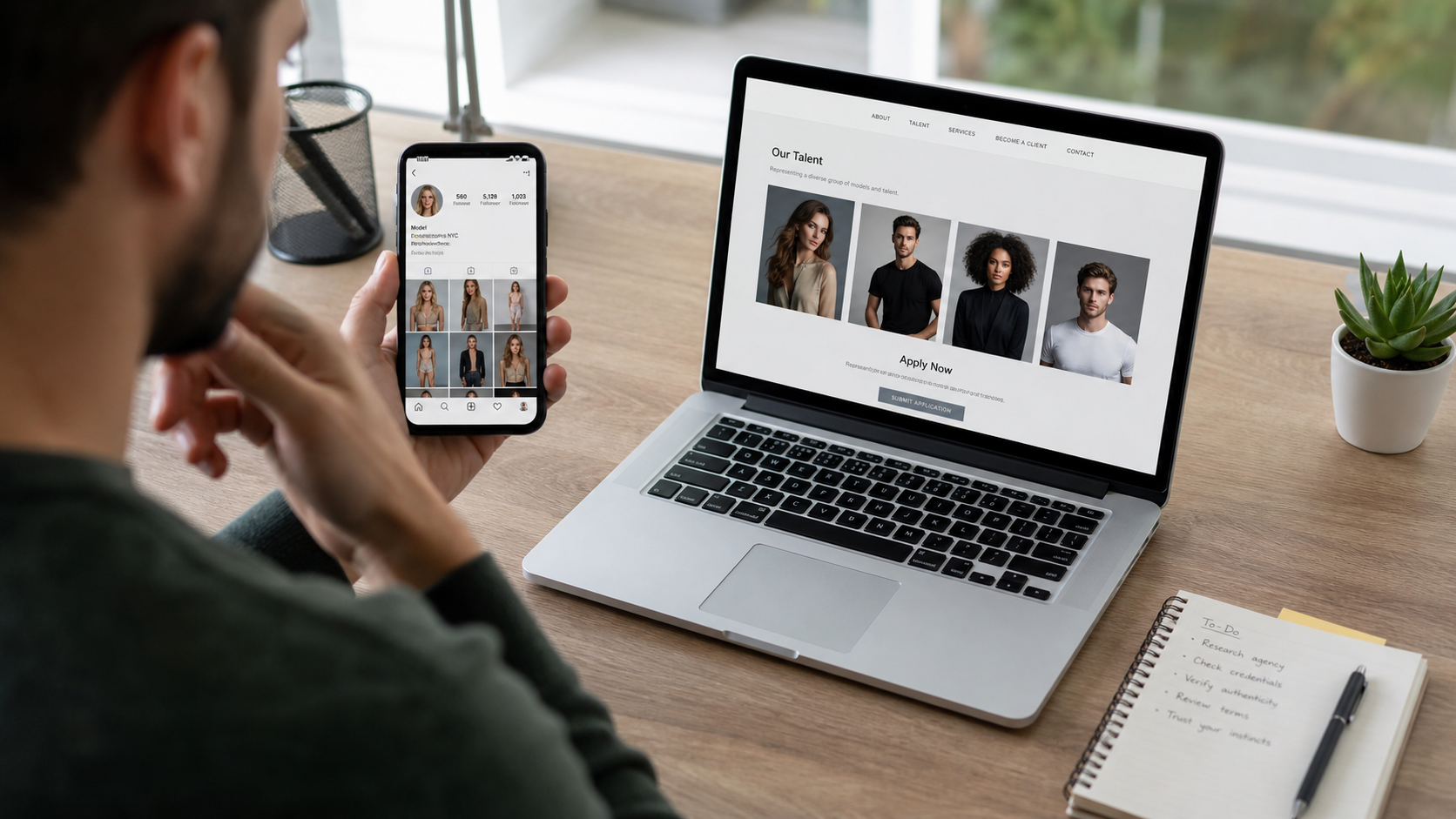
Safety Rules for Young Applicants and Parents
Keep all communication visible to a parent or guardian. A scout who insists that a young person prove maturity by keeping secrets is unsafe.
Do not send nude, underwear, or sexually suggestive images. Legitimate initial submissions generally use ordinary snapshots, and the FTC notes that child applicants commonly do not need expensive professional photographs.
Review contracts slowly and seek qualified advice about image rights. A modeling agreement can control where photographs appear and for how long.
Use official brand and agency contact details to confirm every name. Never rely on screenshots of emails, employee badges, or video calls as the sole proof.
What to Do if You Have Fallen Victim to This Scam
- Stop contact and save evidence. Capture the profile, username, post, messages, links, files, payment demands, and images sent before reporting and blocking the account.
- Tell a trusted adult immediately. Minors should involve a parent, guardian, school counselor, or police. Embarrassment should never keep a young person isolated with a scammer.
- Contact payment providers. Report card, transfer, check, gift-card, or crypto transactions and ask about disputes, recalls, and account security.
- Protect identity and accounts. Change exposed passwords, enable multifactor authentication, monitor credit, and notify identity-document issuers where appropriate.
- Report sexual demands or blackmail. Preserve messages and contact law enforcement and the relevant child-safety reporting organization. Do not pay or negotiate alone.
- Scan affected devices. If an application file or app was downloaded, use Malwarebytes to check for credential theft and unwanted remote-access software.
- Block repeat scam pages. AdGuard can reduce malicious ads and phishing redirects, but account recovery and evidence reporting remain necessary.
- Notify Instagram, Nike, and the FTC. Reporting the impersonation can help remove the account and protect other applicants.
Is Your Device Infected? Run a Free Malware Scan
Slow performance, constant pop-ups, or strange behavior? These are classic signs of a malware infection. A quick way to check is to scan your device with Malwarebytes Free, one of the most trusted malware removal tools available. If you only visited a scam page and didn’t download or install anything, this scan is optional.
The free version detects and removes the most common threats, including:
- Adware — the cause of those annoying pop-ups
- Browser hijackers — unwanted redirects and changed homepages
- Trojans and spyware — hidden programs stealing your data
- Potentially unwanted programs (PUPs) — software you never asked for
👉 Select your device below — Windows, Mac, or Android — then follow the simple steps to download Malwarebytes, scan your system, and remove any threats it finds. The scan usually takes 5 to 20 minutes.
Run a Malware Scan with Malwarebytes for Windows
Malwarebytes is one of the most popular and trusted anti-malware tools for Windows — and it’s completely free for removing infections. It catches threats that many antivirus programs miss, including adware, browser hijackers, and trojans. Follow the steps below to scan your PC and remove what Malwarebytes finds.
Download Malwarebytes
Click the button below to download the latest version of Malwarebytes for Windows from the official source. The free version is all you need — it will scan your computer and remove adware, browser hijackers, and other malicious software at no cost.
Download MalwarebytesOfficial installer for Windows 11 and 10. Your download starts right away.Want real-time protection? See Malwarebytes Premium Malwarebytes Free for WindowsScans and removes malware at no cost
-
Install Malwarebytes
When the download finishes, open your Downloads folder and double-click the MBSetup file. If Windows shows a User Account Control pop-up, click “Yes” to allow the installation.

Follow the On-Screen Prompts to Install Malwarebytes
The setup wizard will walk you through a few quick screens:
-
Choose where you’re installing the program — “Personal Computer” or “Work Computer” — then click Next.

-
Malwarebytes will now install on your device. This usually takes under a minute.

-
When installation is complete, the “Welcome to Malwarebytes” screen will open automatically.

-
On the final screen, click Open Malwarebytes to launch the program.

-
Optional: Check for rootkits with a Custom Scan
You don’t need to change any settings for a normal scan. The standard Threat Scan in the next step is enough for most problems, so you can go straight to it.
If you also want to check for rootkits, use a Custom Scan. In current versions of Malwarebytes, rootkit scanning is only available there:
- On the Scanner tile, click the three-dot menu and select Advanced Scan.
- Choose Custom Scan. In its options, check Scan for rootkits.
- Select your system drive (usually C:\) as the location to scan, then start the scan. It takes longer than a Threat Scan.
- When it finishes, review and quarantine the results as described in the steps below.
Rootkit scanning isn’t available on Windows devices with ARM processors.
Start the Scan
Click the blue Scan button. Malwarebytes will automatically update its virus database and start checking your computer for malware.

-
Wait for the Scan to Finish
The scan checks your entire system for browser hijackers and other malicious programs, so it can take 5 to 20 minutes depending on your computer. Feel free to do something else — just check back occasionally to see the progress.

-
Quarantine the Detected Threats
When the scan is done, you’ll see a list of everything Malwarebytes found — malware, adware, and potentially unwanted programs. Click the “Quarantine” button to remove all of them at once.

Malwarebytes will now remove the malicious files and registry entries and move them safely into quarantine.

-
Restart Your Computer
Some threats can only be fully removed after a reboot. If Malwarebytes asks you to restart, click Yes. Once you’re logged back in, Malwarebytes has finished removing the threats it found.

When the scan is done, check whether the problems you noticed have stopped. If they continue, see the options below.
If you are still having problems with your computer after completing these instructions, then please follow one of the steps:
- Run a computer scan with ESET Online Scanner
- Ask for help in our Windows Malware Removal Help & Support forum.
Run a Malware Scan with Malwarebytes for Mac
Malwarebytes for Mac is a free on-demand scanner that removes the malware other security software tends to miss — adware, browser hijackers, and unwanted programs included. Cleaning an infected Mac with Malwarebytes has always been completely free, and it’s our go-to recommendation. Follow the steps below to scan your Mac and remove what Malwarebytes finds.
-
Download Malwarebytes for Mac
Click the button below to download the latest version of Malwarebytes for Mac.
Download MalwarebytesOfficial installer for macOS. Your download starts right away.Want real-time protection? See Malwarebytes PremiumMalwarebytes Free for MacScans and removes malware at no cost -
Open the Malwarebytes setup file
When the download finishes, open your Downloads folder and double-click the setup file to begin the installation.

-
Follow the On-Screen Prompts to Install Malwarebytes
The Malwarebytes for Mac Installer will guide you through a few quick screens. Click “Continue” and keep following the prompts until the installation completes.



When the installation is complete, Malwarebytes opens to the Welcome to Malwarebytes screen. Click “Get started“.
Malwarebytes needs Full Disk Access to check your whole Mac. When it asks, open System Settings > Privacy & Security > Full Disk Access, turn on Malwarebytes (it may be listed as Malwarebytes Protection), and confirm with your password or Touch ID. Then return to Malwarebytes. On macOS Monterey and earlier, this setting is in System Preferences > Security & Privacy > Privacy.
-
Select “Personal Computer” or “Work Computer”
Malwarebytes will ask what type of computer you’re installing it on. Click either Personal Computer or Work Computer, whichever applies.

-
Start the Scan
Click the “Scan” button. Malwarebytes will automatically update its detection database and begin checking your Mac for malware.

-
Wait for the Scan to Finish
Malwarebytes will scan your Mac for adware, browser hijackers, and other malicious programs. This can take a few minutes, so feel free to do something else — just check back occasionally to see the progress.

-
Quarantine the Detected Threats
When the scan is done, you’ll see a list of everything Malwarebytes found. Click the “Quarantine” button to remove all the threats at once.

-
Restart Your Mac
Malwarebytes will now remove all the malicious files it found. Some threats can only be fully removed after a reboot — if Malwarebytes asks you to restart, allow it. Once you’re logged back in, check whether the problems you noticed have stopped. If they come back, save the scan report and ask for help in our forum.

If the problems you noticed continue after the scan, see the options below.
If you are still experiencing problems while trying to remove a malicious program from your computer, please ask for help in our Mac Malware Removal Help & Support forum.
Run a Malware Scan with Malwarebytes for Android
Malwarebytes for Android scans your phone or tablet for malware, adware, and potentially unwanted apps. The free version scans only when you start a scan. Real-time protection, which checks apps automatically, is part of the paid Premium version.
-
Download Malwarebytes for Android.
You can download Malwarebytes for Android by clicking the link below.
Get Malwarebytes for AndroidOpens Google Play in a new tab.Want real-time protection? See Malwarebytes Premium for AndroidMalwarebytes for AndroidScans your phone and removes malware at no cost -
Install Malwarebytes for Android on your phone.
In the Google Play Store, tap “Install” to install Malwarebytes for Android on your device.

When the installation process has finished, tap “Open” to begin using Malwarebytes for Android. You can also open Malwarebytes by tapping on its icon in your phone menu or home screen.

-
Follow the on-screen prompts to complete the setup process
When Malwarebytes opens, it walks you through a short setup. Tap Get started and follow the prompts. If you see an offer for a trial or a paid plan, read it before you accept. You can skip it and keep using the free scanner.
Malwarebytes will ask for permission to access the files on your phone so it can scan them. Tap Allow, or turn on the permission in the Android screen that opens, then return to Malwarebytes.
-
Run a scan with Malwarebytes for Android
On the main screen, tap Scan now. In some versions, you open the menu, tap Scanner, and then tap Run a scan.
-
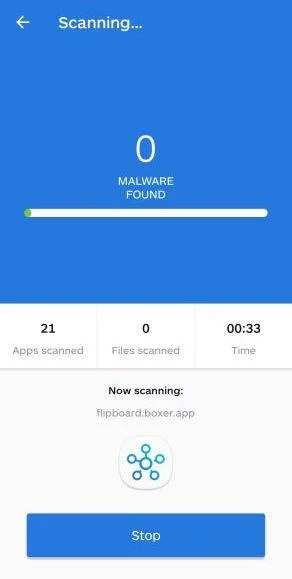
Wait for the Malwarebytes scan to complete.
Malwarebytes will now start scanning your phone for adware and other malicious apps. This process can take a few minutes, so we suggest you do something else and periodically check on the status of the scan to see when it is finished.
-
Remove the detected apps.
When the scan has been completed, you will see a list of the threats that Malwarebytes for Android has detected. Next to each detected item, tap the menu icon (three dots), then choose to uninstall the app or delete the file. Android then asks you to confirm. Tap OK or Uninstall to remove the app.
-
Restart your phone.
When the detected apps are removed, restart your phone if Malwarebytes asks you to. Then check whether the problems you noticed have stopped.
If the problems you noticed continue after the scan, see the options below.
If you are still having problems with your phone after completing these instructions, then please follow one of the steps:
- Ask for help in our Mobile Malware Removal Help & Support forum.
- Only as a last resort, reset your phone to factory settings. Read the warning below first.
- Back up your photos, videos, files, and messages, for example to your Google account or a computer.
- Make sure you know your Google account email and password. The phone asks for them after the reset. If you changed the password recently, Google recommends waiting 24 hours before you reset.
- On a Samsung phone, also make sure you know your Samsung account password.
- If you use an authenticator app for two-step verification, move your accounts to another device or save your backup codes first.
Stay Protected: Block Ads and Malicious Sites
No scan can prove a device is completely clean, so it helps to block threats before they reach you. Most infections start with a malicious ad or a fake download button — so blocking them at the source is your best defense.
We recommend AdGuard, which blocks malicious ads, phishing pages, and dangerous redirects before they can reach you.
👉 Download AdGuard and browse safely
Frequently Asked Questions
Is Nike recruiting models through random Instagram posts?
Do not assume so. Verify every campaign through Nike’s official website and confirmed social accounts before responding.
Do real modeling agencies charge upfront fees?
Legitimate agencies generally earn a commission when models are paid. Mandatory advance fees to secure a job are a major scam sign.
Does a large follower count prove the account is real?
No. Followers and engagement can be purchased, automated, or inherited from a compromised account.
Should a minor communicate privately with a scout?
No. A parent or guardian should be included from the first contact and present for meetings, auditions, contracts, and shoots.
What if the recruiter sends a check for expenses?
Do not send part of it to another vendor. Ask the bank’s fraud department to examine the check before using any funds.
Can sensitive images be recovered after sending them?
Complete removal cannot be guaranteed. Preserve evidence, report the account and content, involve a trusted adult, and contact law enforcement if threats or exploitation occur.
The Bottom Line
The Nike modeling scam turns a famous logo and social-media excitement into a private pipeline for fees, identity data, and potentially dangerous contact.
Do not share the post or continue privately. Confirm the campaign through Nike, keep guardians involved, and never pay to secure a modeling job.

Join the discussion
0 commentsShare your experience or ask a question about this article.
Discussion
Start the conversation
Have a question or something useful to share? Add the first comment.