


A message says somebody tried to open your PayPal account with a browser in Italy. If you were nowhere near Italy, the details are hard to ignore.
Before updating anything, check where those details actually came from.
Overview
The warning mixes a restriction with a place you may not recognize
The PayPal access from a new device email scam says an unusual sign-in led to a restriction. The specimen pairs a German subject with an English message.
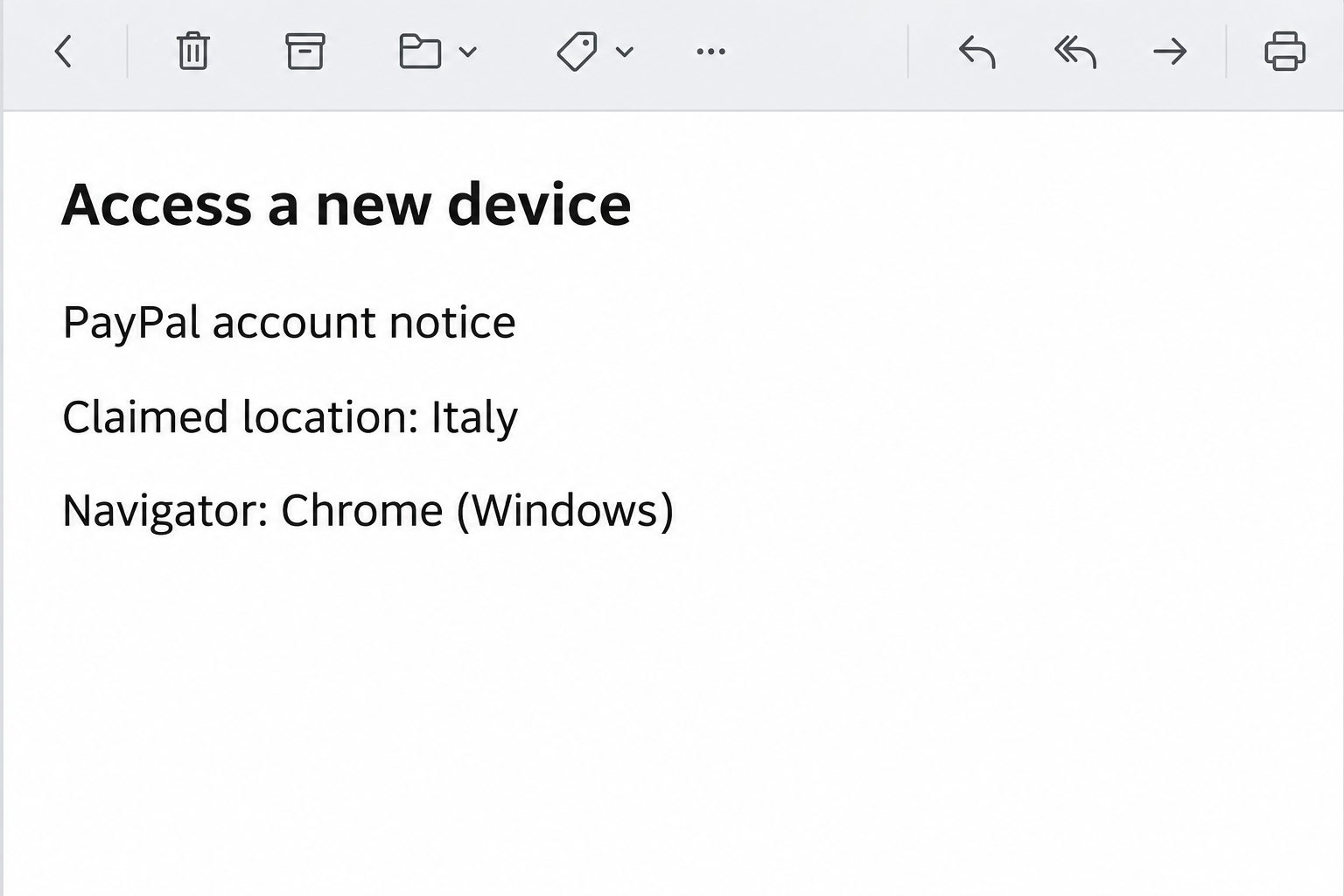
The body labels the location as Italy and lists Chrome on Windows. It also includes an IP address, but that does not make it a record from PayPal.
The email invites you to update your account if the activity was not yours. The image recreates the device and location claims without the original IP or action.
A real service can detect unusual access. The question is whether this notice came from the system that controls your account rather than a sender borrowing its name.
The reported account update goes to a copied login
The link in the reported email opened a page resembling PayPal, where the recipient was asked for an email address and password.
That is a change in task. The message purports to explain a security event, but the route it supplies asks for information that could enable a real one.
The bank, payment provider and mailbox have separate roles. A complaint about your PayPal account does not require giving an outside page access to your email provider.
The documented form is evidence of phishing, not proof of a real login in Italy. It does not establish a restriction, an unauthorized transaction or a completed account takeover.
Check restrictions and payments inside the account
You can open PayPal independently and look for notices or activity already tied to your account. A confirmed restriction belongs in the actual account, not in an email alone.
If your account will not open, use the service’s verified recovery route. An untrusted page has no authority to remove a lock or verify your identity.
- Check the real account for notices and recent payments you can recognize.
- Treat the country, browser and IP as claims until the provider corroborates them.
- Report a password submission separately from an unauthorized transaction.
- Ignore any follow-up asking you to read a sign-in code or move money to a safe account.
PayPal’s account security guidance explains how to change credentials without using an unexpected link. Save the subject and note what you did before reporting the message.
How the PayPal New Device Scam Works
Step 1: Specific device information makes a vague warning feel personal
An unusual sign-in can sound generic. Add a country and a recognizable browser, and a recipient can start to picture where the attempt supposedly happened.
The specificity draws attention away from the email’s origin. You may find yourself thinking about travel, a work device or somebody who knows your password.
Do not try to identify a person from the IP printed in the notice. Location information alone would not settle identity even if it came from a real account record.
Open your account on your own terms. A provider can help determine what happened without relying on a device description written in a message.
Step 2: The restriction gives you a reason to update before checking
The email claims account access was restricted and offers a way back. This invites the recipient to fix the restriction first rather than verify whether one exists.
If you have a pending purchase, subscription or refund, that urgency can feel practical. PayPal may be involved in several unrelated payments at once.
Check pending activity through the genuine service before repeating or changing anything. Do not create a replacement payment while the first one has an uncertain status.
For a real account issue, the provider can give you verified recovery steps. You can follow them without opening the proposed account update link.
Step 3: The sign-in page makes a new exposure look like verification
The reported destination imitated PayPal and requested credentials. An email address and password on a familiar-looking form can feel like a reasonable way to check identity.
The copied page is not like opening your existing app. You do not need to test how it behaves to verify who received your credentials.
If a password manager does not recognize the page, do not type the password manually to continue. Back out and take the independent route you already know.
If you accidentally submit it, note the time and which address the account uses. Trying again to obtain an answer about a restriction only repeats the disclosure.
Step 4: Payment and sign-in concerns move on separate tracks
A password entered on the page can be used in an attempt to sign in through the real service. Extra account controls affect whether that attempt succeeds.
The service can help check access without assuming money moved. Look at genuine account activity for payment, profile and linked funding changes you did not authorize.
An unfamiliar prompt or code may matter even when the latest payments appear normal. Report it accurately and tell support whether you approved or shared anything.
If a linked bank account or card also shows activity, contact that provider independently. A report with PayPal does not automatically complete every step another issuer may require.
Step 5: A genuine sign-in notice still requires its own response
If the provider independently confirms a new device or access issue, follow its directions. A true event can happen at the same time as a false warning.
If you recently traveled or used a different network, tell support when and where. That context can help explain legitimate changes in how access appears.
Do not rely on the language of the message alone. An unusual language combination may prompt a check, but it cannot decide who owns the destination.
The strongest reason to stop is the route itself. A copied login has no authority to restore access even if part of the warning sounds plausible.
What to Do if You Have Fallen Victim to This Scam
-
Stop the account update on the page.
Close the tab and do not accept a verification prompt that you did not initiate. Reach PayPal from the app or a known entry point.
Write down what you did, including whether you entered credentials, shared a code or supplied payment information. Keep the actual secrets out of your notes.
If you merely read the notice, look for any real account issue independently if necessary. The location in the email does not establish a successful sign-in.
-
Secure the affected account through PayPal.
If you submitted a password, change it through your genuine account or use the verified recovery process. Tell support if you cannot access the account.
Ask which devices or sessions should be reviewed. Tell the provider if you shared a code, accepted an unexpected prompt or noticed changes to recovery details.
If the password was reused anywhere else, replace it there independently. Prioritize the address that receives payment notices and account recovery messages.
-
Check for activity in the service itself.
Compare actual payments and settings with what you intended. Look for changes to contact details or funding methods as well as money movement.
Report a payment you didn’t authorize through the provider’s normal process. Save the reference from the real activity record rather than using the email’s location details.
If you see a real account restriction, ask how to resolve it through official support. Do not reopen the emailed page to try another sign-in.
-
Contact a linked bank or card issuer if needed.
If a linked payment method shows an unfamiliar charge or you shared its details, contact that institution. Explain what happened and what has been reported to PayPal.
Ask how to handle pending or completed activity. Keep both institutions’ reference numbers so you know which aspects of your case each one is reviewing.
Avoid assuming the original amount, country or device tells you which transaction was affected. Report actual amounts, payees and timestamps from trusted records.
-
Preserve useful evidence without passing around the link.
Save the subject, arrival time and relevant account notices privately. Use PayPal’s official instructions or your provider’s reporting tools to pass on the original safely, if requested.
Do not post your account record or the full sender link to warn others. Give them the subject and alleged location rather than a way to reach the page.
If you actually downloaded or installed something, note it separately. The reported phishing form and your device’s subsequent behavior are different evidence.
-
Use trusted contacts for any follow-up.
A supposed support representative may offer to cancel transfers or remove the restriction. Contact the service on your own before acting on anything they say.
Refuse a request to share a code or send funds to another account to protect them. Check each unexpected request directly with the provider that appears to issue it.
If somebody else in your household saw the same notice, compare what you actually did. You may need separate account reviews rather than one shared explanation.
When You Recognize Part of the Device Description
Chrome and Windows are common enough that a matching browser label can mean very little. It does not prove an unauthorized login or validate the email.
You might also have used your account while traveling or from a different network. If the provider confirms an event, give it enough context to distinguish your usual access.
Do not search for the printed address to settle the account question. Even a real geographic match would not explain why this notice sent you to a copied login.
If no real activity is visible and you offered no information, you can report the notice without changing an account on its instruction. Respond to actual exposure, not typography.
If the account is tied to a shop or recurring payments
Separate the sign-in problem from what you were trying to buy or sell. A merchant may need a real transaction reference, not an explanation of the emailed warning.
A seller can check whether the actual service records payment before sending goods. Do not release an order merely because another person says the alert temporarily hid the transaction.
If you pay for a subscription through the account, look at the account that shows the agreement. Do not cancel a real service from an email about a device.
If you cannot tell who initiated a payment
Check whether somebody else was authorized to use the account or whether it is a recurring transaction. Keep the report accurate without dismissing a genuinely unfamiliar item.
Ask support for the appropriate dispute path if the real records show something you did not authorize. The notice’s browser details cannot tell you who received money.
For an unauthorized transfer involving a stored bank account, verify it with both services. Preserve the real transaction identifiers and avoid repeating a payment while it is being reviewed.
Keep account recovery moving while the payment is checked. These tasks involve separate controls and are not both fixed by opening a new device notice.
Frequently Asked Questions
Is the PayPal access from a new device email real?
The version naming Italy and Chrome on Windows described here is a phishing attempt. Its reported update link went to an imitation sign-in.
A real alert is possible, so check the account independently. You can do that without letting the email pick the page where you enter credentials.
Does the location prove someone accessed my account from Italy?
The printed location does not prove an account was opened. Ask PayPal if any access event can be verified through the account you normally use.
If it confirms a login you did not start, follow its normal recovery process. Keep that response separate from whether this email was legitimate.
Why did the subject come in German?
The documented version used a German subject and English body. That is a way to recognize the specimen, not a test for every genuine or fraudulent message.
Use the provider’s own app to check notices and account status. Language alone cannot tell you who received a password.
What if the real PayPal account says it is restricted?
Use official account help to understand the limitation. A real restriction does not authorize a password request from an unrelated website.
If you gave out access information before checking, report that as well. The provider needs to know both what the account shows and what you disclosed.
Does following the link automatically mean I lost money?
A visit alone does not show money moved or your password was submitted. Tell support if you entered anything, granted permissions or accepted a prompt.
Check the account and any relevant funding source through known channels. Report unauthorized activity if you find it rather than assuming it happened.
Should I contact PayPal or my card issuer first?
If PayPal credentials were exposed, start securing the PayPal account promptly. Contact the issuer as well if you gave card details or see a concerning charge.
The two services may need different information. Save the actual payments and times so each can explain what it can verify.
The Bottom Line
Do not use the email to update your PayPal account. Its reported destination asked for credentials on a copied page instead of verifying the alleged login.
Check real restrictions and activity independently. If you provided credentials or approved a request, contact PayPal promptly and tell an affected bank or issuer if appropriate.

Join the discussion
0 commentsShare your experience or ask a question about this article.
Community experiences
Did this happen to you?
Your experience could help someone recognize the same scam. Submit a private report for our team to review.
I experienced this tooReports are reviewed before publication. Sharing publicly is always your choice.
Discussion
Start the conversation
Have a question or something useful to share? Add the first comment.