
Is optimizing the following settings will make any good/harm to the device?




Open MalwareTips from your Home Screen or desktop. Follow discussions, find answers and pick up where you left off.
If you cannot find an install option, update your browser or use its bookmark option to keep MalwareTips close.
After installation, open the app and sign in. Enable push notifications in Preferences if you want alerts. On iPhone and iPad, push requires a Home Screen web app and iOS or iPadOS 16.4 or later.
Sign in to manage notificationsInstallation is optional. Your notification settings stay under your control.
 Thread starter
anirbandutta01
Thread starter
anirbandutta01
It won't cause any harm and may lead to better performance, so it won't hurt to use it.Is optimizing the following settings will make any good/harm to the device?


CCleaner is incorporated in Avast One, with sleep mode under the title of "software optimization"AVG Tune-up/Avast Tune-up, are the same. But I went with CCleaner Pro, since the Avast and AVG apps seem to be made for phones (lots of sliding, rather than a fully visible app) this made me choose CCleaner Pro, love the sleep mode for apps running in background
I know and I love that, but Gen Digital products are each (on a clean install of Win 11) causing different problems on my PCCCleaner is incorporated in Avast One, with sleep mode under the title of "software optimization"
The safest is Windows built-in tool (for files, not registery); the most effective, most probably not the built-in tool.Privazer is probably the safest and most effective tool in my experience
Windows built-in tool is very conservative, so it will not break anything, but may leave files behind.I find windows breaks windows more than 3rd party tools. But I hope what you say is true.
That's right its intentionally made limited in what it can clean I guess. I haven't heard disk cleanup break anything. I'd be more careful with something like this I guess: Cleanup PC, protection for your computer | Microsoft PC ManagerWindows built-in tool is very conservative, so it will not break anything, but may leave files behind.
3rd party tools are more aggressive; better cleaning, but more troubles, especially those messing with registery.
Registry cleaner is more prone to break things than disk cleaner.I say that because whenever microsoft tries to go beyond making simpler tools, it has the potential of breaking stuff as well. But yeah I don't think I have heard disk cleanup break anything either.
Which Winapp2 rules are safe to choose? I've never used them before.I like CCleaner but it's so bloated now, all I want is basic program with the ability to import winapp2 rules. BleachBit does that nicely.

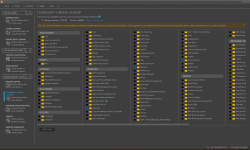
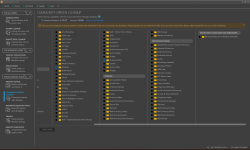
Instead of BleachBit, I use Reg Organizer, which recently added Winapp2.ini. However, it advises using it with caution, which is why I'm asking for advice. Here are the details of my installed software that Reg Organizer's Winapp2.ini displays:@lokamoka820
Have you already imported Winapp2.ini?
BleachBit Documentation : Winapp2.ini Guide – Extend BleachBit Cleaning on Windows
If not, please do so.
Don't worry the new checkboxes aren't enabled by default; you'll need to enable them yourself.
It's hard to tell others which checkboxes to select, but if you show me the software you want to clean up,for example, some browsers,I'll tell you which new checkboxes to select.
I used Microsoft PC Manager, but not Ashampoo's WinOptimizer. Does it offer any advantages over competing programs, and is it safe?The two that I use: the free Microsoft PC Manger, and Ashampoo's WinOptimizer.
Acadia
Instead of BleachBit, I use Reg Organizer, which recently added Winapp2.ini. However, it advises using it with caution, which is why I'm asking for advice. Here are the details of my installed software that Reg Organizer's Winapp2.ini displays:
View attachment 296345View attachment 296346
I appreciate your assistance.


Since Reg Organizer recently added Winapp2.ini support, it's definitely worth using with caution. That file often includes aggressive rules that can wipe out useful settings or preferences.Instead of BleachBit, I use Reg Organizer, which recently added Winapp2.ini. However, it advises using it with caution, which is why I'm asking for advice. Here are the details of my installed software that Reg Organizer's Winapp2.ini displays:
View attachment 296345View attachment 296346
I appreciate your assistance.


Members who viewed this thread in the last 5 minutes


