Open MalwareTips in Safari and tap Share. You may need to open the Page Menu first.
Choose Add to Home Screen. If it is not listed, use Edit Actions to add it.
Keep Open as Web App enabled if shown, then tap Add.
Android
Open MalwareTips in Chrome or another browser that supports app installation.
Open the browser menu and look for Install app, Install and create shortcut, or Add to Home screen.
Choose Install and confirm. Wording varies by browser.
Desktop
Chrome: use the install icon in the address bar, or the menu under Cast, save and share.
Edge: open the menu, then More tools, Apps and Install this site as an app.
Safari on Mac: choose Share or File, then Add to Dock. Firefox on Windows: look for the web apps button in the address bar.
If you cannot find an install option, update your browser or use its bookmark option to keep MalwareTips close.
Keep up with your conversations
After installation, open the app and sign in. Enable push notifications in Preferences if you want alerts. On iPhone and iPad, push requires a Home Screen web app and iOS or iPadOS 16.4 or later.
What's the best system maintenance & repair tool? Used WiseCare365 & GlaryUtilities before and Wise Care is good I think. I have heard earlier that iOLO system maintenance tool contains malware. Currently I'm using Privazer. Ccleaner, Kerish Doctor, Bleachbit & O&O all are also performs system maintenance. And what's the registry defrag feature which is present on wise care? Is it safe to use? If other better tools are available kindly specify. I'm also using HiBit Uninstaller. Kindly give me details. Thanks in advance.
Wise Care 365 is indeed a good tool. The registry defrag feature helps to compact and reorganize the registry to improve system performance. It's generally safe, but always backup your registry before using it. iOLO has had some issues in the past, but it's not confirmed malware. CCleaner, Kerish Doctor, and O&O are reliable too. For alternatives, you might want to consider Advanced SystemCare or System Mechanic. Always remember, no tool is perfect and regular manual checks are also necessary.
Wise Care 365 is indeed a good tool. The registry defrag feature helps to compact and reorganize the registry to improve system performance. It's generally safe, but always backup your registry before using it. iOLO has had some issues in the past, but it's not confirmed malware. CCleaner, Kerish Doctor, and O&O are reliable too. For alternatives, you might want to consider Advanced SystemCare or System Mechanic. Always remember, no tool is perfect and regular manual checks are also necessary.
Glary Utilities is a comprehensive system cleaner with a good range of features. Advanced SystemCare is from IObit, not iOLO, and it's a well-rounded tool. System Mechanic is from iOLO and it's also a strong choice. Both have their strengths, so it's about personal preference and specific needs.
I tried almost all mentioned software, and I stayed with "wise" in the end. It is free, safe and reliable.
Glary is good, but it will run in the background, which I don't like, and it removes less than wise.
System mechanic is just a demo, most of its features are paid and I want a free software.
PrivaZer is very thorough in what it removes which sometimes removes things I need, it is why I stopped using it (if you want to remove the most stay with it).
CCleaner is good for browsers, but everything else is just as other products.
Advanced system care is good but large (over 200MB) and show ads.
BleachBit doesn't clean registry, and it is made for Linux mainly.
And registry defragment is a safe tool, just close all software before running it, and restart the device after it is finished, it takes mostly 2 mins.
No need for extra tools, just common sense and some searching on Google how to do this in Windows like @Kongo mentioned!
Why install all this bloatware ?
I prefer tools that are actually made by people, who know, what they are doing. Anyway, I clean Edge three fold: Clear browser at exit + Wise Disk Cleaner + Manual Cleanup. Just to be sure.
I prefer tools that are actually made by people, who know, what they are doing. Anyway, I clean Edge three fold: Clear browser at exit + Wise Disk Cleaner + Manual Cleanup. Just to be sure.
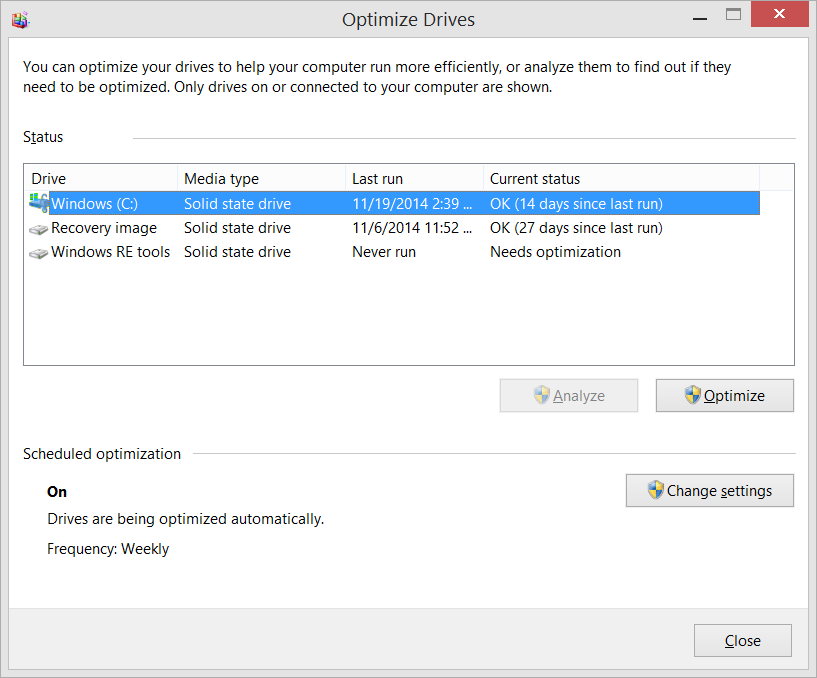
There has been a LOT of confusion around Windows, SSDs (hard drives), and ...
www.hanselman.com
But yea, keep on installing additional software for "cleaning" or "optimizing" Windows. By that you even get more junk on the system that you don't need. Kind of missing the point of having a snappy and unpoluted system or am I wrong?
I prefer tools that are actually made by people, who know, what they are doing. Anyway, I clean Edge three fold: Clear browser at exit + Wise Disk Cleaner + Manual Cleanup. Just to be sure.
PC manager is free seems good, Kerish doctor I like alot (not to expensive 10 dollars a year), also use Jv16 power tools occassionally(20 $ a yearI think)Right now I have them on computer but run manually maybe once a month