


Product announcement or Changelog links?
Cannot find any yet.
Link(in romanian): De la bun la mai bun cu noul Bitdefender - Bitdefender
Product announcement or Changelog links?
Cannot find any yet.

Guys here were right: Improvements on behavior blocker/machine learning and removal of safe files. Keeping the remediation engine and files restore.
I would expect this result from almost everybody at one point or another. Although with their slow signatures that is a concern.Some guy on some web site tested new Bit against 0 day new ransomeware, some files were encrypted and bit could not restore some of them.
Some guy on some web site tested new Bit against 0 day new ransomeware, some files were encrypted and bit could not restore some of them.
Bitdefender 2021
offline package
x86
x64
agent
 how did you manage to find these links? These offline installers are very good, it is a pity that from Kaspersky I cannot find the offline installers. But I'm happy with this new version of Bitdefender, I already liked the other and this new version is even better
Correct, Leo from TPSC tested the 2020 version of Bitdefender in November, not in July, when it was released.Never do tests with new products, let them be more maturity, I mean let them correct the issues or bugs since no beta version was been released.
Give the product some time to things come back to normal, testing BitDefender right now can't give good results. When a product is new, they need time to fix and running smooth like previous version.
So, all tests in Youtube I will see, but I will wait more time to make a conclusion. You can't do a conclusion right now. Give some more time.
Search advisor is not working in Chrome, but it works fine in Firefox, someone have have that issue with 2021 too?
Here is everything ok I always do it when I format new machines
Search advisor is not working in Chrome, but it works fine in Firefox, someone have have that issue with 2021 too?
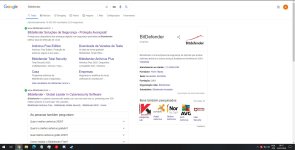
I had this issue with version 2020, but it seems to be fixed in version 2021.
View attachment 244629
I disagree with you, this bug has not been fixed yet in this version 2021 at least for me, I just tested it here on my machine. The way to work is to do it manually as I said in the post above, by Chrome://flags and disabling the QUIC Protocol.


 www.bitdefender.ro

I have just installed BTS 2021 , Mine Web-advisor is working without disable the QUIC ProtocolI disagree with you, this bug has not been fixed yet in this version 2021 at least for me, I just tested it here on my machine. The way to work is to do it manually as I said in the post above, by Chrome://flags and disabling the QUIC Protocol.


