Solved Chrome.exe *32 Virus cannot be removed with factory reset

starboardcraftwork

New Member
Thread author
Mar 22, 2015
3
0
2
35
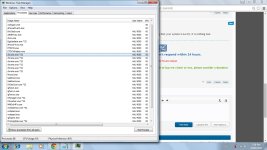
Hello! Would love if you could help me please! As stated above: Friday, March 20th. Chrome browser began to freeze and lag tremendously. Task manager shows multiple chrome.exe *32 process and a few other programs with a .exe *32 process- attempted Factory Reset and the issue is still occuring!!
 

Attachments

Hello,


I don't know why so many people thinks that process with *32 is bad. It is just showing that your system is 64 bit, it is nothing bad.
 
Well unfortunately I still seem to have a virus affecting my computer. It only begins once I open chrome and at that point my computer slows to a near inoperable level. This virus seems to have carried over from the factory reset and is not detected by malwarebytes?
 
FRST.gif
Scan with Farbar Recovery Scan Tool

Please re-run Farbar Recovery Scan Tool to give me a fresh look at your system.
  • Right-click on
    FRST.gif
    icon and select
    RunAsAdmin.jpg
    Run as Administrator to start the tool.
    (XP users click run after receipt of Windows Security Warning - Open File).
  • Make sure that Addition option is checked.
  • Press Scan button and wait.
  • The tool will produce two logfiles on your desktop: FRST.txt and Addition.txt.
Please include their content into your next reply.