Serious Discussion FS Protection PC 19.1 releases (beta)

Gandalf_The_Grey

Level 85
Thread author
Verified
Honorary Member
Top Poster
Content Creator
Well-known
Forum Veteran
Apr 24, 2016
7,815
6
82,973
8,389
55
The Netherlands

Release 19.1 Beta 1 (TOTAL 5.2.346):​

Please note that some strings are not localized yet.

New features:
  • VPN Settings: Applications bypassing VPN (PBL-9946)
  • Locations info at the VPN subview (PBL-10636)
  • Scheduled scan: Run task as soon as possible if missed (PBL-10465)
  • Change location of "Turn off all protection" button (PBL-10370). It has been moved to the Settings dialog.
  • Vault Master Password feedback texts rewritten (KID-954)
  • Empty Vault now shows add & import actions (KID-420)
  • Vault search related improvements: clearing search, magnifying glass icon persistence, empty search results visualization (KID-329, KID-331, KID-1577)
Removed features:
  • Windows 7 support. Installation and updates are blocked on Windows 7 (PBL-10152)
  • Proxy configuration in Settings. Product now automatically uses Windows proxy if it is set up. (PBL-10475)
Fixed issues:
  • Closing the window during onboarding process leads to confusing state. (PBL-10783)
  • Scanning with fsscan.exe fails with "No entitlement" error (PBL-10800)
  • Vault password viewer now shows emojis correctly (KID-1597)
  • Vault feature card now updates correctly if Vault is synced in onboarding flow (KID-1581)
 

Release 19.1 beta 2 (5.2.597):​

New features:
  • Priority of the smart tasks has changed a bit (PBL-10660)
  • Banking Protection: "Disconnect in-memory modified processes" will protect against insertion of malicious threads into legitimate processes, disconnecting such processes when banking session starts (PBL-4437)
  • Added initials as new symbol (icon) type for Vault entries. (KID-1479)
  • Vault entries imported from other products now default to "initials" icon type. (KID-1612)
Fixed issues:
  • Clicking the VPN bypass button/link text does not refocus upon an open vpn bypass window (PBL-9946)
  • VPN subview left alignment wrong (PBL-10836)
  • Fixed Vault entry's password history clearing. (KID-1604)
  • Vault error texts improved related to connecting devices. (KID-222)
  • Fixed Vault settings import area layout for languages with long text. (KID-1608)
  • Fixed Vault autolock settings info box layout for languages with long text. (KID-1609)
 

Release 19.1 beta 3 (5.2.1057):​

New features:
  • Account menu has been updated. It now contains information about the license inside the menu and link to manage account. Main view no longer has the subscription validity.
  • Subscription page has been updated. It now only contains a button to renew subscription (as manage account was moved to menu).
  • Subscription expiring and expired smart tasks texts have been updated.
  • Scheduled scanning waits for gaming mode to end before starting. If gaming mode activates during scheduled scan, it is paused and resumed once gaming mode ends.
  • VPN usage and blocking statistics are now shown in VPN sub-view
  • VPN notifications are shown (e.g. VPN is on, but UI application is closing; VPN is configured to connect automatically on startup and an user logs in; VPN connection fails due to an error)
  • Show and hide functionality to Vault's notes field when viewing entry (KID-1566)
  • Copying improvements to Vault entry viewer fields. (KID-1169)
  • Smart tasks for new & existing user Vault onboarding. (KID-1558, KID-1559)
Fixed issues:
  • Fixes to focus issues with VPN bypass window
  • Fixed issue long localization not fitting in VPN tools button in VPN sub-view (SAFE_BUG-03863)
 
Submitted a bug report 3 days ago and told them on the forum, but still nothing.
I tried again today, still nothing. Created a new account and was accepted, but then when I try to log in I get "Access to account restricted. Please check your email for instructions". Is the beta still going on or what?
 
I tried again today, still nothing. Created a new account and was accepted, but then when I try to log in I get "Access to account restricted. Please check your email for instructions". Is the beta still going on or what?
I'm not one of the Beta testers, but last time I checked the section/thread for 19.1 it was obvious others had similar issues, even after the " server " fix. Perhaps one of the testers here on MT can try and mention you.
 

Release 19.1 beta 5 (5.2.2285):​

New features:
  • Multi-selection and batch deletion of Vault entries (KID-1513)
  • Show Vault browser extension activated state in Autofill UI (KID-1469)
  • Vault side menu items are now disabled instead of hidden when not usable (KID-1620)
  • Select freshly created Vault entry in entry list. (KID-1621)
  • Vault's new/changed Master Password minimum length requirement is now 12 characters. (KID-1628)
Fixed issues:
  • Vault related smart tasks lifetime improved (KID-1655, KID-1697)
 

Release 19.1 beta 6 (5.2.2538):​

Fixed issues:
  • Improved scheduling of update checks, update should now happen faster after resume from sleep
  • In rare cases smart task does not open main UI (PBL-11115)
  • Opening app from Password Manager browser extension was not always working (KID-1704)
 
TOTAL 19.1 has been released to production. Thank you all for testing and reporting bugs. We will continue with the beta after holiday season, stay tuned in August.
 
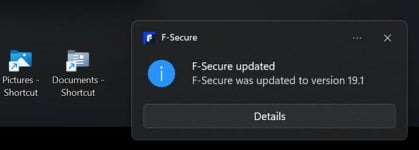
Thank you @upnorth I love this forum and how we keep each other up to date. I just ran a manual update... :) :)

fsecure 19.1.jpg
 

You may also like...