Hard_Configurator - Windows Hardening Configurator

H_C was intended as a tool for advanced users to secure casual users. If the advanced user wants to use it on his/her own computer, then this will be probably like using clothes according to the actual weather. Winter clothes (default-deny) and summer clothes (default allow).:giggle:
 
H_C was intended as a tool for advanced users to secure casual users. If the advanced user wants to use it on his/her own computer, then this will be probably like using clothes according to the actual weather. Winter clothes (default-deny) and summer clothes (default allow).:giggle:
For this i like it. I can chance the protection with one click. For this i used 360TS have this option
 
@Andy Ful is H_C compatible with Windows 10 1903?
Yes, and so far also with Insider compilation for the next year upgrade.(y)
H_C can activate only Windows built-in features, so it should be compatible by definition (in theory).
 
I'm using StartIsBack +++ as start menu replacement.
Now I have a blocked event: C:\Users\xxxx\AppData\Roaming\Microsoft\Internet Explorer\Quick Launch\User Pinned\StartMenu\Outlook.lnk
This happened when launching a pinned app from the start menu of StartIsBack +++.
What is the best way to unblock?
Whitelist the folder C:\Users\xxxx\AppData\Roaming\Microsoft\Internet Explorer\Quick Launch\User Pinned\StartMenu ?
 
StartIsBack +++ uses the custom location for Start Menu entries so all shortcuts added by it has to be whitelisted. In your case (use <Add Path*Wildcards>):
C:\Users\your_user_name\AppData\Roaming\Microsoft\Internet Explorer\Quick Launch\User Pinned\StartMenu\*.lnk
C:\Users\your_user_name\AppData\Roaming\Microsoft\Internet Explorer\Quick Launch\User Pinned\StartMenu\*\*.lnk

In this way, the shortcuts will be allowed, but executables will still be blocked.(y)
Are there some advantages of using StartIsBack +++ (except the habit)? In Windows 10, the Start Menu seems very convenient now.
 
Last edited:
Is there a portable version of this? If not, will there ever be one? I love the fact that ConfigureDefender is just a no hassle, tweak then done, very clean and light.
 
  • Like
Reactions: Andy Ful
StartIsBack +++ uses the custom location for Start Menu entries so all shortcuts added by it has to be whitelisted. In your case (use <Add Path*Wildcards>):
C:\Users\your_user_name\AppData\Roaming\Microsoft\Internet Explorer\Quick Launch\User Pinned\StartMenu\*.lnk
C:\Users\your_user_name\AppData\Roaming\Microsoft\Internet Explorer\Quick Launch\User Pinned\StartMenu\*\*.lnk

In this way, the shortcuts will be allowed, but executables will still be blocked.(y)
Are there some advantages of using StartIsBack +++ (except the habit)? In Windows 10, the Start Menu seems very convenient now.
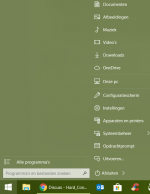
I guess it's mostly the habit, but I just like all the folders and menu options on the right.
It's possible but I just can't get it like I want on the Windows 10 start menu.

Schermopname (2).png
 
I guess it's mostly the habit, but I just like all the folders and menu options on the right.
It's possible but I just can't get it like I want on the Windows 10 start menu.

View attachment 212743
I understand you. On the contrary, I am so used to Windows 10 Start Menu, that I feel a little awkward when working on the computer with a custom Start Menu application.:giggle:
 
I understand you. On the contrary, I am so used to Windows 10 Start Menu, that I feel a little awkward when working on the computer with a custom Start Menu application.:giggle:
It's personal :D
Only I use it in my family and the rest is used to Windows 10 Start Menu.
Maybe I will learn to like it eventually :emoji_thinking:
On my work we will migrate from Windows 7 to Windows 10 this summer and there I will have no choice.
 
Thks for reply , how different is this program compared to NVt system hardener?
The main difference that matters is that H_C can be used both as default-deny and default-allow solution. SysHardener is default-allow hardening. Both are not for beginners, but H_C is more advanced and more restrictive, so requires more knowledge to properly configure the protection.
 
Hi Usingthis program for beginners is recommended? Can the rules be reversed or returned to original easily/Thks

Please define "beginners". H_C has several pre-defined, suggested profiles. It may or may not work for you depending on your system and user habits. If you frequently install programs to test/trial it may not work for you. Best for stable systems, otherwise more whitelisting may be required. It's easy enough to try it yourself and you can easily restore Windows defaults if you run into problems. Some learning will be required, especially reading and being familiar with the GUI, FAQ and parts of the User Manual.

how different is this program compared to NVt system hardener?

SysHardener will not log blocked processes. You will have to figure this out by trial and error. H_C will give you some information to help you problem solve and whitelist.
 
This follows from the fact that it is much less popular than ConfigureDefender or H_C.:emoji_thinking:
i'm using this on mymain laptop as Default Deny and only allowing the proceses that are trusted and verified.
Does it mean i'm completely safe from viruses that are auto executed like Ransomware etc ?
and yeah i mean the viruses from Flash Drives from one PC to Another?