
hello NoVirusThanks,
I would like two things:
1)German language in the program
2)OSArmor for 1 year, without subscription
I would like two things:
1)German language in the program
2)OSArmor for 1 year, without subscription


Open MalwareTips from your Home Screen or desktop. Follow discussions, find answers and pick up where you left off.
If you cannot find an install option, update your browser or use its bookmark option to keep MalwareTips close.
After installation, open the app and sign in. Enable push notifications in Preferences if you want alerts. On iPhone and iPad, push requires a Home Screen web app and iOS or iPadOS 16.4 or later.
Sign in to manage notificationsInstallation is optional. Your notification settings stay under your control.

Hello NovirusThanks,@Xtwillight
Multilanguage support is on the todo list (but not yet initialized).
About point 2):
You can subscribe for a 1 year license and then from the "Manage Subscription Portal" you can cancel the automated subscription so it will not be renewed at the end of the 1 year.

 de.statista.com


Unless the owner/developer would actually change that, and btw @NoVirusThanks reply feels very clear:I do not want a SUBSCRIBER
You can subscribe for a 1 year license and then from the "Manage Subscription Portal" you can cancel the automated subscription so it will not be renewed at the end of the 1 year.

 fastspring.com


Expect a 50% discount code. I would appreciate your help. You must have an offer for the loyal users of this forum and those who want to become new users@Xtwillight
Multilanguage support is on the todo list (but not yet initialized).
About point 2):
You can subscribe for a 1 year license and then from the "Manage Subscription Portal" you can cancel the automated subscription so it will not be renewed at the end of the 1 year.
For my PayPal account I use a separate emailadress. It's that emailadress that's used for the Subscription Portal. I had also a Subscription Portal for another emailadress that I use in other cases. That Subscription Portal stayed empty. Rather confusing. Nevertheless OSArmor is in my eyes a recommendable second layer security product.Edit: Now I asked them by mail to fix the empty part of my Subscription Portal.

Here is what's new so far:
+ Fixed all reported false positives
+ Fixed a typo on the main UI
+ Various improvements on the main UI functionality
+ Added more signers to Trusted Vendors list
+ Disabled auto-resize of columns on Configurator rules list
+ Ask for password also on alert window buttons
+ Minor improvements
You can install this test build over-the-top of the currently installed version (reboot is not needed).
If you find issues or FPs please let me know.

 www.wilderssecurity.com

[02-Feb-2024] v1.9.3.0
+ Fixed all reported false positives
+ Fixed a typo on the main UI
+ Fixed wrong Passive Logging tray icon on PC restart
+ Various improvements on the main UI functionality
+ Added more signers to Trusted Vendors list
+ Disabled auto-resize of columns on Configurator rules list
+ Ask for password also on alert window buttons
+ Minor improvements
https://downloads.osarmor.com/osa-personal-1-9-4-setup-test1.exe+ Fixed all reported false positives
+ Added more signers to Trusted Vendors list
+ Created a simple Events Viewer to better visualize blocked events
+ From the Events Viewer you can easily add a signer to Trusted Vendors
+ Added "Open Events Viewer" on tray icon popup menu
+ From the Configurator you can add a new Trusted Vendor from EXE file
+ From the Configurator you can add a new Trusted Vendor manually
+ Log files older than 90 days are automatically removed
+ Minor improvements
[19-Feb-2024] v1.9.4.0
+ Fixed all reported false positives
+ Added more signers to Trusted Vendors list
+ Created a simple Events Viewer to better visualize blocked events
+ From the Events Viewer you can easily add a signer to Trusted Vendors
+ Added options to create exclusion rules from the Events Viewer
+ Added "Open Events Viewer" on tray icon popup menu
+ From the Configurator you can add a new Trusted Vendor from EXE file(s)
+ From the Configurator you can add a new Trusted Vendor manually
+ On the Configurator you can drag&drop EXE files on Trusted Vendors tab
+ Log files older than 90 days are automatically removed
+ Improved Exclusions Helper
+ Minor improvements
[24-Feb-2024] v1.9.5.0
+ Fixed all reported false positives
+ Added more signers to Trusted Vendors list
+ Improved creation of exclusion rules on Exclusions Helper
+ Improved creation of exclusion rules on Events Viewer
+ Added "Remove All Vendors" on More Actions of Trusted Vendors tab
+ Minor improvements
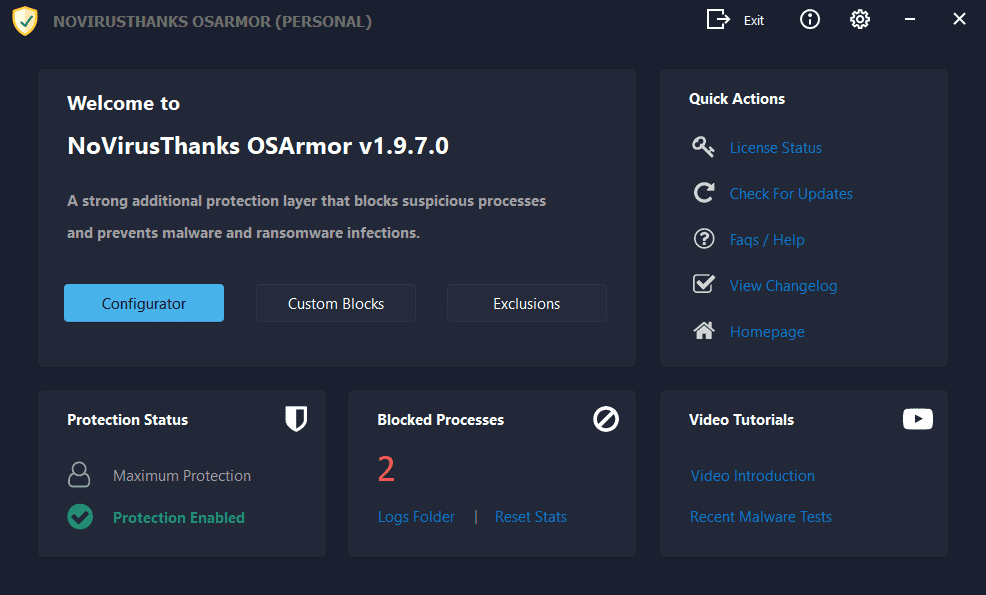
[11-Mar-2024] v1.9.7.0
+ Fixed all reported false positives
+ Added option "Export Logs to Desktop" on tray icon menu
+ Updated NoVirusThanks License Manager with latest version
+ On "New Vendors Added" window show also filenames
+ Play system sounds when message dialogs are displayed
+ Removed Exit button on main menu of Configurator
Download OSArmor for Windows 7, 8, 10, 11 (32 & 64-bit) | OSArmorIf you have automatic updates enabled then OSArmor should auto-update in the next hours.
Else you can install it "over-the-top" of the installed version, reboot is not needed.
In case you used test builds you need to install this final release "over-the-top".
If you find false positives or issues please let me know.
// Additional details:
This new option in the tray icon menu "Export Logs to Desktop" should make things easier when we ask a customer to send us the log files: now it is only needed to right-click on OSA tray icon -> "Export Logs to Desktop" and a file named OSArmor_Logs_Exported.zip will be created on the Desktop folder and it can then be sent to us easily.
And about "On "New Vendors Added" window show also filenames": along with the vendor it now shows also the filename from where the vendor was extracted.
www.wilderssecurity.com

Members who viewed this thread in the last 5 minutes


