

The MalwareTips app
Your community, one tap away.
Open MalwareTips from your Home Screen or desktop. Follow discussions, find answers and pick up where you left off.
- Home Screen access
- Optional push alerts
- Your community
You're ready to explore.Explore what's new
Installation instructions
iPhone & iPad
- Open MalwareTips in Safari and tap Share. You may need to open the Page Menu first.
- Choose Add to Home Screen. If it is not listed, use Edit Actions to add it.
- Keep Open as Web App enabled if shown, then tap Add.
Android
- Open MalwareTips in Chrome or another browser that supports app installation.
- Open the browser menu and look for Install app, Install and create shortcut, or Add to Home screen.
- Choose Install and confirm. Wording varies by browser.
Desktop
- Chrome: use the install icon in the address bar, or the menu under Cast, save and share.
- Edge: open the menu, then More tools, Apps and Install this site as an app.
- Safari on Mac: choose Share or File, then Add to Dock. Firefox on Windows: look for the web apps button in the address bar.
If you cannot find an install option, update your browser or use its bookmark option to keep MalwareTips close.
Keep up with your conversations
After installation, open the app and sign in. Enable push notifications in Preferences if you want alerts. On iPhone and iPad, push requires a Home Screen web app and iOS or iPadOS 16.4 or later.
Sign in to manage notificationsInstallation is optional. Your notification settings stay under your control.
You are using an out of date browser. It may not display this or other websites correctly.
You should upgrade or use an alternative browser.
You should upgrade or use an alternative browser.
New Update Opera Stable Update Thread


Opera 70 comes with easier access to closed tabs, simpler searches, and new Workspace icons
With Opera 70, we’ve focused on improving existing features and tools based on user suggestions and extensive testing.
 blogs.opera.com
Opera 70.0.3728.95 Stable update
Hello again, Here is the new, updated Opera 70 Stable build. It comes with a small stability update and some other fixes based on user feedback. Chromium is updated to version 84.0.4147.105. For the complete list of fixes, see the full changelog. Known issues: [Mac] Toolbar in fullscreen...
blogs.opera.com
Changelog for 70
70.0.3728.189 – 2020-09-15 blog post DNA-87935 Make SSD smaller by 25% DNA-88039 Crash at non-virtual thunk to opera::ExtensionInstallInfoBarDelegate::OnInfoBarRemoved(infobars::InfoBar*, bool) DNA-88537 Don’t filter out hashes from feature reference groups coming from rollout DNA-88580...
blogs.opera.com
Last edited:
Opera 70.0.3728.119 Stable update
Hi, this is Opera 70 Stable update with pretty short list of changes, which can be found here. Installation links: Opera Stable for Windows Opera Stable for macOS Opera Stable for Linux – deb packages Opera Stable for Linux – RPM packages Opera Stable for Linux – snap package
blogs.opera.com
Setup PCPC setup
Opera stable version 70.0.3728.133 is available thru your browser's updater. 
Changelog for 70
70.0.3728.133 – 2020-08-25 blog post
blogs.opera.com
Changelog for 70
70.0.3728.133 – 2020-08-25 blog post
- CHR-8053 Update chromium on desktop-stable-84-3728 to 84.0.4147.125
- DNA-87289 Crash at views::NativeWidgetMacNSWindowHost::OnNativeViewHostDetach(views::View const*)
- DNA-87831 [Linux] Sidebar panel cannot be pinned
- DNA-88057 [Win] Black rectangle flickers at the bottom of the page on startup
- DNA-88157 Sidebar Messenger too low in FullScreen mode
- DNA-88238 [macOS 10.15] Toolbar buttons not visible on inactive tab
Opera Desktop
Get the latest information about our desktop browser direct from the Opera Desktop team.
blogs.opera.com
Opera 70.0.3728.144 Stable update
Hello everyone, it’s Monday and here comes the new Opera Stable update based on chromium version 84.0.4147.135. See other fixes in here. Installation links: Opera Stable for Windows Opera Stable for macOS Opera Stable for Linux – deb packages Opera Stable for Linux – RPM packages Opera Stable...
blogs.opera.com
Setup PCPC setup
Opera has just updated to 70.0.3728.178.
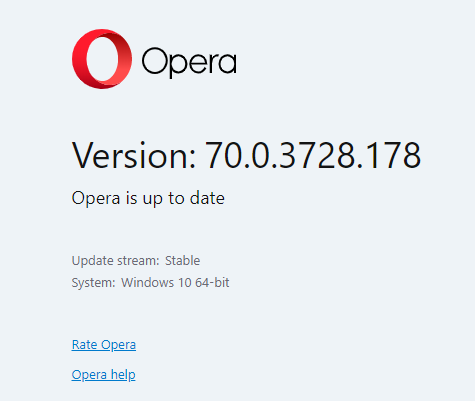
Doesn't look to be a changelog just yet. When there is, I'll try to update this post.
Doesn't look to be a changelog just yet. When there is, I'll try to update this post.
I'm not sure how long this " issue " been going on, but every single time I'm on the speeddial page and have one extra tab open or more, as soon I click that other tab and then go back by clicking on the speeddial tab, it always and 100% consistent scrolls back up to the top. I am always forced to scroll down again where I initially was. With many sites saved, it get's pretty annoying.
Anyone else noticed the same?
Btw, I have reported this to the Opera team, but I'm still curious to listen from others.
Anyone else noticed the same?
Btw, I have reported this to the Opera team, but I'm still curious to listen from others.
Setup PCPC setup
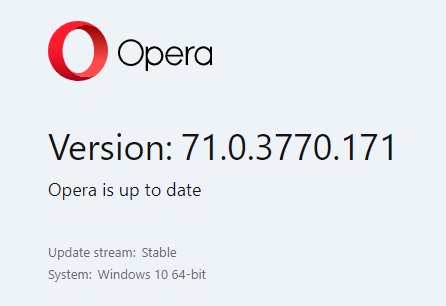
Opera has updated to version 71.0.3770.171
No changelog yet on the Blogs page. If someone else or the Bot doesn't beat me to it, I'll try to update this post.
No changelog yet on the Blogs page. If someone else or the Bot doesn't beat me to it, I'll try to update this post.
Opera 71.0.3770.228 Stable update
Hello, this is Opera 71 update, with some visual improvements and minor fixes. See all the changes in here. Installation links: Opera Stable for Windows Opera Stable for macOS Opera Stable for Linux – deb packages Opera Stable for Linux – RPM packages Opera Stable for Linux – snap package
blogs.opera.com
Opera 71.0.3770.271 Stable update
Hi there, this new stable update contains some crash fixes and minor improvements. See all the changes in here. Installation links: Opera Stable for Windows Opera Stable for macOS Opera Stable for Linux – deb packages Opera Stable for Linux – RPM packages Opera Stable for Linux – snap package
blogs.opera.com

Opera 72 update
Hello out there, Today, we’re happy to inform you that we’re releasing the Opera 72 update. What’s new? The main improvement this time around is in the Search Tabs feature. It’s now much easier to go through the search results and find the tab you want, since the results are sorted by...
blogs.opera.com
Tutorial link/option added in the sidebar.

 www.opera.com
Opera Browser
Opera is a secure, innovative browser used by millions around the world with a built-in ad blocker, free VPN, units converter, social messengers, battery saver and much more - all for your best browsing experience. Download Opera browser now and enjoy the Internet once again. Want to know more...
www.opera.com
Opera 72.0.3815.200 Stable update
Hello, this is Opera 72 Stable update with some minor UI improvements. All the changes are here. Installation links: Opera Stable for Windows Opera Stable for macOS Opera Stable for Linux – deb packages Opera Stable for Linux – RPM packages Opera Stable for Linux – snap package
blogs.opera.com
Setup PCPC setup
Been having a problem w/Opera this morning. After update to .200, both of my addons went missing, even though Opera's addons store claimed uBlock Origin specifically was installed. On a whim, I checked for another update and sure enough, there was one.
New version: 72.0.3815.207. Unfortunately, still can't find uBlock Origin. Hmmmm. Was this an expected outcome? For now, I have the Opera adblocker enabled. There's no changelog yet on the blogs page. Anyone have some insight?

New version: 72.0.3815.207. Unfortunately, still can't find uBlock Origin. Hmmmm. Was this an expected outcome? For now, I have the Opera adblocker enabled. There's no changelog yet on the blogs page. Anyone have some insight?
Setup PCPC setup
Yes, I looked for that, it's that cube icon, right? In my snip, you can see it's not there. Do you still have yours?
I tried reinstalling Opera just now, no dice. Microsoft Edge still has both my addons so I'm gonna have to figure something out on here.
Edit: Found them. I had to access the Extensions from the Settings sidebar. Once I did that, the cube re-appeared and I was able to toggle Trace and uBO back on. Phew, I wonder what happened? But now, Opera's good. By the way, that blue dot by downloads signifies Vivaldi was about to be installed....

I tried reinstalling Opera just now, no dice. Microsoft Edge still has both my addons so I'm gonna have to figure something out on here.
Edit: Found them. I had to access the Extensions from the Settings sidebar. Once I did that, the cube re-appeared and I was able to toggle Trace and uBO back on. Phew, I wonder what happened? But now, Opera's good.
By the way, that blue dot by downloads signifies Vivaldi was about to be installed....
Last edited:
Opera 72.0.3815.320 Stable update
Hello, this is Opera 72 Stable update. Chromium was updated to version 86.0.4240.183. Also, the address bar not responding to actions issue was fixed. All the changes are here. Installation links: Opera Stable for Windows Opera Stable for macOS Opera Stable for Linux – deb packages Opera Stable...
blogs.opera.com

Hopefully the sidebars notifications for extension updates also got fixed. But I noted that only seems to occur on a SUA ( standard user account ).

Gandalf_The_Grey
Level 86
Verified
Honorary Member
Top Poster
Content Creator
Well-known
Forum Veteran
Opera 72.0.3815.400 Stable update
Hello, this is Opera Stable update. It is based on chromium 88.0.4302.0 and has some Player fixes inside. Full changelog is here. Installation links: Opera Stable for Windows Opera Stable for macOS Opera Stable for Linux – deb packages Opera Stable for Linux – RPM packages Opera Stable for Linux...
blogs.opera.com
Hello,
this is Opera Stable update. It is based on chromium 88.0.4302.0 and has some Player fixes inside.
Full changelog is here.
Changelog for 72
72.0.3815.400 – 2020-11-25 blog post DNA-88996 [Mac] Vertical spacing of sidebar items incorrect DNA-89698 [Mac] text on bookmark bar not visible when application is not focused DNA-89746 Add product-name switch to Opera launcher and installer DNA-89779 Implement multi-window behavior for pinned...
blogs.opera.com
Gandalf_The_Grey
Level 86
Verified
Honorary Member
Top Poster
Content Creator
Well-known
Forum Veteran
Welcome everyone,
Today we’re happy to inform you that Opera 73 is now on the Stable branch, and getting better every day!
Search Tabs with close buttons
We’ve added another improvement to the Search Tabs feature. Every open tab line in your Search Tabs results now has a close button. The close button is visible when you select or hover over a line, similar to the behavior in the address bar dropdown.
Clicking the close button closes that particular tab. The closed tab is removed from the open tabs list (since it’s no longer open), and added to the recently closed list (since it has been recently closed).
More workspaces
The workspaces feature has been getting a lot of use, which means requests from its users – like the addition of more workspaces. Previously the limit was 5, but now you can have up to 24 individual workspaces – one for each of the icons.
Full changelog is here.
Installation links:

Opera 73 update
Welcome everyone, Today we’re happy to inform you that Opera 73 is now on the Stable branch, and getting better every day! Search Tabs with close buttons We’ve added another improvement to the Search Tabs feature. Every open tab line in your Search Tabs results now has a close button. The close...
blogs.opera.com
Changelog for 73
73.0.3856.344 – 2021-01-14 blog post CHR-8265 Update chromium on desktop-stable-87-3856 to 87.0.4280.141 DNA-90625 [Mac] Crash at opera::TabView::GetPaintData(opera::TabState) const DNA-90735 Crash at opera::BrowserSidebarModel::GetItemVisible(opera::BrowserSidebarItem const*) const DNA-90780...
blogs.opera.com
Recently browsing
Members who viewed this thread in the last 5 minutes
