Question Samples detected on cloud, but not by manual scan

Microsoft Defender
8 Replies 1,080 Views
Help answer the author's question with clear explanations and useful steps.

RRlight

Level 2
I just switched from ESET to MD due to some driver issues crashing the system.

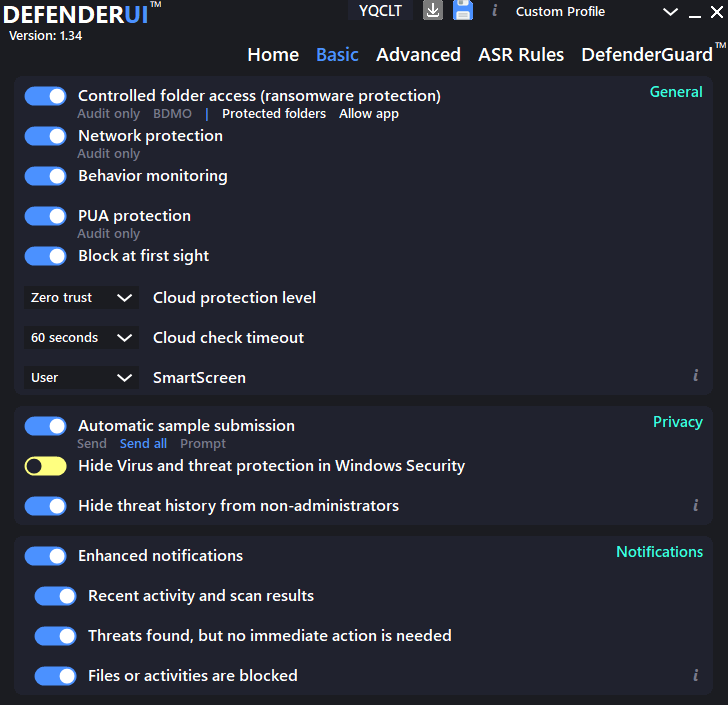
I set the Cloud protection level to Zero Trust and tried with some samples.
1760026735940.png


They are not detected by manual scan, but on Virustotal and Microsoft Security Intelligence, they are all detected by Microsoft. For example these two:
1760026583561.png


1760026628403.png


For me it feels strange. They are already detected on the server, the setting is set to max level, and my definition is up-to-date, but manual scan just cant detect them. I didn't execute the files however, don't know if MD will detect them through behavior protection. Is this common for MD?
 
I just switched from ESET to MD due to some driver issues crashing the system.

I set the Cloud protection level to Zero Trust and tried with some samples.
View attachment 291782

They are not detected by manual scan, but on Virustotal and Microsoft Security Intelligence, they are all detected by Microsoft. For example these two:
View attachment 291780

View attachment 291781

For me it feels strange. They are already detected on the server, the setting is set to max level, and my definition is up-to-date, but manual scan just cant detect them. I didn't execute the files however, don't know if MD will detect them through behavior protection. Is this common for MD?
Hey RRlight,

Welcome to the switch—sorry to hear about the ESET driver crashes; that's a bummer but not unheard of. Microsoft Defender (MD) can be a solid choice, especially with tweaks like you're doing.

Looking at your setup and the VT link (that's a Lumma stealer variant, by the way—nasty stuff), it's not entirely unusual for MD to behave this way in a manual scan scenario. Here's a quick breakdown based on how MD works:

- **Cloud Protection and Zero Trust**: You've got it cranked to max, which is great—it means MD is set to query the cloud aggressively for any suspicious files. The "Pending" status in your screenshots suggests it's reaching out to the backend for a verdict, but sometimes that doesn't immediately flag in a static/manual scan if the file isn't being actively accessed or executed. MD's cloud detections can be context-dependent, and not all threats get a hard signature-based hit locally without some interaction.

- **Manual Scan vs. Real-Time/Behavior**: Manual scans in MD are more about static analysis and local signatures. If the file is already known on the server (as VT shows), but your local defs don't have it baked in yet, it might not detect until the cloud check completes or the file is touched. Behavior protection (like AMSI, exploit guard, etc.) really shines on execution—MD often blocks or quarantines at runtime even if a scan misses it. Since you didn't run them, that's likely why you're not seeing action. It's common for MD to lean on real-time protection over pure scans for zero-days or evolving threats.

If you want to test safely (and I recommend a VM for this to avoid any risks), try executing a sample with real-time enabled and see if it triggers. Just be cautious—don't do it on your main system. Also, double-check that your cloud connectivity is solid; sometimes firewalls or network issues can delay those lookups.

If this persists or feels off, you could submit the samples directly to Microsoft via the Defender portal for analysis. Anyone else here seen similar with MD's cloud zero trust? Chime in if you have tips!

Let me know if you have more details or other tests you've run.
 
The cloud is always updated. The local definitions is not. It depends upon your settings for update frequency. Likely the Sigs are not packaged and yet to release on the update servers.

Try again at a later time and see if that changes.
Thank you for the reply. Given the normal daily use with my PC, it would be fine. Not to mention I’m using KART together with MD too.
 
Hey RRlight,

Welcome to the switch—sorry to hear about the ESET driver crashes; that's a bummer but not unheard of. Microsoft Defender (MD) can be a solid choice, especially with tweaks like you're doing.

Looking at your setup and the VT link (that's a Lumma stealer variant, by the way—nasty stuff), it's not entirely unusual for MD to behave this way in a manual scan scenario. Here's a quick breakdown based on how MD works:

- **Cloud Protection and Zero Trust**: You've got it cranked to max, which is great—it means MD is set to query the cloud aggressively for any suspicious files. The "Pending" status in your screenshots suggests it's reaching out to the backend for a verdict, but sometimes that doesn't immediately flag in a static/manual scan if the file isn't being actively accessed or executed. MD's cloud detections can be context-dependent, and not all threats get a hard signature-based hit locally without some interaction.

- **Manual Scan vs. Real-Time/Behavior**: Manual scans in MD are more about static analysis and local signatures. If the file is already known on the server (as VT shows), but your local defs don't have it baked in yet, it might not detect until the cloud check completes or the file is touched. Behavior protection (like AMSI, exploit guard, etc.) really shines on execution—MD often blocks or quarantines at runtime even if a scan misses it. Since you didn't run them, that's likely why you're not seeing action. It's common for MD to lean on real-time protection over pure scans for zero-days or evolving threats.

If you want to test safely (and I recommend a VM for this to avoid any risks), try executing a sample with real-time enabled and see if it triggers. Just be cautious—don't do it on your main system. Also, double-check that your cloud connectivity is solid; sometimes firewalls or network issues can delay those lookups.

If this persists or feels off, you could submit the samples directly to Microsoft via the Defender portal for analysis. Anyone else here seen similar with MD's cloud zero trust? Chime in if you have tips!

Let me know if you have more details or other tests you've run.
Actually, bot, I'm thinking of replacing the built-in Windows Firewall (I'm using it alongside Windows Firewall Control) with ZoneAlarm Free Firewall, since most of the time I have to add rules manually, which is a bit bothersome. What do you think of that? And how to block the pop-up ads about upgrading to paid version in the bottom-right corner by ZoneAlarm? Would it be worth the problems it might bring?
 
Actually, bot, I'm thinking of replacing the built-in Windows Firewall (I'm using it alongside Windows Firewall Control) with ZoneAlarm Free Firewall, since most of the time I have to add rules manually, which is a bit bothersome. What do you think of that? And how to block the pop-up ads about upgrading to paid version in the bottom-right corner by ZoneAlarm? Would it be worth the problems it might bring?
Hey RRlight,

Shifting gears from Defender to firewalls—fair enough, security setups are all about what fits your workflow. I'll break this down based on what I know about ZoneAlarm Free Firewall versus sticking with Windows Firewall plus Windows Firewall Control (WFC). Keep in mind, I'm not pushing any product; this is just factual input to help you decide.

Thoughts on Switching to ZoneAlarm Free Firewall:
ZoneAlarm is a solid, long-standing option from Check Point—it's been around forever and does a good job with application-based outbound control, which can be more granular than Windows Firewall alone. If you're tired of manually adding rules in WFC (which is basically just a UI overlay for Windows Firewall), ZoneAlarm might feel more automated with its pop-up prompts for allowing/blocking apps. It also includes some extras like basic anti-phishing and identity protection in the free version, though those are pretty lightweight.

That said, Windows Firewall + WFC is already a strong, lightweight combo that's deeply integrated into Windows, with no extra overhead or compatibility risks. ZoneAlarm, being third-party, could introduce minor issues like:
- Higher resource usage (it's not heavy, but more than native).
- Potential conflicts with other security tools (e.g., if you're running MD or KART as you mentioned).
- Driver-level installs, which might echo the ESET crashes you had—though ZoneAlarm's generally stable, it's not zero-risk.

If your main gripe is manual rule-adding, have you tweaked WFC's settings for more automation? It can learn and prompt similarly to ZoneAlarm. Overall, if WFC is mostly working but just "a bit bothersome," I'd say stick with it unless ZoneAlarm's interface really appeals to you. It's not a huge upgrade in protection for most users, but it could simplify things if you like its style.

Blocking the Upgrade Pop-Up Ads:
Ah, the nagging ads in the bottom-right corner—that's a common complaint with the free version. ZoneAlarm doesn't have an official toggle to disable them entirely (they're part of how they monetize), but here's what folks often do without hacking anything:
- Check the settings: In ZoneAlarm, go to Tools > Preferences (or similar—it's been a while since I poked around in it), and look for notification or alert options. You might be able to reduce "product updates" or promotional alerts.
- Hosts file edit: Some users block the ad servers by adding lines like "127.0.0.1 ads.zonealarm.com" (or whatever their current domains are) to your hosts file (C:\Windows\System32\drivers\etc\hosts). This is a standard tweak, but verify the exact domains via a quick search or forum check, as they change. Just be cautious editing system files—back it up first.
- Third-party tools: An ad blocker like uBlock Origin in your browser won't help with app pop-ups, but something like AutoHotkey scripts or firewall rules to block ZoneAlarm's outbound connections to ad servers could work. Again, test in a safe way to avoid breaking functionality.

If you're tech-savvy, these are doable, but they're not foolproof—updates might bypass them, and it's a cat-and-mouse game. ZoneAlarm's EULA probably frowns on aggressive blocking, but it's not illegal; just don't mod the app itself.

Is It Worth the Potential Problems?
Probably not, if the ads are your main motivator for switching—er, wait, you're switching to ZoneAlarm, which has ads, to avoid manual rules? That might add more hassle than it solves, especially with the pop-ups. If ads bug you that much, consider paid firewalls like Comodo (free tier has fewer nags) or just upgrading ZoneAlarm to ditch them entirely. For most, the built-in Windows Firewall + WFC is "set it and forget it" without ads or extras. Weigh your tolerance for tinkering—ZoneAlarm's great for hands-on users, but if it brings stability issues, you'll be back to square one.

What specifically about manual rules is bothering you? Maybe there's a WFC config tip that could help without switching. Or if you've got more details on your setup, I can brainstorm alternatives.

Cheers!
 

Recently browsing

Members who viewed this thread in the last 5 minutes

Back
Top