
Gandalf_The_Grey
Level 86
Verified
Honorary Member
Top Poster
Content Creator
Well-known
Forum Veteran
Still missing the links to our security configuration.I'll add them later. I forgot about them.


Open MalwareTips from your Home Screen or desktop. Follow discussions, find answers and pick up where you left off.
If you cannot find an install option, update your browser or use its bookmark option to keep MalwareTips close.
After installation, open the app and sign in. Enable push notifications in Preferences if you want alerts. On iPhone and iPad, push requires a Home Screen web app and iOS or iPadOS 16.4 or later.
Sign in to manage notificationsInstallation is optional. Your notification settings stay under your control.
 Thread starter
Jack
Thread starter
Jack
Still missing the links to our security configuration.I'll add them later. I forgot about them.

After a while I do think the same. The interface itself a bit too big for my liking, and the font size too. Though that could be just what I am used too as well.The theme is good looking but everything is a lot bigger now which I don't like. Less content on every page now. The sizing was perfect in the previous theme IMO.

This is probably a measure taken in anticipation of the spread of 4K displays in the future.After a while I do think the same. The interface itself a bit too big for my liking, and the font size too. Though that could be just what I am used too as well.

I've increased the font size to avoid Warnings about Mobile Usability by Google. The difference is not that big, previously we were using 14px for the main text and now it's 15px. I think the font style makes it look bigger. : )After a while I do think the same. The interface itself a bit too big for my liking, and the font size too. Though that could be just what I am used too as well.
That is true. In the old style I made the font smaller in account settings, which I assume isn't there any more with the current style. I think it was closer to 13px, but it's no biggie. Looks good, just a bit large for my personal taste. Just need to get used to it, is all.I've increased the font size to avoid Warnings about Mobile Usability by Google. The difference is not that big, previously we were using 14px for the main text and now it's 15px. I think the font style makes it look bigger. : )


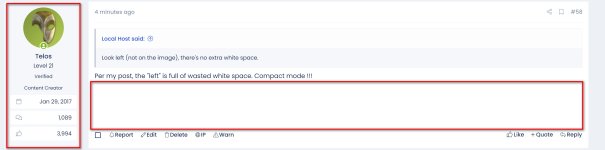
Look left (not on the image), there's no extra white space.
What's up with the extra "white space" at the end of my post. I entered "Edit" thinking I had left some empty hard returns, but there were none.
I see these in the posts ahead of mine here. It seems due to the line spacing in the user box to the left. Can that be further collapsed?


Same for me.At least for me, I can no longer tell which threads have new posts, as the titles no longer change colour.
I've changed the colors for read-unread (previously it was bold font for unread), however, you also have a dot that shows if the thread is unread or read.At least for me, I can no longer tell which threads have new posts, as the titles no longer change colour.
Dark theme Looks better than ever, but the white theme....its bit hard to see quote & quoted message, there should be box around quote
I'll add them, until then on your profile page, in the About section, there are fields for the configs. So basically, if you go to a member's profile you should see the link to its config.Hey @Jack
don't want to stress you out, but when will the security configs be linked to our profiles again? I know people asked already but I thought maybe you forgot about it.
Per my post, the "left" is full of wasted white space. Compact mode !!!Look left (not on the image), there's no extra white space.
Per my post, the "left" is full of wasted white space. Compact mode !!!
Look left (not on the image), there's no extra white space.

There is only that left border wich is black, but i cant see that black border as whole box around the quote if there is anyView attachment 261844
But, there is already a box around the quotes....
Members who viewed this thread in the last 5 minutes


