
Yes and my lic will expire on 7/1/2018Judging by the dwindling comments here over the past few days... I'd surmise VS v4 is ready to leave beta.


Open MalwareTips from your Home Screen or desktop. Follow discussions, find answers and pick up where you left off.
If you cannot find an install option, update your browser or use its bookmark option to keep MalwareTips close.
After installation, open the app and sign in. Enable push notifications in Preferences if you want alerts. On iPhone and iPad, push requires a Home Screen web app and iOS or iPadOS 16.4 or later.
Sign in to manage notificationsInstallation is optional. Your notification settings stay under your control.
Yes and my lic will expire on 7/1/2018Judging by the dwindling comments here over the past few days... I'd surmise VS v4 is ready to leave beta.
 isconnectisconnectisconnected
Issues with VPN is back. I have Mullvad and VS keeps giving a popup saying anti-exploit detected "c/windows/syswow64/route.exe". I click allow and it pops right back up and never remembers the choice. After clicking allow 10 times in 10 seconds I shut down VS.
Blocked: c:\windows\syswow64\route.exe | route delete 8000::/1 ::0 if 1 | c:\program files (x86)\mullvad\mullvad.exe
Process blocked by initial AntiExploit stage: c:\windows\syswow64\route.exe
[11-22-2017 09:54:50] [DEBUG] - DriverCommunicationService::Connect 10 threads
[11-22-2017 09:54:50] [DEBUG] - ->DriverCommunication.ctor
[11-22-2017 09:54:50] [DEBUG] - DriverCommunicationService::Enter main loop
[11-23-2017 07:04:45] [DEBUG] - DriverCommunicationService::Client disconnected
[11-23-2017 07:04:45] [DEBUG] - DriverCommunicationService:
[11-23-2017 07:04:45] [DEBUG] - Thread 0 Failed to stop
[11-23-2017 07:04:45] [DEBUG] - Thread 1 Failed to stop
[11-23-2017 07:04:45] [DEBUG] - Thread 2 Failed to stop
[11-23-2017 07:04:46] [DEBUG] - Thread 3 Failed to stop
[11-23-2017 07:04:46] [DEBUG] - Thread 4 Failed to stop
[11-23-2017 07:04:46] [DEBUG] - Thread 5 Failed to stop
[11-23-2017 07:04:46] [DEBUG] - Thread 6 Failed to stop
[11-23-2017 07:04:46] [DEBUG] - Thread 7 Failed to stop
[11-23-2017 07:04:47] [DEBUG] - Thread 8 Failed to stop
[11-23-2017 07:04:57] [DEBUG] - DriverCommunicationService::Connect 10 threads
[11-23-2017 07:04:57] [DEBUG] - ->DriverCommunication.ctor
[11-23-2017 07:04:57] [DEBUG] - DriverCommunicationService::Enter main loop
[11-23-2017 07:10:10] [DEBUG] - DriverCommunicationService:
[11-23-2017 07:10:10] [DEBUG] - DriverCommunicationService::Exit main loop
[11-23-2017 07:10:10] [DEBUG] - DriverCommunicationService:
[11-23-2017 07:10:10] [DEBUG] - DriverCommunicationService::Client disconnected

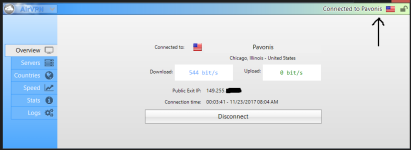

Same hereNo issues here with AirVPN:
View attachment 174111
isconnectisconnectedisconnect
Maybe post your VS logs for this program/time interval.Another crash.
[11-23-2017 10:11:51] [DEBUG] - DriverCommunicationService: Disconnect
...
 . I am still reviewing what bugs are left in our error reporting system, and it looks like we are getting close... and I truly appreciate your guys help working through the beta with me... now that was not so bad was it ..
Hmmm, odd... what is the path of Directory Opus?In the last few hours there is a recurence of a problem that I had with previous builds of version 4. Currently I am running 4.12b.
The problem is that one program, Directory Opus, freezes and I have to exit Voodooshield in order to make it work again. This was solved at some point after I installed a later beta.
The particular program is shown in the Whitelist both as a Snapshot and as Auto Allowed.
The paths shown in the Whitelist are "C:\Program Files\GPSoftware\Directory Opus\dopusrt.exe" and "C:\Program Files\GPSoftware\Directory Opus\dopus.exe"Hmmm, odd... what is the path of Directory Opus?
It's hard to say... can you please post a link so I can download Opus, and any instructions that might help to reproduce the error? Thank you!The paths shown in the Whitelist are "C:\Program Files\GPSoftware\Directory Opus\dopusrt.exe" and "C:\Program Files\GPSoftware\Directory Opus\dopus.exe"
To add to my previous observation, if I recall the problem was solved at the other time after you fixed something on your server. May be a coincidence?
Members who viewed this thread in the last 5 minutes


