Advice Request webcam security/privacy related question

Please provide comments and solutions that are helpful to the author of this topic.

dabluez98

Level 3
Thread author
Verified
Oct 2, 2018
138
285
167
Hi folks,

I use Kaspersky, and I recently enabled webcam protection. Now Kaspersky notifies me when anything wants to use my webcam. On odd occasions, in my web-browser the web-cam notification appears, but not for any sites that use my webcam. The popup also quickly disappears. I am trying to find a solution to prevent my web-browser from using the webcam at all.

One solution, which has me going into Windows 10 Settings --> Camera, and then Turning "Allow desktop apps to access your camera off" --> Although this solution solves the problem, it then disables webcam for a bunch of apps such as Zoom. Furthermore, there is no option to turn off desktop Camera access PER APP, its either ON or OFF for ALL. Do folks here have any solutions? Below are urls to some screenshots:

brave v7 CUAHxs WY — Postimages
brave y X1ab Fq JGZ Copy — Postimages
 
  • Like
Reactions: Nevi and The_King
Look at disabling WebRTC in your browser.


Hi folks,

I use Kaspersky, and I recently enabled webcam protection. Now Kaspersky notifies me when anything wants to use my webcam. On odd occasions, in my web-browser the web-cam notification appears, but not for any sites that use my webcam. The popup also quickly disappears. I am trying to find a solution to prevent my web-browser from using the webcam at all.

One solution, which has me going into Windows 10 Settings --> Camera, and then Turning "Allow desktop apps to access your camera off" --> Although this solution solves the problem, it then disables webcam for a bunch of apps such as Zoom. Furthermore, there is no option to turn off desktop Camera access PER APP, its either ON or OFF for ALL. Do folks here have any solutions? Below are urls to some screenshots:

brave v7 CUAHxs WY — Postimages
brave y X1ab Fq JGZ Copy — Postimages

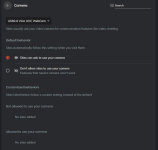
You may want to disable access to your webcam on settings in your browser Brave, I believe it's possible to block certain websites only or just to block all...
brave://settings/content/camera
brave.png
 
Thank you all. Oddly after selecting Don't allow sites to use your camera, the camera notification popped up by Kaspersky once (although less than before) in incognito mode. See But i was able to catch it in time and tell Kaspersky to block access from Brave. shot below. Maybe it's a one-off, I'll update.
brave g K6 A5k Mryg — Postimages

I am still looking into WebRTC.
 
Oddly after selecting Don't allow sites to use your camera, the camera notification popped up by Kaspersky once (although less than before) in incognito mode.
It may be that K sees the website making the request even though you've disabled camera access in your browser.
 
True, it's because of how Kaspersky's mechanism detects webcam access even though in reality, the webcam is not used or disabled in the app (browser).
For example, during login to Windows:
It's WbioSrvc (process Windows Biometric Service), so it should be ok. Therefore I don't understand why I'm seeing that notification all the time after logging in and I have to manually hide it, maybe it's really some bug. - User.
The biometric fingerprint recognition technology and the initial API call of the camera to recognize the face may trigger this detection. - Kaspersky community moderator.
In the previous version (not sure which) I can uncheck "Show notification when the webcam is in use" fixed the problem, but unfortunately in the current version, it's greyed out if I activate Webcam protection. It's not a bug, it's a feature? :LOL:
I don't how to fix this annoying issue but suggestions above from others might be worth the shot.