
Only Adguard from that list.Malwarebytes Browser Guard / Bitdefender Traffic Light / Ublock Origin / Adguard / Ghostery / Disconnect / any other (please specify)


Open MalwareTips from your Home Screen or desktop. Follow discussions, find answers and pick up where you left off.
If you cannot find an install option, update your browser or use its bookmark option to keep MalwareTips close.
After installation, open the app and sign in. Enable push notifications in Preferences if you want alerts. On iPhone and iPad, push requires a Home Screen web app and iOS or iPadOS 16.4 or later.
Sign in to manage notificationsInstallation is optional. Your notification settings stay under your control.
 Thread starter
anirbandutta01
Thread starter
anirbandutta01
Only Adguard from that list.Malwarebytes Browser Guard / Bitdefender Traffic Light / Ublock Origin / Adguard / Ghostery / Disconnect / any other (please specify)


DNS-over-HTTPS settings on Firefox? I changed DOH to NextDNS with Ublock Origin but it unable to block a malware / trojan website while Malwarebytes Browser Guard extension detect malware / trojan.Honestly, just Ublock Origin + NextDNS for Firefox if you are a bit more serious on Privacy & Security. And you dont need to install a 17,78mb heavy Addon from Malwarebytes ... what is installed even bigger. NextDNS has the same Protections like Malwarebytes Browser Guard + even more features (except of Skimmer Protection) and you dont need to install anything.
*I can recommend you additionally to that an Anti-Fingerprint Extension like Canvasblocker on "stealth" or "max settings" or Jshelter with "recommend" settings.

You need to use one of their pricing substriction , free is 300k queries a month...doubt the firefoxs doh blocks anythingDNS-over-HTTPS settings on Firefox? I changed DOH to NextDNS with Ublock Origin but it unable to block a malware / trojan website while Malwarebytes Browser Guard extension detect malware / trojan.

Most definitely ...though i dont think that malware is the problem that exist, its more of an phishing nowadays.
... which is why this is a good bet as is MB.you could give netcraft a go aswell

The free uBlock Origin (or Adguard Browser Extension, which is not as good as uBlock Origin, in my opinion, but it is my third favorite ad blocker after Brave Browser's built-in ad blocker; but uBlock Origin is better than those two) and Malwarebytes Browser Guard web browser extensions, the free Adguard DNS default public DNS servers as your DNS service, and your web browser's free built-in security / privacy protections.Which browser extension is good? Privacy, Security & low impact on browser ( firefox already using lots of RAM )
Malwarebytes Browser Guard / Bitdefender Traffic Light / Ublock Origin / Adguard / Ghostery / Disconnect / any other (please specify)
I'm currently using K7 Antivirus Premium with Ublock & Malwarebytes Browser Guard
Firefox & Chrome extension

CookieAutodelete - it prevents cookieles cookies, it prevents a lot of malware from working by "merely" cleaning caches. It is an ultimate extension for privacy and security.Which browser extension is good? Privacy, Security & low impact on browser

 adguard-dns.io

 malwaretips.com

 www.ghacks.net
 github.com

Most likely unnecessary to use containers for most people.Are you using
What are Firefox Containers? How do they help us? - gHacks Tech News
What are Firefox Containers? How do they help us? Let's explain how internet tracking works, and how you can use Firefox Containers to prevent that.
In Firefox this is another good way to maintain some privacy. websites in one container can't track what you do in another container.

Home
Firefox Add-on that lets you open automatically managed disposable containers - stoically/temporary-containers
 blog.mozilla.org
True, but I like to try and isolate things like the other types of tracking that businesses like Facebook use which can still track us even if we don't have a FB account.Most likely unnecessary to use containers for most people.
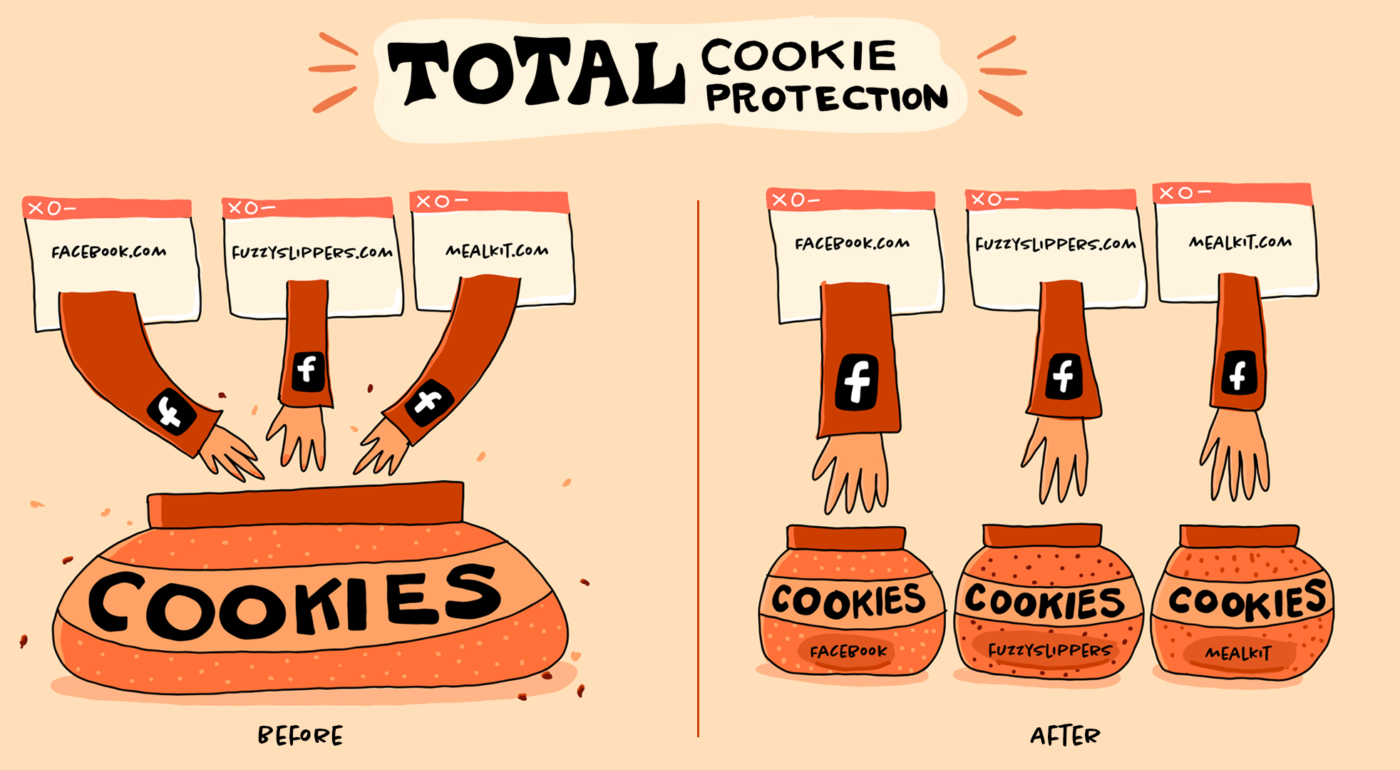
Firefox 86 Introduces Total Cookie Protection – Mozilla Security Blog
Total Cookie Protection is a major anti-tracking advance in Firefox that confines cookies to the site where they were created.
If one is not using Facebook one should simply block all facebook related domains. But I get your point.True, but I like to try and isolate things like the other types of tracking that businesses like Facebook use which can still track us even if we don't have a FB account.

Facebook Pixel and Like are seemingly everywhere.If one is not using Facebook one should simply block all facebook related domains. But I get your point.
This page on the Adguard site has a fairly comprehensive list of DNS providers, some are free, some open-source and some for specific purposes. The information provided should give you a clear idea of what suits your needs the best.
Known DNS Providers | AdGuard DNS Knowledge Base
Here we suggest a list of trusted DNS providers. To use them, first install AdGuard Ad Blocker or AdGuard VPN on your device. Then, on the same device, click the link to a provider in this article
I would steer clear of the Google and Cloudflare ones for privacy reasons. Quad9 may be the best to use from that list, or use Adguard ones.
You need to create a free Account and use your ID given url there , not the standard predetermined NextDNS settings in Firefox. You can also add your custom configuration IP in the network settings in windows (only ipv6) , so it works systemwide (what i would more recommend) and maybe another blocklist if you want , like "oisd" for example .What is from my opinion the best one ,it blocks all the nasty things and even exploits and ransomware and it doesnt break any pages. "WindowsSpyBlocker (Spy)" blocklist is also very recommend to block more Spy/Telemetry alongside NextDNS´ "Native Tracking Protection" services in Windows 10 & 11. Just take a look, there are many great options and lists there.DNS-over-HTTPS settings on Firefox? I changed DOH to NextDNS with Ublock Origin but it unable to block a malware / trojan website while Malwarebytes Browser Guard extension detect malware / trojan.
Okay thanks, please give me the link of Emsisoft browser extension which your recommendationYou need to create a free Account and use your ID given url there , not the standard predetermined NextDNS settings in Firefox. You can also add your custom configuration IP in the network settings in windows (only ipv6) , so it works systemwide (what i would more recommend) and maybe another blocklist if you want , like "oisd" for example .What is from my opinion the best one ,it blocks all the nasty things and even exploits and ransomware and it doesnt break any pages. "WindowsSpyBlocker (Spy)" blocklist is also very recommend to block more Spy/Telemetry alongside NextDNS´ "Native Tracking Protection" services in Windows 10 & 11. Just take a look, there are many great options and lists there.
Adguard DNS unfortunately doesn't have all that. There are only blocklists that you can add if you create an account there . Its by the way also limited like NextDNS to 300,000 queries per month, but what is acually really generous enough.
But If you absolutely want to use a Security Extension for Pishing/Malware besides Ublock Origin, then i can only recommend you the one from Emsisoft. Its also Browser independent like Malwarebytes Browser Guard,very very light and sends zero data at home.
Here is a little preview from "some" of the main settings: View attachment 270337View attachment 270335
Okay thanks, please give me the link of Emsisoft browser extension which your recommendation
Is it safe to use Brave browser on desktop?The free uBlock Origin (or Adguard Browser Extension, which is not as good as uBlock Origin, in my opinion, but it is my third favorite ad blocker after Brave Browser's built-in ad blocker; but uBlock Origin is better than those two) and Malwarebytes Browser Guard web browser extensions, the free Adguard DNS default public DNS servers as your DNS service, and your web browser's free built-in security / privacy protections.

Does Bitdefender Traffic Light blocks same as Malwarebytes Browser Guard??In my humble opinion, I would use Bitdefender Traffic Light & Ublock Origin @anirbandutta01
Not necessarily. Malwarebytes Browser Guard focuses on filtering out ads and trackers, scammers, phishing and malware. Bitdefender Traffic Light, meanwhile, is more effective at blocking phishing, links and pages with malware.Does Bitdefender Traffic Light blocks same as Malwarebytes Browser Guard??
Members who viewed this thread in the last 5 minutes


