it wont stay on set page comes up set tabWhat's the problem? If you don't mind and @shmu26 is ok to debug here
it wont stay on set page comes up set tabWhat's the problem? If you don't mind and @shmu26 is ok to debug here

it wont stay on set page comes up set tab
yes sorry not very good at explaining myselfYou mean the home page is being changed by something?

Maybe you need to make a post here. Malware Removal Assistanceyes sorry not very good at explaining myself
yes sorry not very good at explaining myself

Fine with me.What's the problem? If you don't mind and @shmu26 is ok to debug here
On MalwareTips, yeah. Ask this question in other security forums, and you might find other results.At this point, it looks like Windows 10 is winning hands down.
Hi i just downloaded google chrome repair tool and run it and so far it seems to be working thanks for the advice .Maybe you need to make a post here. Malware Removal Assistance


Interesting stats.Windows 7 is still leading globally:
Desktop windows versions market share Worldwide | StatCounter Global Stats
USA stats (Windows 10 takes the lead):
Desktop windows versions market share in United States Of America | StatCounter Global Stats
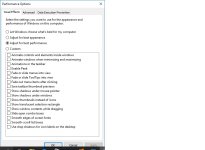
Did you guys change your computer mode to higher performance/lower appearance?
When my wife's PC acts up, then I know it wasn't because of my tinkering with security softs. Admittedly, her computer has much less problems than mine.PS if you remove a few security software you use or play with i am sure you will have less issues. I have a feeling they might attribute to your issues.
I agree that the blame lies with the lazy devs, but unfortunately, there are a lot of them, and some of their products are pretty popular here on MT. I won't mention any names, for fear of starting a riot...I think product developers have plenty of time updating broken builds on newer version of Windows. This is why MS provides different update branches. So if one software doesn't work on newer Windows versions, i would blame the developers (not MS).