Troubleshoot Windows Defender is not disable by Kaspersky

JB007

Level 26
Thread author
Verified
Top Poster
Well-known
Forum Veteran
May 19, 2016
1,567
1
6,553
2,469
France
Hello,
I have explained here (post #24) Need Help - Apps do not launch from start menu and Windows search do not work ; my problems with Avast and that I have replaced it by Kaspersky Internet Security 2017.
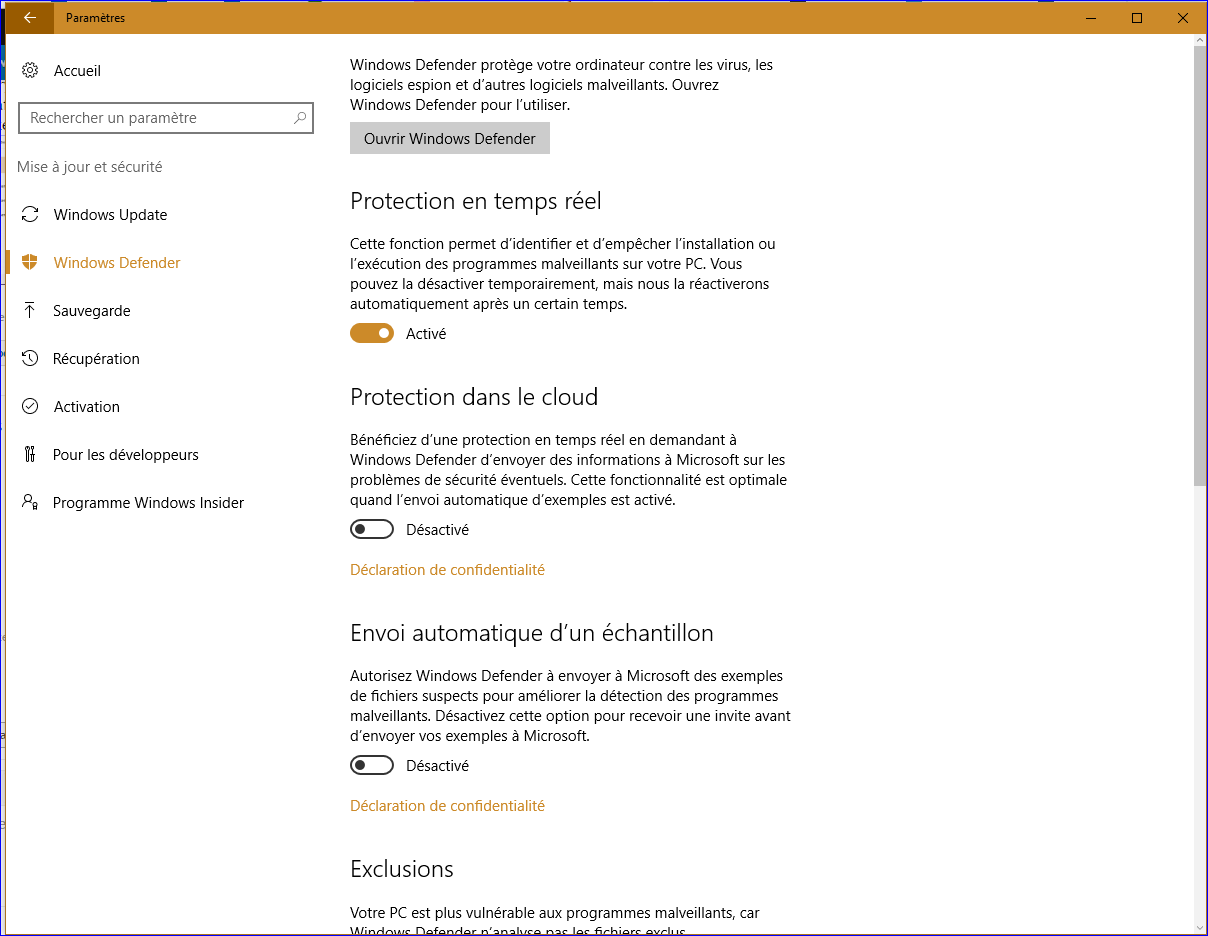
Windows Defender continues to run along Kaspersky and when I try to disable it manually, when I reboot my PC Windows Defender is again running :confused:
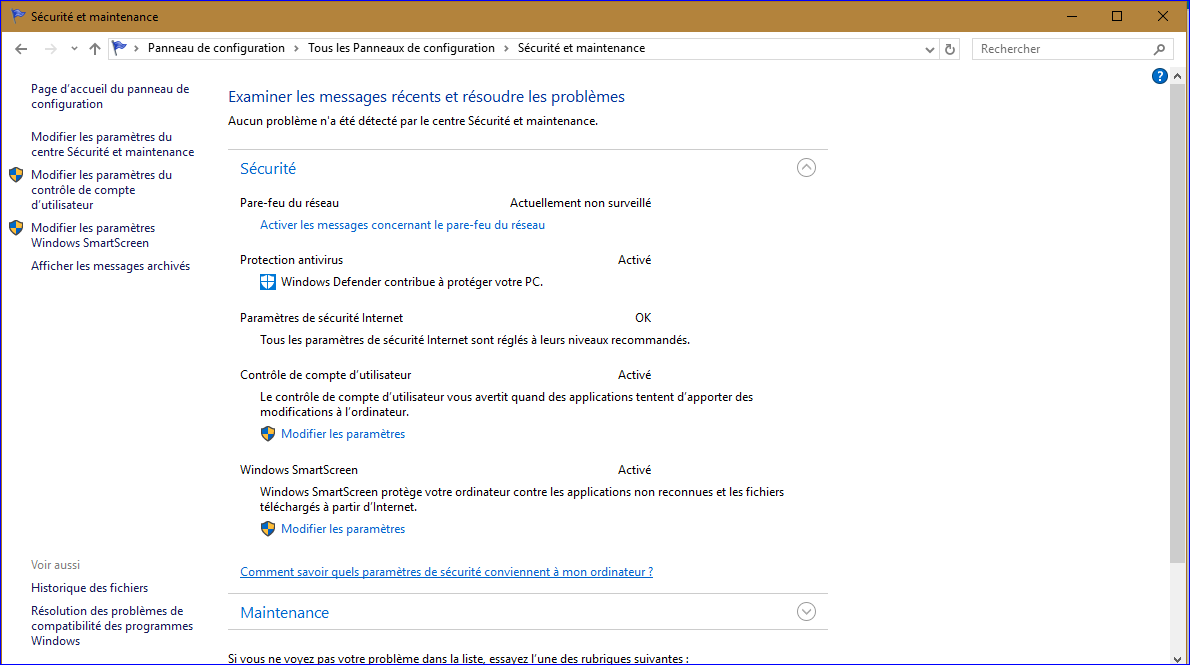
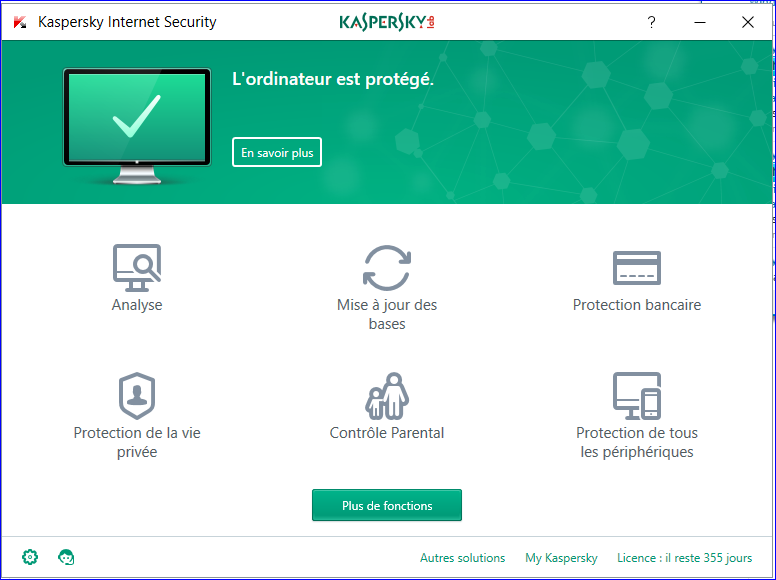
If I look on the security panel I don't see Kaspersky but Kaspersky is running OKo_O
Can you help me ?
WD1.PNG
WD2.PNG
WD3.PNG
WD4.PNG
 
  • Like
Reactions: Deleted member 2913
U can disable defender completly via reg edit:

  • Win + R drücken regedit eingeben und starten
  • Zum Pfad: HKEY_LOCAL_MACHINE\SOFTWARE\Policies\Microsoft\Windows Defender gehen.
    • Ist Windows Defender nicht vorhanden, dann:
    • Rechtsklick auf Microsoft / Neuer Schlüssel mit dem Namen Windows Defender
  • Im rechten Fenster nun ein Rechtsklick /Neu DWORD-Wert (32-bit) mit dem Namen DisableAntiSpyware
  • DisableAntiSpyware doppelt anklicken und den Wert auf 1 setzen.

Its in german but not hard to make it in our lounge i hope :)
 
Upvote 0
If you follow @Janl1992l then make sure to backup your registry first (since it'll be easier to revert than changing back the value).

Please follow these instructions and let me know the result:

1. Please download the Eicar Test File (this file is perfectly harmless however it's detected by most AV engines for testing purposes - it contains a set of bytes which will trigger the detection since the bytes are in the DB for most AV products): http://www.eicar.org/download/eicar.com.txt

2. Let me know if the download is successful, or if Kaspersky/WD intervened.

Thanks :)
 
Upvote 0
U can disable defender completly via reg edit:

  • Win + R drücken regedit eingeben und starten
  • Zum Pfad: HKEY_LOCAL_MACHINE\SOFTWARE\Policies\Microsoft\Windows Defender gehen.
    • Ist Windows Defender nicht vorhanden, dann:
    • Rechtsklick auf Microsoft / Neuer Schlüssel mit dem Namen Windows Defender
  • Im rechten Fenster nun ein Rechtsklick /Neu DWORD-Wert (32-bit) mit dem Namen DisableAntiSpyware
  • DisableAntiSpyware doppelt anklicken und den Wert auf 1 setzen.
Here in English:
  1. Use the Windows key + R keyboard shortcut to open the Run command, type regedit, and click OK to open the registry.
  2. Browse the following path:

    HKEY_LOCAL_MACHINE\SOFTWARE\Policies\Microsoft\Windows Defender

  3. If you don't see DWORD DisableAntiSpyware, right-click on an empty space, select New, and click on DWORD (32-bit) Value.
  4. Name the key DisableAntiSpyware.
  5. Double-click the newly created key, and set the value from 0 to 1
@JB007 I advise you to make a system restore point before trying this. Good Luck!
 
Upvote 0
There's a small program called Defender Control, it disables WD.
Link Defender control v1.2
Yes, but messing with features like WD in this way are not good and may cause more trouble later down the road than good. As well as this, even if he does remove WD, his Kaspersky security may not even be working because WD should have been disabled when Kaspersky was enabled... Therefore, it's better to investigate and find out why this is happening and resolve it using documented supported methods as opposed to going round manipulating the registry (for the record, I'm pretty sure that Defender Control just changes the registry like @Parsh and @Janl1992l suggested however I can always download it and check).
 
Upvote 0
Yes, but messing with features like WD in this way are not good and may cause more trouble later down the road than good. As well as this, even if he does remove WD, his Kaspersky security may not even be working because WD should have been disabled when Kaspersky was enabled... Therefore, it's better to investigate and find out why this is happening and resolve it using documented supported methods as opposed to going round manipulating the registry (for the record, I'm pretty sure that Defender Control just changes the registry like @Parsh and @Janl1992l suggested however I can always download it and check).
I will agree with that. First thing we can do is to investigate whether Windows does detect another AV (Kaspersky here) or not, through Control Panel. If it does, then a not-so-obvious issue is preventing this thing. If it does not, maybe manipulating KIS settings or a clean reinstall of Kaspersky can help.
 
Upvote 0
Yes, but messing with features like WD in this way are not good and may cause more trouble later down the road than good.
How is different to the advise given by @Janl1992l?

@JB007Temporary disable Kaspersky protection.

Run the Avast Uninstall Tool from Avast Uninstall Utility | Download aswClear for Avast Removal . It should not matter if ran im Safe or Normal mode, but execute from Windows Desktop. Restart Windows.

You can try to run a repair installation for Kaspersky and restart Windows once more.
 
Upvote 0
I've read about this on other internet forums. Apparently, even if you disable Windows Defender, after next few updated Windows Defender will be enabled again. Same is with bigger updates and Windows 10 settings, after upgrade some settings resets itself on default values (I'm talking from personal experience).
 
Upvote 0
I've read about this on other internet forums. Apparently, even if you disable Windows Defender, after next few updated Windows Defender will be enabled again. Same is with bigger updates and Windows 10 settings, after upgrade some settings resets itself on default values (I'm talking from personal experience).
Hm with the reg tweak it never enable it itself by me since almost 1 year. should work even after big updates.
 
Upvote 0
Hello,
Thanks all for your replies:)
Please reply with what can you read under 'Virus Protection' in 'Security and Maintenance' in Control Panel as shown below.
In my case, Windows detects an AV (Avast).
View attachment 137392
@Parsh, thanks
I have yet posted this screen shot, Kaspersky is not detected, only WD.
WD3.PNG


U can disable defender completly via reg edit:

  • Win + R drücken regedit eingeben und starten
  • Zum Pfad: HKEY_LOCAL_MACHINE\SOFTWARE\Policies\Microsoft\Windows Defender gehen.
    • Ist Windows Defender nicht vorhanden, dann:
    • Rechtsklick auf Microsoft / Neuer Schlüssel mit dem Namen Windows Defender
  • Im rechten Fenster nun ein Rechtsklick /Neu DWORD-Wert (32-bit) mit dem Namen DisableAntiSpyware
  • DisableAntiSpyware doppelt anklicken und den Wert auf 1 setzen.

Its in german but not hard to make it in our lounge i hope :)
Thanks @Janl1992l
I'm just waiting a bit before going on the register and modifying it;)

If you follow @Janl1992l then make sure to backup your registry first (since it'll be easier to revert than changing back the value).

Please follow these instructions and let me know the result:

1. Please download the Eicar Test File (this file is perfectly harmless however it's detected by most AV engines for testing purposes - it contains a set of bytes which will trigger the detection since the bytes are in the DB for most AV products): http://www.eicar.org/download/eicar.com.txt

2. Let me know if the download is successful, or if Kaspersky/WD intervened.

Thanks :)
@Wave, thanks I tried the download and the file is detected by both WD and Kaspersky.
WD5.PNG


Here in English:
  1. Use the Windows key + R keyboard shortcut to open the Run command, type regedit, and click OK to open the registry.
  2. Browse the following path:

    HKEY_LOCAL_MACHINE\SOFTWARE\Policies\Microsoft\Windows Defender

  3. If you don't see DWORD DisableAntiSpyware, right-click on an empty space, select New, and click on DWORD (32-bit) Value.
  4. Name the key DisableAntiSpyware.
  5. Double-click the newly created key, and set the value from 0 to 1
@JB007 I advise you to make a system restore point before trying this. Good Luck!
@Parsh , thanks for the translation;)
 
Upvote 0
How is different to the advise given by @Janl1992l?

@JB007Temporary disable Kaspersky protection.

Run the Avast Uninstall Tool from Avast Uninstall Utility | Download aswClear for Avast Removal . It should not matter if ran im Safe or Normal mode, but execute from Windows Desktop. Restart Windows.

You can try to run a repair installation for Kaspersky and restart Windows once more.
Hello @Spawn
Thanks, are you sure about Safe or Normal mode because on Avast site they say Safe mode... ?
 
Upvote 0
Hum,
I just looking at WD parameters on another PC and I saw that the "Limited Periodic Scanning" feature is missing on my PC with the issue.
What do you think about this ?
WD6.PNG

WD1.PNG
 
  • Like
Reactions: Deleted member 2913
Upvote 0
Hello,
Thanks all for your replies:)

@Parsh, thanks
I have yet posted this screen shot, Kaspersky is not detected, only WD.
View attachment 137441
As suspected. Now, uninstall KIS from your system followed by using Kaspersky removal tool to make a clean removal of Kaspersky.
Then, after restart of system, install KIS again. This should hopefully solve the issue.
 
Upvote 0
As suspected. Now, uninstall KIS from your system followed by using Kaspersky removal tool to make a clean removal of Kaspersky.
Then, after restart of system, install KIS again. This should hopefully solve the issue.
Hi @Parsh
Thanks, I will try but not sure to use Kaspersky removal tool because it caused me a great issue on another PC, an also for other MalwareTips members... This issue was solved thanks to the MalwareTips community and especially @Xtwillight and @Evjl's Rain :): Need Help - Error 0x81000203
 
Upvote 0