Solved Windows Process Manager (32-Bit) Virus

Status
Not open for further replies.

zb123

New Member
Thread author
Nov 15, 2017
6
1
3
Mt Pleasanr
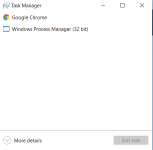
I recently clicked on some sort of ad when installing a program and found that I had a virus that kept opening pop-ups. I fixed this, but have now noticed an app running in task manager called Windows Process Manager (32-bit). I have tried opening the file location but it says Access Denied. I assume it is some sort of spyware and is taking almost one gig of RAM. Pls help!
Thanks,
Zach
 

Attachments

Hello,


adwcleaner_new.png
Fix with AdwCleaner

Please download AdwCleaner by Xplode and save the file to your Desktop.
  • Right-click on
    adwcleaner_new.png
    icon and select
    RunAsAdmin.jpg
    Run as Administrator to start the tool.
  • Accept the Terms of use.
  • Wait until the database is updated.
  • Click Scan.
  • When finished, please click Clean.
  • Your PC should reboot now.
  • After reboot, logfile will be opened. Copy its content into your next reply.

Note: Reports will be saved in your system partition, usually at C:\Adwcleaner
 
Download
51a5f31352b88-icon_MBAR.png
Malwarebytes Anti-Rootkit to your desktop.
  • Double-click the icon to start the tool.
  • It will ask you where to extract it, then it will start.
    • If it didn't start, locate mbar folder on your Desktop and double click on mbar.cmd

      14kz52w.png

  • Warning! Malwarebytes Anti-Rootkit needs to be run from an account with administrator rights.
  • Click in the introduction screen "next" to continue.
  • Click in the following screen "Update" to obtain the latest malware definitions.
  • Once the update is complete select "Next" and click "Scan".
  • When the scan is finished and no malware has been found select "Exit".
  • If malware was detected, make sure to check all the items and click "Cleanup". Reboot your computer.
  • Open the MBAR folder and paste the content of the following files in your next reply:
    • "mbar-log-{date} (xx-xx-xx).txt"
    • "system-log.txt"
 
Status
Not open for further replies.