RoboMan
Level 39
Verified
Honorary Member
Top Poster
Content Creator
Well-known
High Reputation
Forum Veteran
- Describe the problem
- I can't block browser mining scripts
- What have you tried?
- Mentioned in the thread
This is... weird. I can't block coin-miners scripts on any browser on my system.
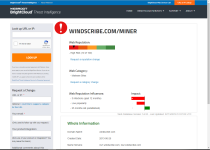
I have AdGuard for PC with a lifetime license. I have some filters, including coinminers filter. But I can't block, for example, this specific site:
Crypto-mining URL Warning!
(which is a referral link a user here posted so we could help him browser mine for extra Windscribe GB's).
When I load it, I get no notification from AdGuard, which is active, and my GPU and CPU numbers show I'm mining. Posted on Adguard Github page: windscribe.com · Issue #19475 · AdguardTeam/AdguardFilters and I got told they're not having that issue at all.
So, here I said: let's try another thing.
1. Installed NoCoin extension. No blocking
2. Installed MinerBlock. No blocking
3. Installed ScriptSafe for godsake. No blocking.
Right here I started thinking it was a browser issue. Tried few several others. No blocking.
Okay RoboMan, time to think. Okay, we may have some incompatibilities. Which software may be screwing web filtering? Well obviously my antivirus.
4. Disabled Kaspersky web script injection. No blocking
5. Disabled Kaspersky whole Web Module. No blocking
What else? I have OSArmor and MBAE.
6. Disabled both. No.goddamn.bocking.
So this is my lifestory, please drop a like and suscribe, If it's the first time you watch any of my videos please share it with your friends
PS: HELP OR I'M GONNA BECOME A BURNED OUT ROBOT
I have AdGuard for PC with a lifetime license. I have some filters, including coinminers filter. But I can't block, for example, this specific site:
Crypto-mining URL Warning!
Code:
https://windscribe.com/miner/76ymafneWhen I load it, I get no notification from AdGuard, which is active, and my GPU and CPU numbers show I'm mining. Posted on Adguard Github page: windscribe.com · Issue #19475 · AdguardTeam/AdguardFilters and I got told they're not having that issue at all.
So, here I said: let's try another thing.
1. Installed NoCoin extension. No blocking
2. Installed MinerBlock. No blocking
3. Installed ScriptSafe for godsake. No blocking.
Right here I started thinking it was a browser issue. Tried few several others. No blocking.
Okay RoboMan, time to think. Okay, we may have some incompatibilities. Which software may be screwing web filtering? Well obviously my antivirus.
4. Disabled Kaspersky web script injection. No blocking
5. Disabled Kaspersky whole Web Module. No blocking
What else? I have OSArmor and MBAE.
6. Disabled both. No.goddamn.bocking.
So this is my lifestory, please drop a like and suscribe, If it's the first time you watch any of my videos please share it with your friends
PS: HELP OR I'M GONNA BECOME A BURNED OUT ROBOT
Last edited: