Good choice.Update 22/04/2020
I read @stefanos good review about WD, so I decided to try my PC more "Microsofted"
Replaced FortiClient with Windows Defender + ConfigureDefender
Replaced Google Chrome with Microsoft Chromium-Edge
Good choice.Update 22/04/2020
I read @stefanos good review about WD, so I decided to try my PC more "Microsofted"
Replaced FortiClient with Windows Defender + ConfigureDefender
Replaced Google Chrome with Microsoft Chromium-Edge
Have u edited TVL? Just delete all them, all file will be unknown, select all, click on verify, and u are done build u own filter list. Now only trusted malware will be a problem xD. When i use comodo firewall i copy some sponsor from hard configurator by @Andy Ful (the script interpreters+enhanced) under script protection programs.Update 05/05/2020
Installed Comodo Internet Security v12.2.2.7036 (Firewall + Antivirus):
- Proactive Security
- Autocontainment set to block unknown files
- HIPS disabled
- Web filter disabled
I just wanted to try the latest release
So far, so good, quite stable and light on resources![]()
Never done that, it's more bothersome than useful.Have u edited TVL? Just delete all them, all file will be unknown, select all, click on verify, and u are done build u own filter list. Now only trusted malware will be a problem xD. When i use comodo firewall i copy some sponsor from hard configurator by @Andy Ful (the script interpreters+enhanced) under script protection programs.
If you install the full suite (FW + AV) or the antivirus only, you get the local database too (around 400Mb). If you install the firewall only, you only get the cloud lookup (which is available on antivirus and suite too).@imuade
Have u idea if CIS come with local av database? Or is based on cloud? Their website confused me a bit
I understand u, i have almost the same config, except i use windows defender. If u dont have problem with chinese av u can try quihoo (cloud+ nice sandbox) or huorong (nice hips).Update 01/06/2020
Still issues with FortiClient Web Filter, so I have decided to give it up.
Now my security settings are built around Hard_Configurator.
I'm using "Windows_10_Recommended_Enhanced" profile and I have whitelisted my "Portable_SW" folder.
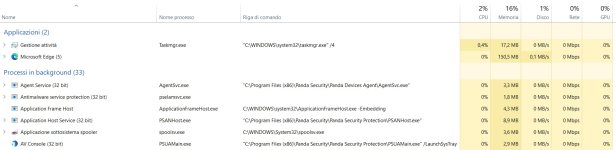
I have added Panda Dome Free only because it's light and can keep the green mark on Windows Security Center.
For malware and phishing protection, I'm back to Blocksi Web Filter on Chromium-Edge.
By the way, Panda, Avast and AVG are the only 3 AVs I'm aware of that can register on WSC right after boot (all the others usually register after 1-2 minutes).
Removed TinyWall because I don't really need it.
You didn't like WD? I don't see what added value Panda has for your config. Only because it's light?Update 01/06/2020
Still issues with FortiClient Web Filter, so I have decided to give it up.
Now my security settings are built around Hard_Configurator.
I'm using "Windows_10_Recommended_Enhanced" profile and I have whitelisted my "Portable_SW" folder.
I have added Panda Dome Free only because it's light and can keep the green mark on Windows Security Center.
For malware and phishing protection, I'm back to Blocksi Web Filter on Chromium-Edge.
By the way, Panda, Avast and AVG are the only 3 AVs I'm aware of that can register on WSC right after boot (all the others usually register after 1-2 minutes).
Removed TinyWall because I don't really need it.
I have tried both of them, but Panda is lighter.I understand u, i have almost the same config, except i use windows defender. If u dont have problem with chinese av u can try quihoo (cloud+ nice sandbox) or huorong (nice hips).
Also, because he's not relying on it.Only because it's light?
Them improved in some way, for sure are able to disable windows defender now xD. If u want something realy light u can consider install secureaplus and remove real time protection, just register as av, so windows defender no start.I have tried both of them, but Panda is lighter.
I'd rather use 360TSE than 360TS, but they don't update TSE too often.
In my opinion, Huorong is still young, they need to tune it. For example, when I tried it, it was not able to disable Windows Defender
My experience with panda free was very short but I saw that it's not that light on cpu usage.